




How to Set Up an AI Voice Agent for Your Shopify Store
Install the app, connect Shopify, buy or bring a number, build the agent, load your policies, turn on the 10-minute abandoned-checkout flow and test it. Live in under 10 minutes.

The whole setup at a glance
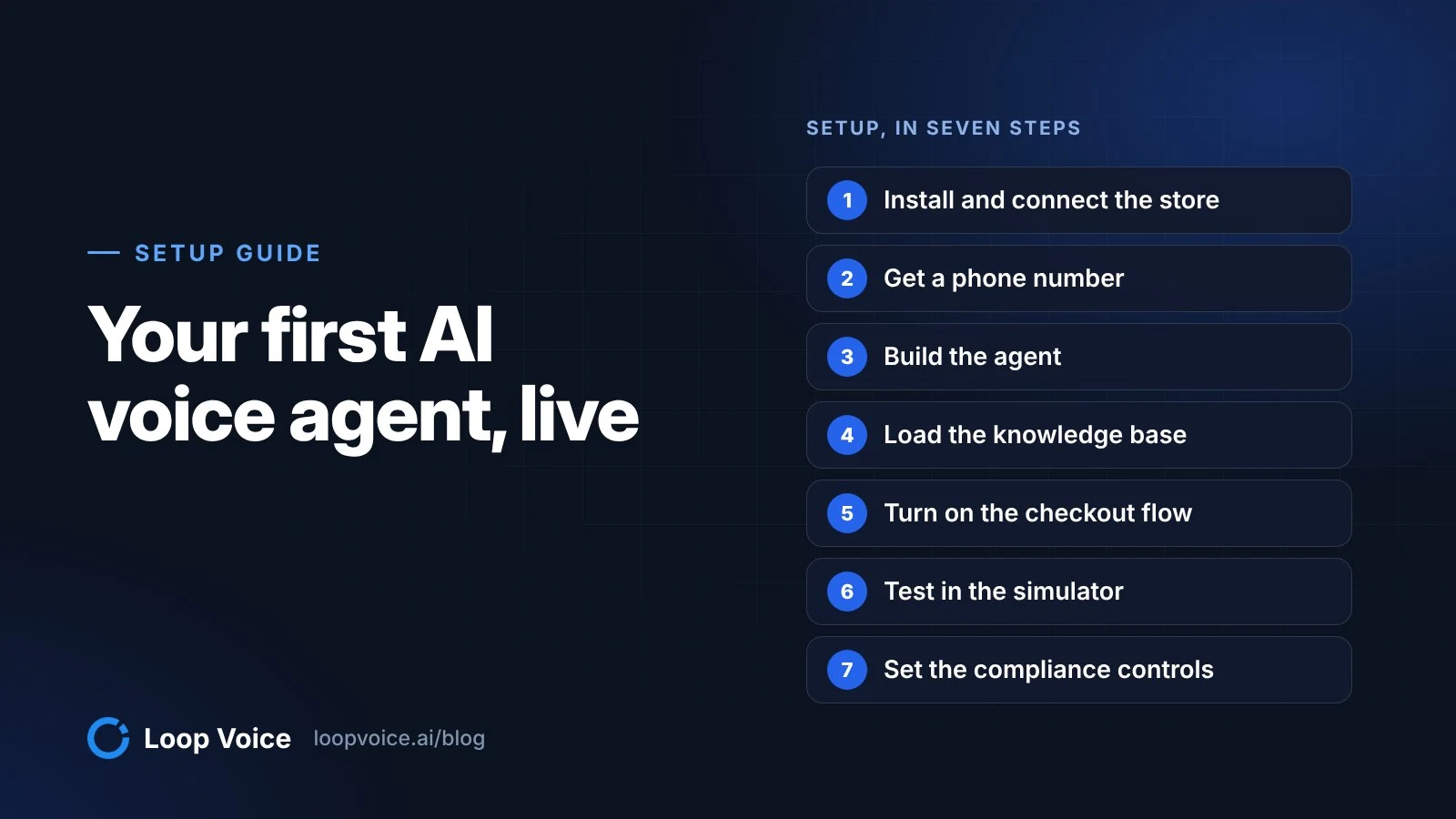
Setting up an AI voice agent on Shopify takes seven steps: install the app, connect the store, get a phone number, build the agent, load its knowledge base, turn on the abandoned-checkout flow and test it before any shopper hears it. In Loop Voice the clicks take under 10 minutes and need no code; the time that decides whether calls go well is what you spend on policies, the discount rule and test calls.
Use this table as the checklist. Each step below explains the decision and what to have ready.
| Step | What you decide | Have ready |
|---|---|---|
| 1. Install and connect | Which store the agent serves | Shopify admin access |
| 2. Get a number | Buy one, use the Super Number, or bring your own Twilio or SIP number | Your Twilio login, if you bring a number |
| 3. Build the agent | Voice, instructions, the one discount it may offer | An approved Shopify discount code |
| 4. Knowledge base | What the agent can answer on its own | Shipping, returns, sizing and warranty pages |
| 5. Abandoned-checkout flow | Delay, steps and stop rules | The timing of your email and SMS flows |
| 6. Test | Your pass bar before going live | Your own phone |
| 7. Compliance controls | Calling hours, caps, recording | Your consent wording at checkout |
Step 1: Install from the Shopify App Store and connect the store
Install Loop Voice from its Shopify App Store listing, which includes a free plan, and approve the permissions. Loop Voice asks only for the Shopify scopes it needs to run calls (orders, customers and checkouts), and nothing is added to your storefront theme, so site speed is untouched.
Connecting the store is what lets the agent see the cart a shopper left, their name and the order they eventually place. That last part matters more than it sounds: attribution ties a recovered order back to the call that caused it, and the flow stops calling the moment an order comes in.
Before moving on, open your store as a shopper and read your shipping, returns and product pages. If they contradict each other, fix the site first; the agent will learn from those pages in step 4.
Step 2: Get a phone number
You have four ways to get a number, and you do not need a Twilio account for the first two. Pick based on whether customers already know a number of yours.
| Option | Pick it when | What to know |
|---|---|---|
| Buy a local number in Loop Voice | You have no number customers recognize | Local numbers in 90+ countries, voice and SMS ready |
| Super Number (local presence) | You call shoppers across many US area codes | Each outbound call uses a number matching the shopper's area code; included on the Scale plan |
| Import your Twilio number | Customers know the number, or your team already runs Twilio | You keep a number you already own; texting from it needs your own A2P registration |
| Connect a SIP trunk (Twilio, Vonage, Telnyx) | Your number lives with another carrier | You keep the caller ID you already have |
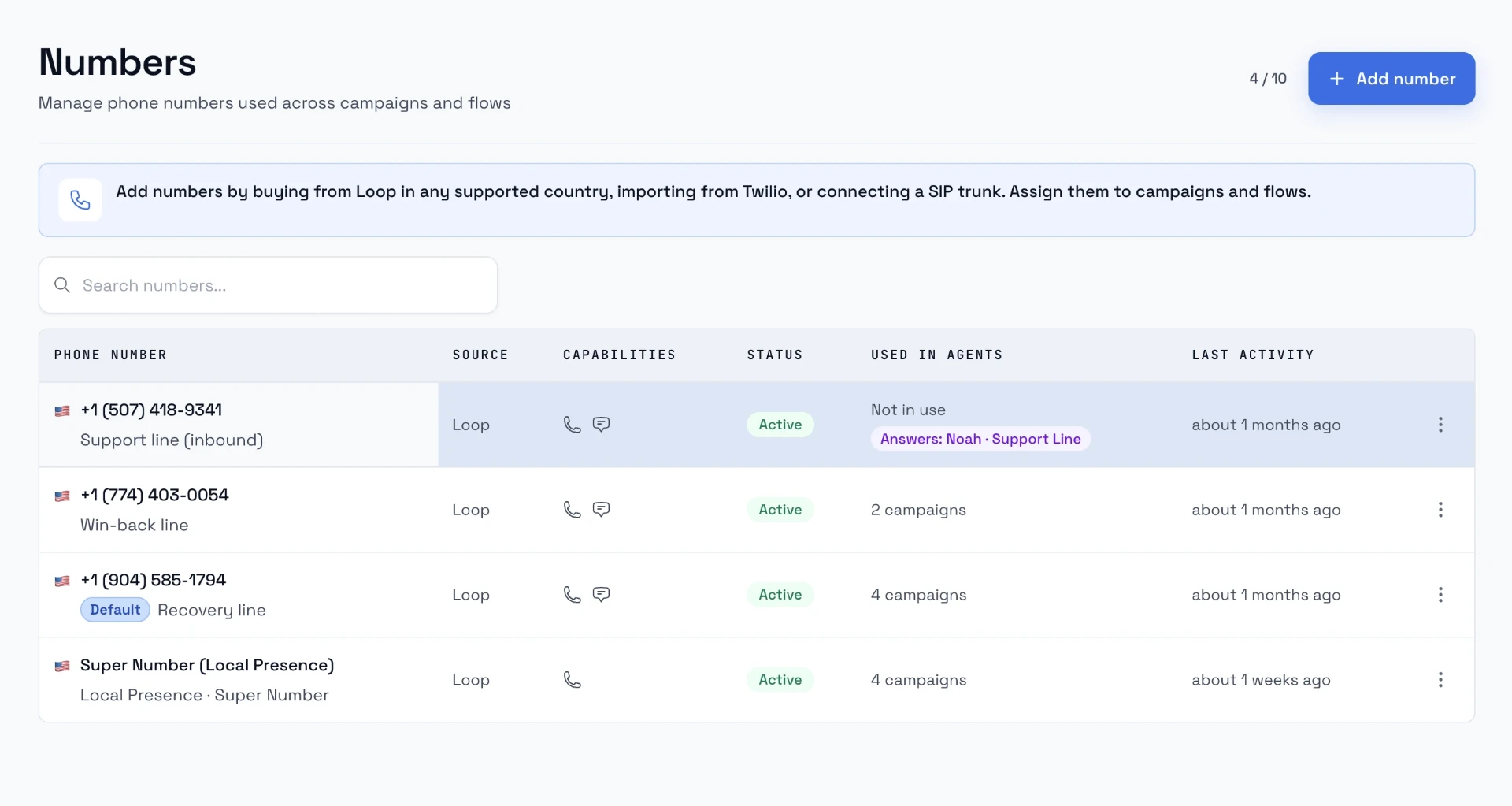
For outbound recovery calls, a local number is the usual starting point; the reasoning, with answer-rate data and caller ID options, is in local vs toll-free caller ID for store calls. Keep a published support line where it is and decide separately whether the agent should answer it.
Bringing your own Twilio number
Bring your own number when customers already have it saved or it is printed on your packaging. These steps are checked against Twilio's documentation as of October 16, 2026:
- Upgrade the Twilio account. Twilio's trial rules only allow calls and texts to verified numbers, and trial accounts expire after 30 days. An agent calling shoppers needs a paid account.
- Make sure the number is in that account. If it lives with another carrier and you want Twilio to hold it, Twilio's porting guide explains the process: Twilio becomes the carrier, an authorized person signs a letter of authorization, and the number has to meet Twilio's messaging and voice compliance requirements before you use it.
- Write down what the number does today. In the Twilio Console, open Phone Numbers > Manage > Active numbers (Numbers & senders in the newer Console) and note where incoming calls are routed. If staff answer that line now, agree with them what changes before the agent takes over.
- Prepare credentials safely. Twilio recommends API keys for authenticating with its API, because you can revoke one key without touching your main credentials. Never paste keys or tokens into agent instructions, tickets or shared documents.
- Register for texting if the number will send SMS. Calls do not need A2P 10DLC registration, but texts from a US local number do. Follow the A2P 10DLC registration guide before you rely on a checkout-link text.
- Raise caller ID trust. Twilio signs calls with its highest attestation (A) only for numbers assigned to an approved Business Profile and an approved SHAKEN/STIR Trust Product in Trust Hub. Twilio's SHAKEN/STIR onboarding page puts vetting at 24 hours for the profile and 72 hours for the trust product.
Then import the number on the Numbers page in Loop Voice and assign it to your agent. Check that calls show the caller ID you expect and that calling the number back reaches the right place.
Connecting a SIP trunk instead
If your number lives with Vonage or Telnyx, or you already run Twilio Elastic SIP Trunking, connect the trunk in Loop Voice and keep the caller ID customers know. The trunk carries the calls; confirm with support how follow-up texts will be sent before you promise one on a call.
Step 3: Build the agent
The agent editor (Loop Voice calls it the Voice Agent Lab) has four parts worth your attention: identity and voice, instructions, objectives and guardrails. Work through them in that order.
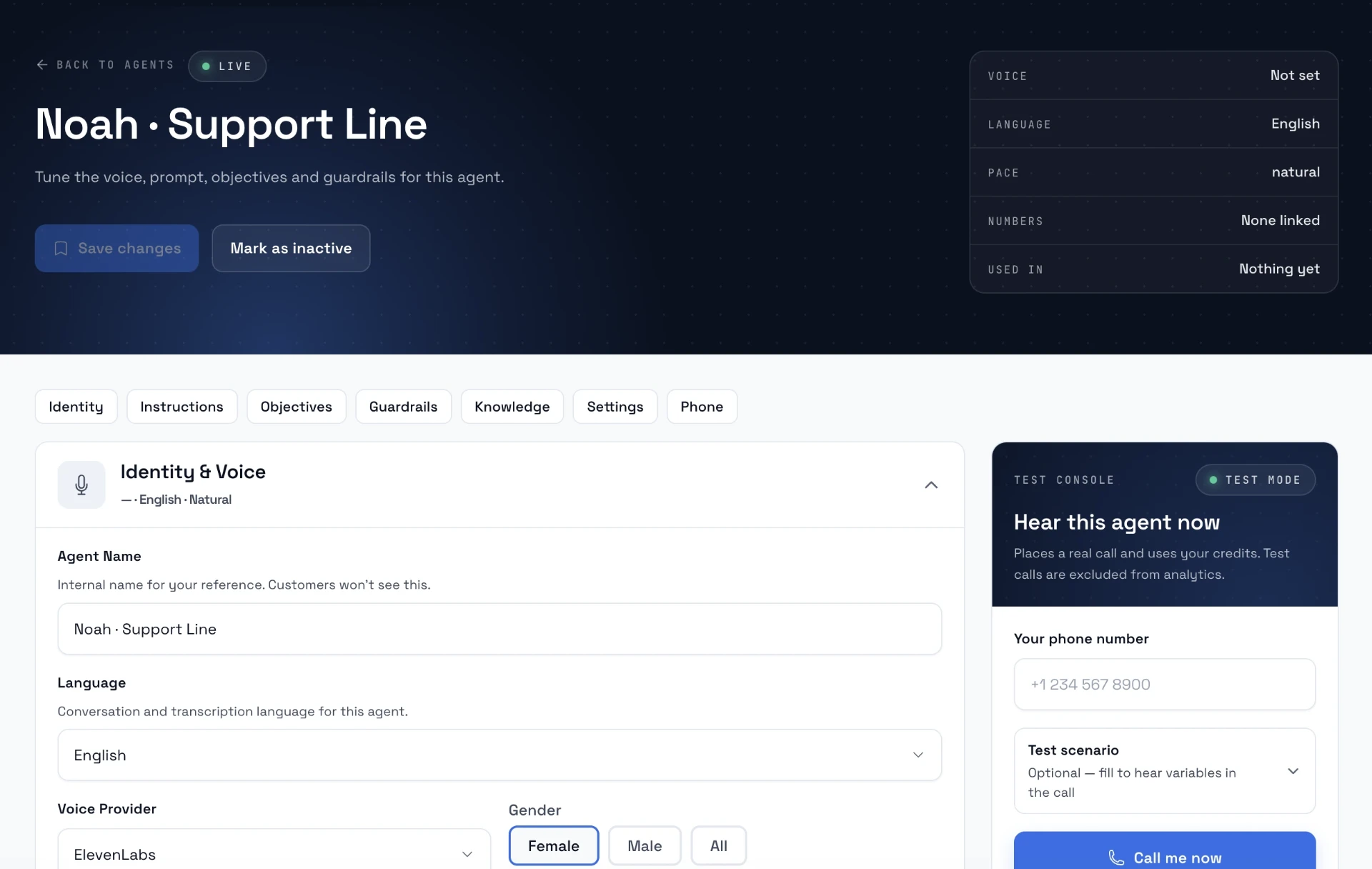
- Identity and voice. Pick the voice, speaking speed and language; Premium Voice (Loop Voice's own voices, plus voices from ElevenLabs, xAI, Vapi and other providers) is included from the Growth plan up. The agent introduces itself with your store's name and never claims to be human.
- Instructions. Write them with the prompt assistant: give it your tone, audience, products, the offer, talking points, things to avoid and the outcome you want. Start from the abandoned cart call script template and cut anything you would not say on the phone yourself.
- Objectives. Templates exist for sales, support and abandoned cart, plus a library of fourteen (handle objections, smooth handoff, professional closing and others). Turn on few; an agent chasing ten objectives on a short call sounds scripted.
- Guardrails. Choose strict, standard or minimal. The rules include never hallucinate, stop when the caller asks for a human, respect refusals and say it is an AI when asked.
The discount rule. Give the agent its own dedicated Shopify discount code and let it offer the code only when price is the objection. A shopper stuck on shipping times does not need 10% off; they need the shipping answer. You can also cap calls per customer per week, month, quarter or year, and choose where escalations go: a Loop Voice ticket, Zendesk, Redo or SMS.
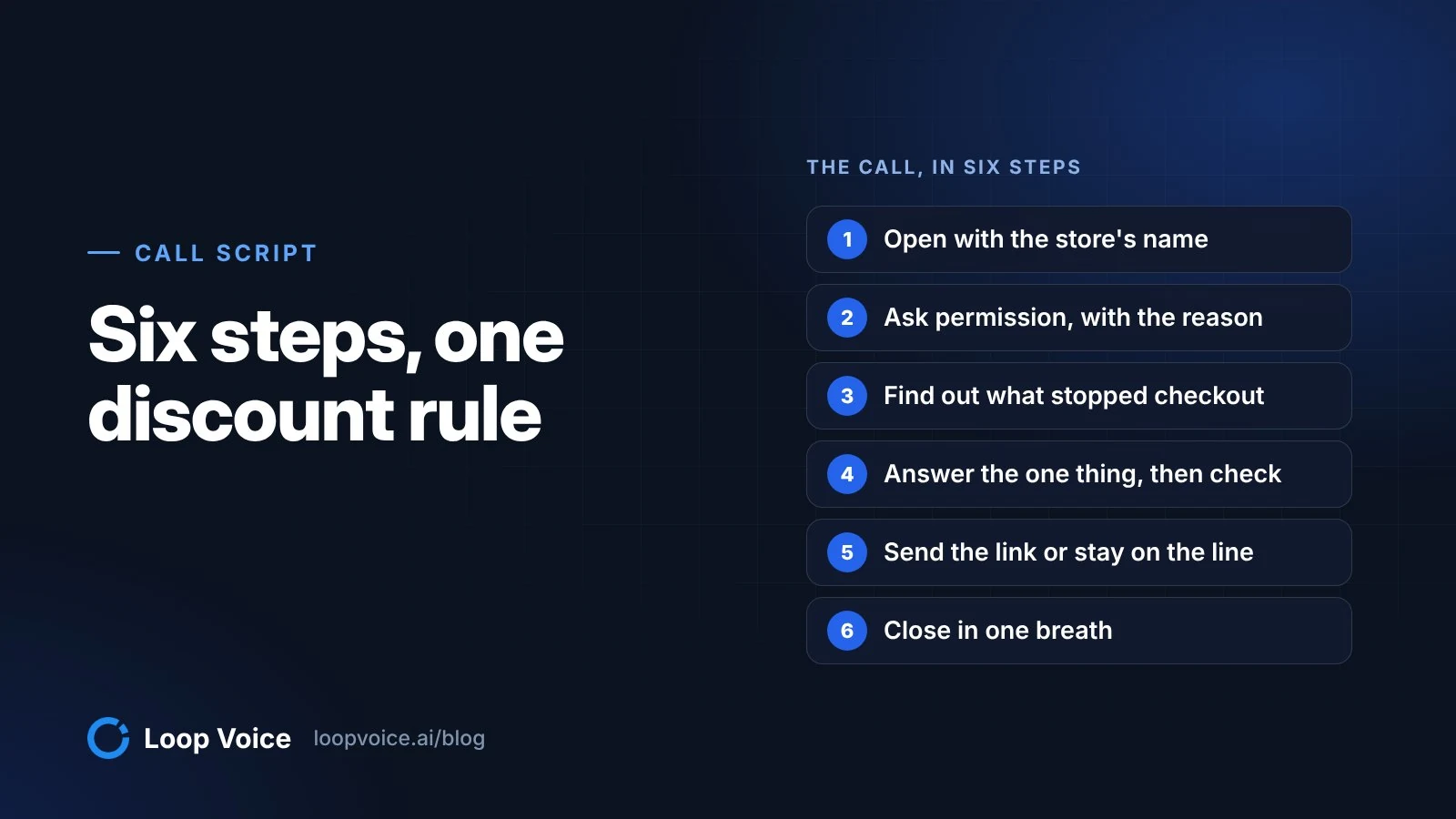
Make the agent spell the code. In a real call for a dog-chew brand, the shopper asked "Was it L-U-P 10?" and the agent answered:
"Close. It's L-O-O-P 10. L as in Lima, O as in Oscar, O as in Oscar, P as in Papa, 1, 0. Want me to wait while you enter it?"
The code worked, and the call ended with checkout completed at 10% off. The prompt score in the editor rewards exactly this behavior, along with a voicemail branch and silence handling.
Step 4: Load the knowledge base
The knowledge base is where answers come from. Loop Voice crawls your site pages, policies and FAQ, syncs your product catalog, and takes uploads as PDF, DOC or text; you can re-crawl whenever the site changes.
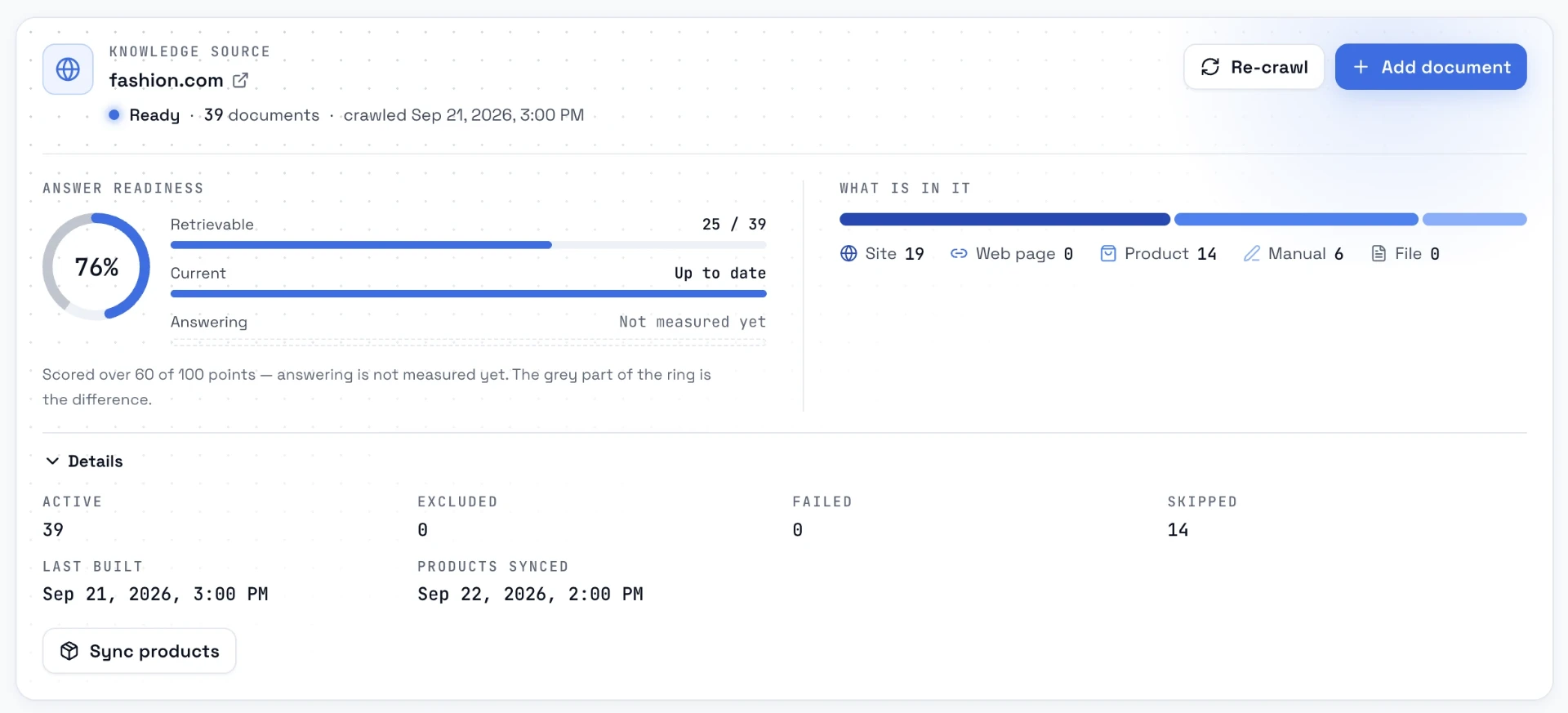
Upload what shoppers actually ask about on the phone, written the way your team would answer:
- Shipping times and costs by region, and the cutoff for same-day dispatch.
- The return window, who pays return shipping and which items are final sale.
- Size guides with your own fit notes ("runs small, size up").
- Warranty terms and how a claim starts.
- What your discount code excludes.
- Subscription terms, if you sell subscriptions.
Then use the retrieval test: type a question a shopper would ask and read the passages the agent gets back. After launch, the answer-gaps view lists real questions from live calls that found nothing; that list is your weekly to-do.
Step 5: Turn on the abandoned-checkout flow
Shopify counts a checkout as abandoned once it stays incomplete for more than ten minutes after the shopper enters an email, according to the Shopify Help Center. Loop Voice's default abandoned-checkout flow waits ten minutes after the checkout is abandoned and then calls; you can change the delay.
Start with the default. The point of a recovery call is to reach someone while the cart is still on their screen, and several of the calls in our library are exactly that: the shopper is mid-checkout and the agent stays on the line until the order confirmation appears.
Then decide what follows a missed or unfinished call. The example flow on the features page is a good template: wait ten minutes, call, text the checkout link, wait, call again with a discount, send a last note. Each step can be set to Draft, Manual or Live, so you can launch with only the first call live and add steps once you have listened to real calls.
Check the stop rules before you activate. The flow stops when the shopper orders, says stop, is on the do-not-contact list, or after a negative call. If Klaviyo or Shopify Messaging also sends abandoned checkout emails, line up the timing so one shopper does not get a call, a text and two emails in the first hour; running calls next to a Klaviyo abandoned cart flow shows one way to sequence them. To compare tools before you start, see the best AI voice agents for Shopify cart recovery.
Step 6: Test in the simulator, then call yourself
The simulator runs your agent against AI-played customers. There are six built-in personas (ready buyer, angry customer, rushed customer, skeptical shopper, confused customer, suspicious of AI), up to ten conversations per run, and each is scored on goal completion, tone, accuracy, compliance and naturalness, with an AI review that lists the prompt changes to make. Nothing is dialed and nothing is charged.
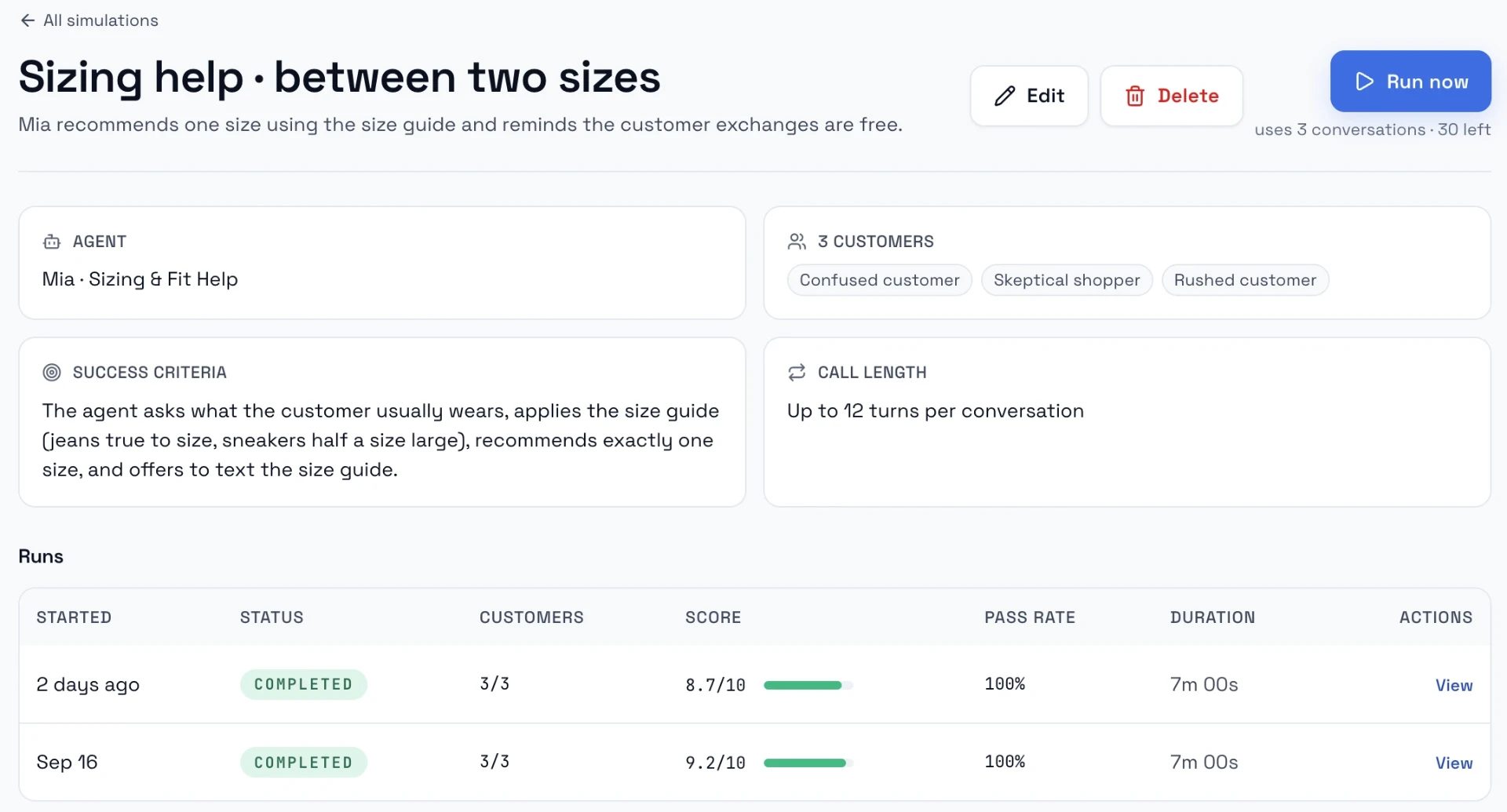
Write scenarios for the calls that would embarrass you. This is our pass bar before go-live:
| Scenario | Persona | Pass if the agent |
|---|---|---|
| "Who is this?" | Skeptical shopper | Names the store in its first sentence and says why it is calling |
| "Is this a robot?" | Suspicious of AI | Says it is an AI assistant without dodging |
| "It's too expensive" | Ready buyer | Offers the code only now, and spells it |
| A shipping question your policy answers | Confused customer | Answers from the policy and offers to text the checkout link |
| A question you have no answer for | Rushed customer | Says it will pass it to the team instead of guessing |
| "Don't call me again" | Angry customer | Confirms, apologizes once, ends the call, and the number lands on the do-not-contact list |
Then use the test console: enter your own number and an optional scenario, and the agent calls you with the variables filled in. Test calls are excluded from analytics. Answer badly on purpose: interrupt, go silent, mumble the code back wrong.
Step 7: Set the compliance controls
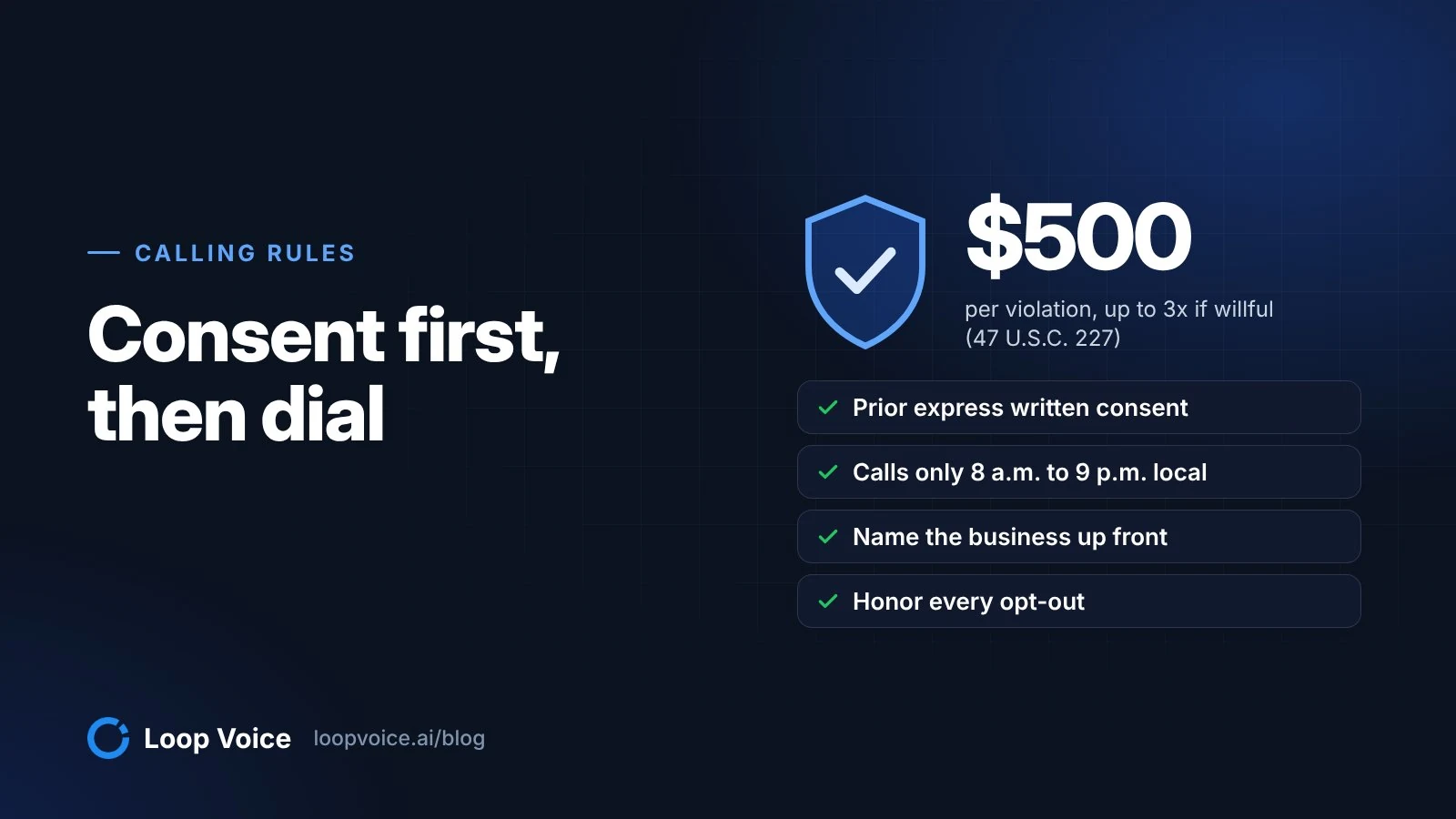
AI-generated voices count as an "artificial or prerecorded voice" under the TCPA, as the FCC confirmed in its February 2024 declaratory ruling. The FCC's rules at 47 CFR 64.1200 limit telemarketing calls to 8 a.m. to 9 p.m. in the called person's local time and require artificial-voice calls to identify the business at the start. Who you may call, and with what consent, is covered in our guide to calling rules; these are the settings that enforce your decisions:
- Quiet hours and calling windows per day, applied in each shopper's own time zone.
- Frequency caps per agent: a maximum number of calls per customer per week, month, quarter, six months or year.
- Do-not-contact list, honored by every flow, campaign and text, with a reason and audit trail for each entry.
- Opt-out capture: a STOP text, "don't call me" on a call, or a carrier block puts the number on the list before the next step runs.
- Recording on or off per number. Recordings are only kept for a limited time, so listen while they exist.
Go-live checklist
Tick every line before the flow goes Live:
- A test call from the agent's number reached your phone, with the caller ID you expected.
- If the flow texts: the number's A2P 10DLC registration is approved, or support has confirmed texting on a Loop Voice number.
- The agent names the store in its first sentence and says it is an AI when asked.
- One discount code, offered only on a price objection, spelled out letter by letter.
- Knowledge base reviewed: no contradictions between shipping, returns and product pages.
- All six simulator personas pass your scenarios; one real test call done.
- Flow delay set; stop on order, stop on opt-out and stop after a negative call confirmed.
- Quiet hours, calling window and frequency cap set.
- Checkout consent wording reviewed against the calling rules guide.
- One named person owns the weekly review of calls.
The first two weeks: what to watch
Look at four numbers and listen to calls. Answer rate tells you whether the number and timing work; the who-answered split (human, voicemail, no answer, unreachable, call screener) tells you why not. Orders attributed to calls are tied to the Shopify order number, and opt-outs tell you whether the calls feel welcome.
Listen to at least ten recordings in the first week, inside the 7-day window. LoopIQ names one change worth making each week, with the reasoning and the setting one click away, and nothing changes until you approve it. When you want proof the calls add orders rather than catch shoppers who would have bought anyway, run a holdout test.
Credits are only used when someone picks up, and an answered conversation uses about 1.5 credits. The Starter plan's 120 credits cover about 80 answered conversations a month for $119; pricing lists the larger plans, and the cost comparison with a call center shows how to judge the spend against your margins.
To hear what good calls sound like before your own come in, browse the library of real recovery and support calls. When outbound is running smoothly, the same agent setup can answer your inbound line too; setting up an AI phone agent for store support covers the scope and escalation rules.
Frequently asked questions
Does Loop Voice work with WooCommerce or Checkout Champ?
Yes. Flows can start from store events in Shopify, WooCommerce or Checkout Champ, such as an abandoned checkout, an order placed or an order fulfilled. The setup order in this walkthrough stays the same: connect the store, get a number, build and test the agent, then switch the flow to Live. Campaigns can also call a Shopify or Klaviyo segment.
What happens to my data if I uninstall the app?
You can revoke access at any time by uninstalling the app from your Shopify admin, and Loop Voice deletes your data within 30 days of the uninstall. Call recordings are only kept for a limited time, so if you want a record of past calls, export the call log to CSV before you uninstall.
Sources
- Loop Voice on the Shopify App Store (Shopify App Store, 2026)
- Recovering abandoned checkouts (Shopify Help Center, 2026)
- Twilio trial accounts (Twilio, 2026)
- Port phone numbers using Twilio APIs (Twilio, 2026)
- API keys overview (Twilio, 2026)
- SHAKEN/STIR Onboarding (Twilio, 2026)
- Elastic SIP Trunking (Twilio, 2026)
- Declaratory Ruling, FCC 24-17 (AI-generated voices under the TCPA) (Federal Communications Commission, 2024)
- 47 CFR 64.1200, Delivery restrictions (Cornell Law School LII, 2026)
Hear it before you decide
Listen to real recovery calls, or see Loop Voice call a test checkout on your own store.