
Klaviyo Abandoned Cart Flows and Phone Calls: A Timing Plan
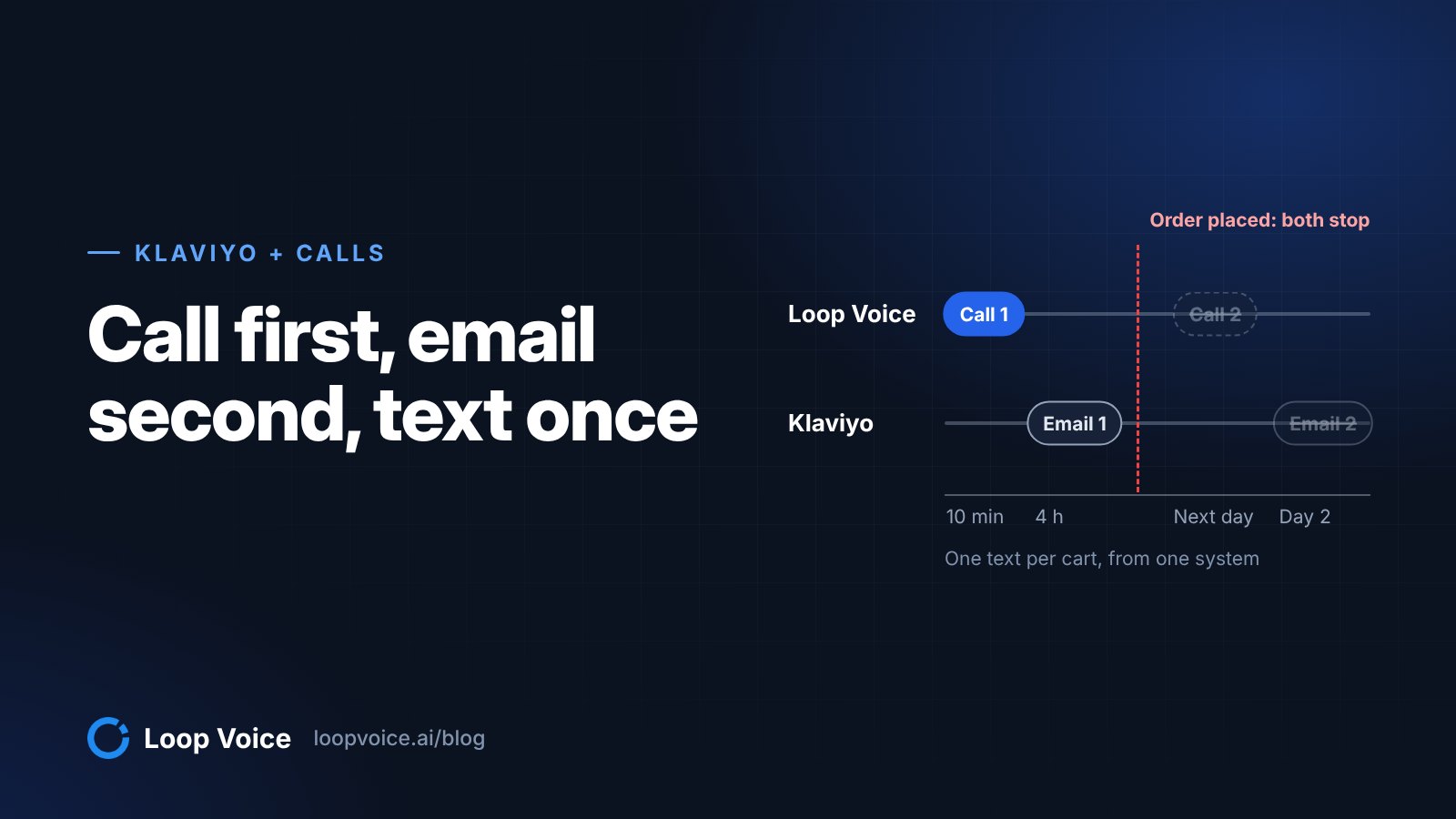
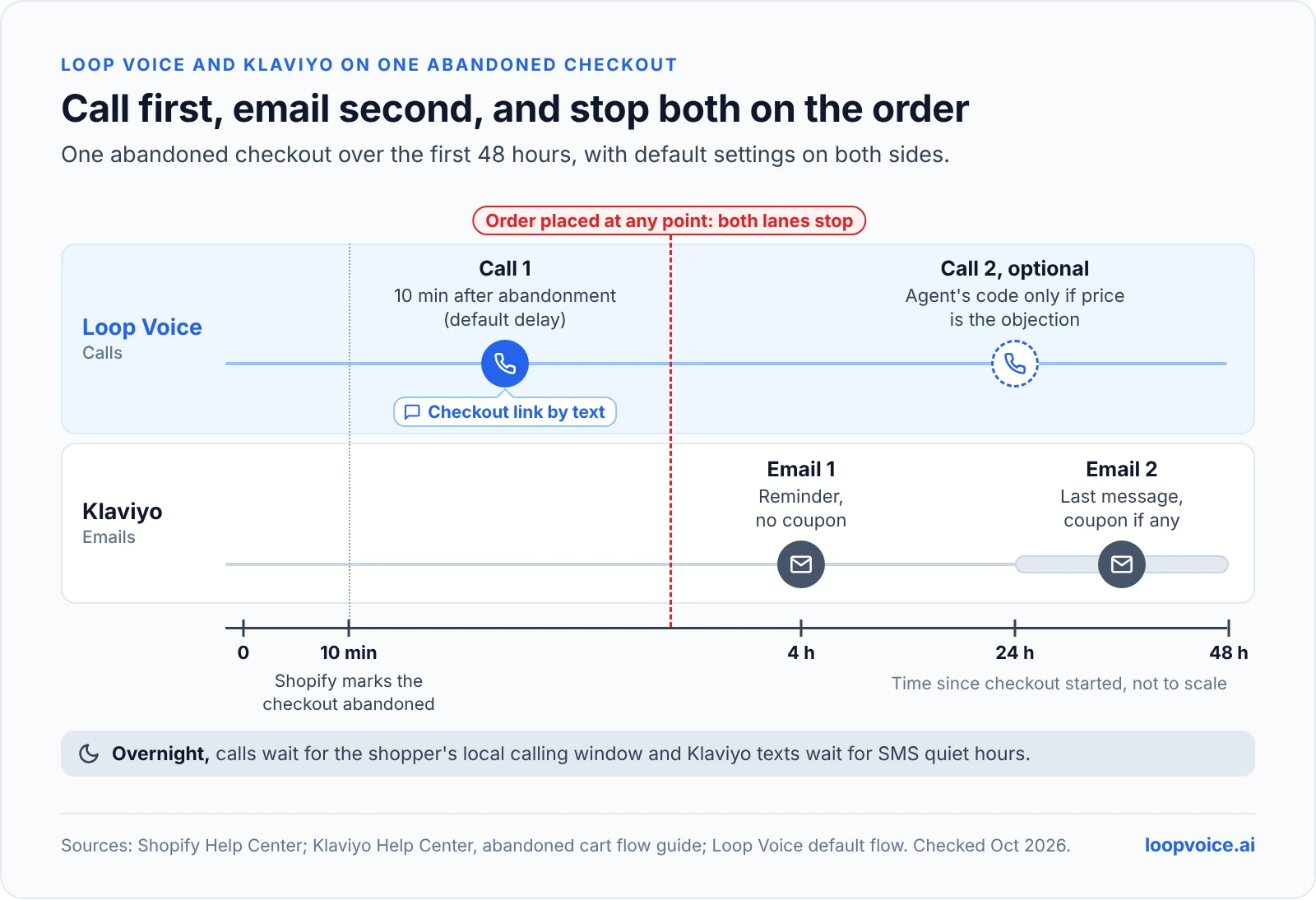
Call about ten minutes after the checkout is abandoned, keep Klaviyo's first email at 4 hours, give each cart one text from one system, and stop both on the order.

Key takeaways
- Call first: Loop Voice calls ten minutes after abandonment; Klaviyo's first email waits 4 hours.
- Give each cart one text from one system; Klaviyo's Smart Sending cannot see the other tool.
- Stop both on the order: Klaviyo's Placed Order filter and Loop Voice's stop-on-order rule.
- Both tools will claim the same order, so measure lift with a holdout.
The plan in short
Call first and email second: let Loop Voice call about ten minutes after the checkout is abandoned (its default delay), keep Klaviyo's first abandoned cart email at its 4-hour default, and let exactly one of the two systems send the cart's reminder text. Both sides stop on the same Shopify order (Klaviyo through the flow filter "Placed Order zero times since starting this flow", Loop Voice through its stop-on-order rule), so a shopper who buys after the call hears nothing more.
The rest of this post is the detail: who sees what, the timeline, the double-text problem, stop rules, consent, calling Klaviyo segments, and how to measure without counting the same order twice. If you have not built the email side yet, start with our abandoned cart email guide.
How the two systems see one checkout
Be precise about the connection, because it shapes everything else. Loop Voice is not a step inside your Klaviyo flow, and Klaviyo does not trigger the calls. Loop Voice runs its own flow from Shopify's abandoned checkout event; Klaviyo runs its flow from its own Started Checkout metric. Each sends on its own clock.
- Klaviyo starts the flow when a shopper enters contact details at checkout and moves to the next step, then checks its flow filters before every message (Klaviyo's abandoned cart flow guide).
- Shopify counts the checkout as abandoned once it stays incomplete for more than ten minutes after the shopper enters an email (Shopify Help Center).
- Loop Voice's default abandoned-checkout flow waits about ten minutes after the checkout is abandoned, then calls, inside the shopper's local calling window. You can change the delay.
The two meet in three places: the Shopify order that stops both, Klaviyo segments that Loop Voice campaigns can call, and call outcomes that Loop Voice syncs back to Klaviyo. Anything else, such as who already got a text, you coordinate with timing and ownership rules, not with a live handshake.
The timing plan
Example: one abandoned checkout, default settings on both sides, no order until the end.
| When | System | What happens | Skipped if |
|---|---|---|---|
| Checkout starts | Klaviyo | Started Checkout puts the shopper in the flow | |
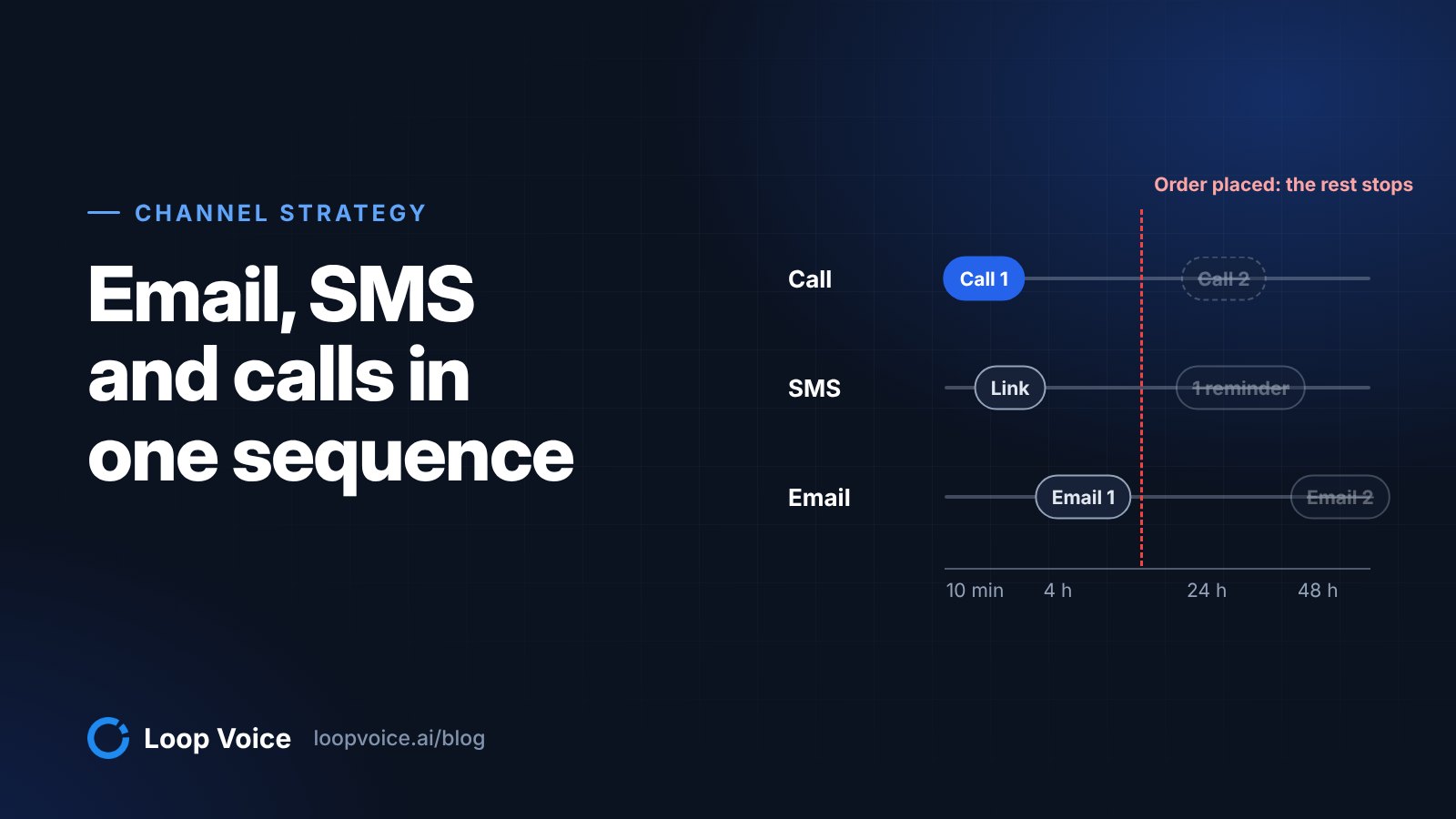
| About 10 minutes after the shopper leaves | Loop Voice | Call 1 (the default delay); the agent can text the checkout link | Order, stop request, do-not-contact list, outside calling hours |
| 4 hours after Started Checkout | Klaviyo | Email 1, the cart reminder, no coupon | Placed Order filter |
| Next day | Loop Voice (optional) | Call 2; the agent offers its code only if price is the objection | Order, stop, negative call 1, frequency cap |
| 20 to 48 hours after email 1 | Klaviyo | Email 2, the last one, where a coupon belongs if you use one | Placed Order filter |
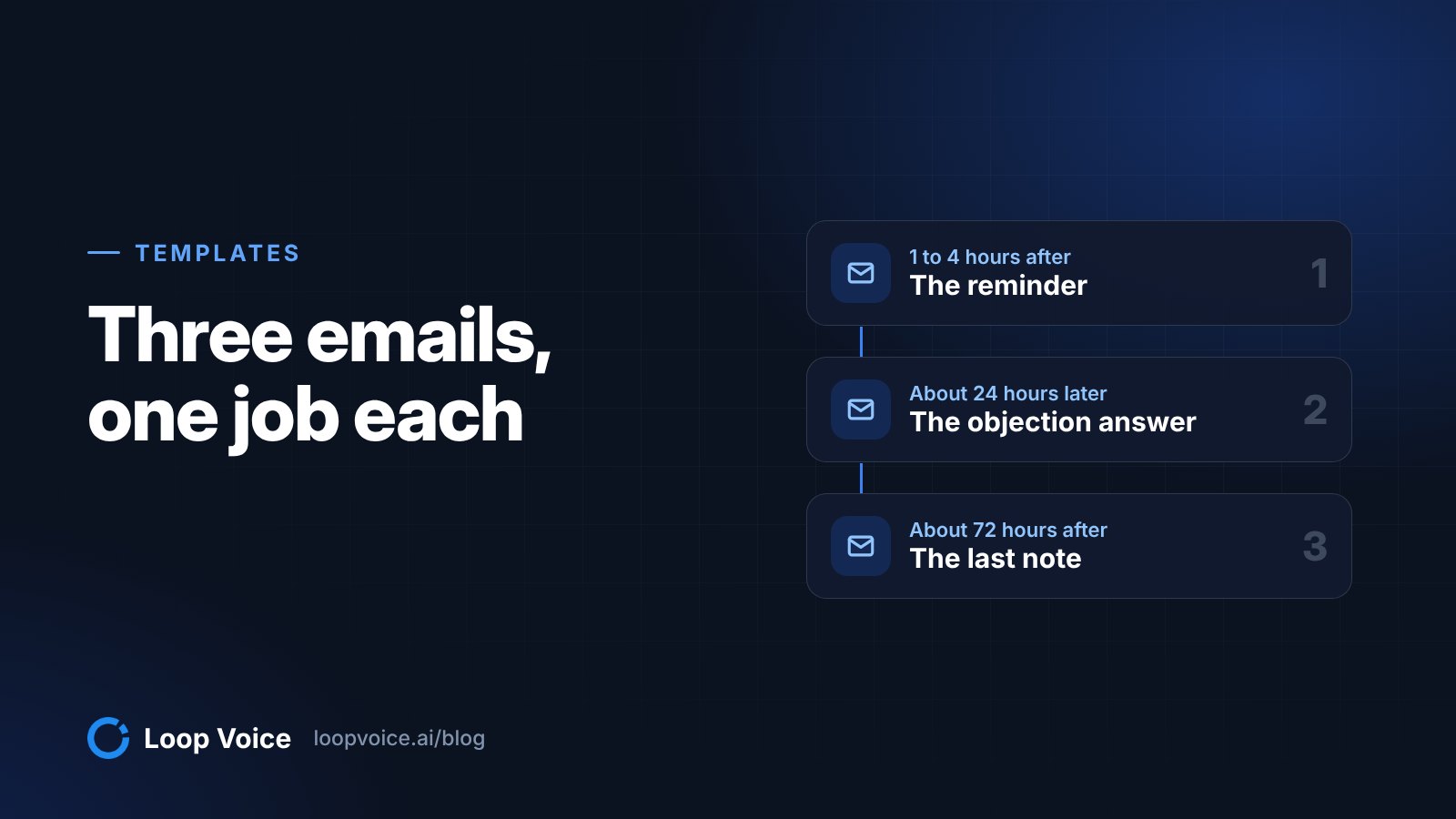
Klaviyo's pre-built abandoned cart flows wait 4 hours before the first message, and Klaviyo recommends 2 to 4 hours for the first email and a second one 20 to 48 hours later, with 2 to 3 messages in total and no coupon in the first. That spacing leaves the first hours to the call. If your first email goes out after 30 minutes, push it to at least an hour so the call has happened and any order has synced before Klaviyo checks its filter.
Keep one offer across both channels. Shoppers carry offers between them: in one of the calls in our public call library, the shopper asked early on for the extra 10% that a message from the store had promised. If the last email offers 10%, the agent's code should be 10% too, ideally as its own code so you can see which channel closed the order.
One text per cart, from one system
Double texting is the easiest collision to create, and for US shoppers it can also break the rules for cart texts. Klaviyo's US cart SMS compliance article lists one SMS per recipient in a cart abandonment flow, sent within 48 hours, to subscribers who came through double opt-in, among the requirements it attributes to the TCPA, CTIA or carriers.
Klaviyo will not catch the duplicate for you. Smart Sending (default windows: 16 hours for email, 24 for SMS) counts the marketing messages Klaviyo itself tried to deliver, so a text Loop Voice sent five minutes earlier does not exist as far as Klaviyo is concerned. Pick an owner per cart:
| Option A: Loop Voice owns the text | Option B: Klaviyo owns the text | |
|---|---|---|
| Best when | You call every eligible abandoned checkout | SMS is your main recovery channel and calls are an extra touch |
| In Klaviyo | Remove the SMS step from the Started Checkout flow; keep SMS in your Added to Cart flow for shoppers who never reached checkout | Keep one SMS step inside 48 hours, behind the Placed Order filter |
| In Loop Voice | Keep the call-paired text: the checkout link during or after the call | Set the flow's SMS steps to Draft and tell the agent in its instructions not to offer a text |
| What the shopper gets | Call, one text with the link, emails | Call, one Klaviyo text, emails |
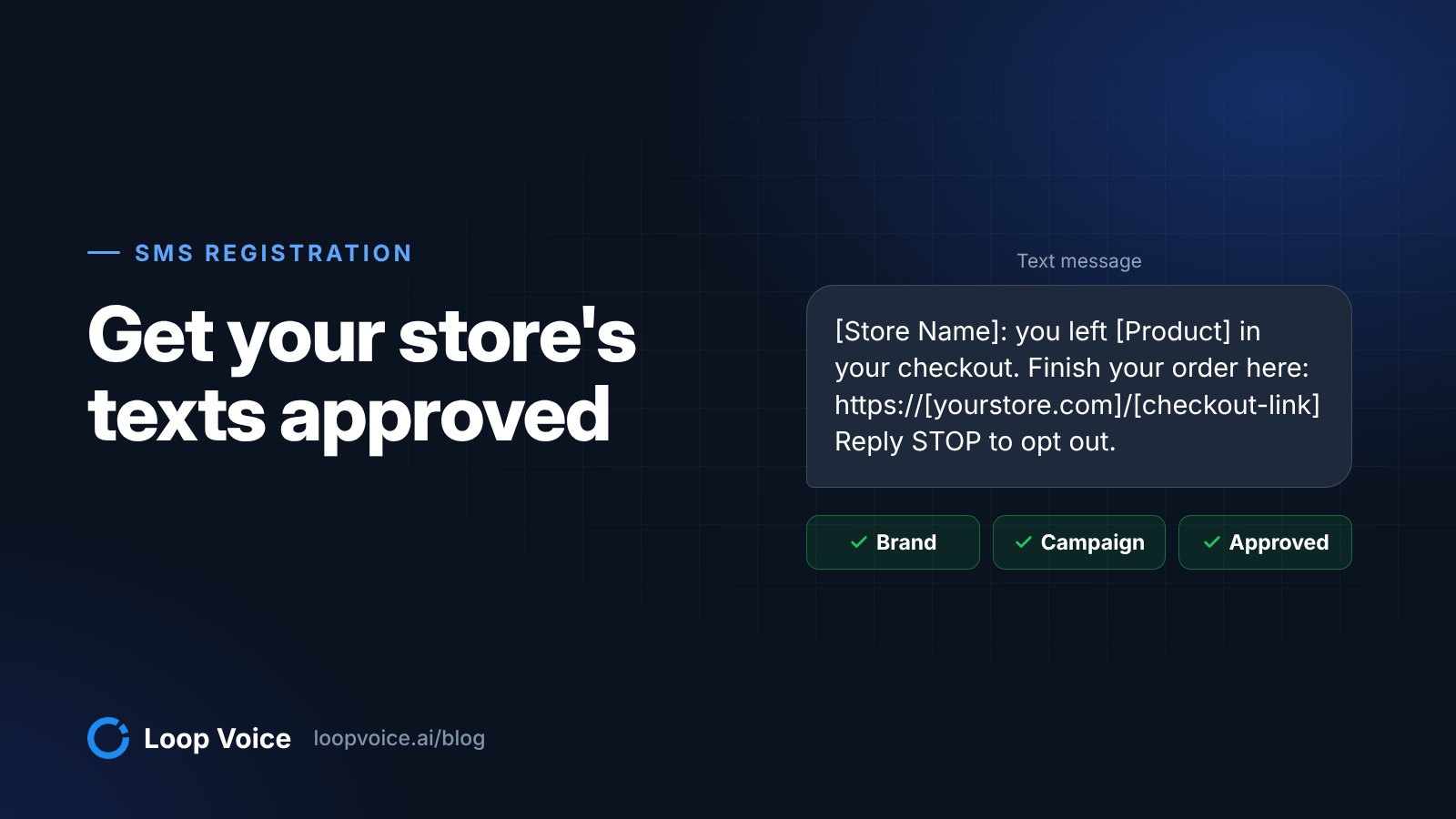
Option A is usually the better trade. The text arrives right after the shopper says yes to "Do you want me to text you a direct link back to your cart so you can finish faster?", which is the moment it is most useful, and only one system ever texts about that checkout. The real recovery calls we published show the agent offering the cart link at exactly that point.
Watch the morning, too. Klaviyo holds flow texts that fall in quiet hours until the next sending window (Klaviyo SMS quiet hours), and Loop Voice holds calls until the shopper's local calling window opens. A cart abandoned at 11 p.m. can produce a queued text and a queued call at the same minute next morning. Start the Loop Voice calling window at a different time from your Klaviyo SMS window, and remember that some states are stricter than 8 a.m. to 9 p.m.: Klaviyo's own guide notes Florida limits texts to 8 a.m. to 8 p.m.
Stop rules on both sides
Each system enforces its own rules. Line them up so the same events end the sequence everywhere.
| Event | Klaviyo | Loop Voice |
|---|---|---|
| Order placed | Flow filter "Placed Order zero times since starting this flow", checked before every message | Flow stops when the customer orders |
| Shopper starts checkout again | "Has not been in this flow" filter for X days; Added to Cart flow filtered on "Started Checkout zero times since starting this flow" | Frequency cap per agent: maximum calls per customer per week, month, quarter, six months or year |
| Shopper says stop | A text from a US number containing "stop" removes SMS consent immediately (Klaviyo opt-out keywords) | "Don't call me" on a call, STOP by text or a carrier block goes on the do-not-contact list before the next step runs |
| Call goes badly | Sees only the call outcomes Loop Voice syncs back | Flow stops after a negative call |
| Overnight | Texts wait for the SMS quiet hours window | Calls wait for the calling window in the shopper's time zone |
Two gaps need a human decision. First, check whether an opt-out recorded in one tool reaches the other. If it does not, treat a stop in either channel as the end of that cart's sequence in both, and add the number to the Loop Voice do-not-contact list by hand. Second, Klaviyo only knows about a bad call through the outcomes Loop Voice syncs back, so check which call results appear on the Klaviyo profile before you build a filter on them.
Then test it with your own phone. Start a checkout with your number, abandon it, take the call, buy, and confirm two things: Klaviyo shows you skipped for failing the profile filter on email 1, and the Loop Voice flow shows you as stopped with the order attached. Our guide to Shopify abandoned checkout recovery covers checking the Shopify side.
Consent: texts and calls are separate permissions
The SMS checkbox at Shopify checkout covers texts. To collect it, turn on SMS under Settings > Checkout > Marketing options in Shopify, then in Klaviyo go to Integrations > Shopify > Sync settings and check "Sync your Shopify SMS subscribers to Klaviyo" (Klaviyo's setup steps). Klaviyo strongly recommends double opt-in on that list, and for US cart reminders its compliance article lists double opt-in and consent that covers cart reminders as requirements.
Calls are a different permission. AI-generated voices count as "artificial" voices under the TCPA (FCC declaratory ruling 24-17), and for artificial-voice telemarketing the federal rules define prior express written consent as a signed written agreement that clearly authorizes calls with an artificial or prerecorded voice to a specific number, with a disclosure that signing is not a condition of purchase (47 CFR 64.1200). A box that says "Text me with news and offers" says nothing about calls.
In practice: word your phone consent so it names calls as well as texts, store the consent record next to the number, and keep the SMS and call permissions as separate fields in both tools. On the call itself, Loop Voice agents name the store at the start and never claim to be human. Read our guide to the rules for calling shoppers before you switch calls on.
Calling Klaviyo segments with Loop Voice campaigns
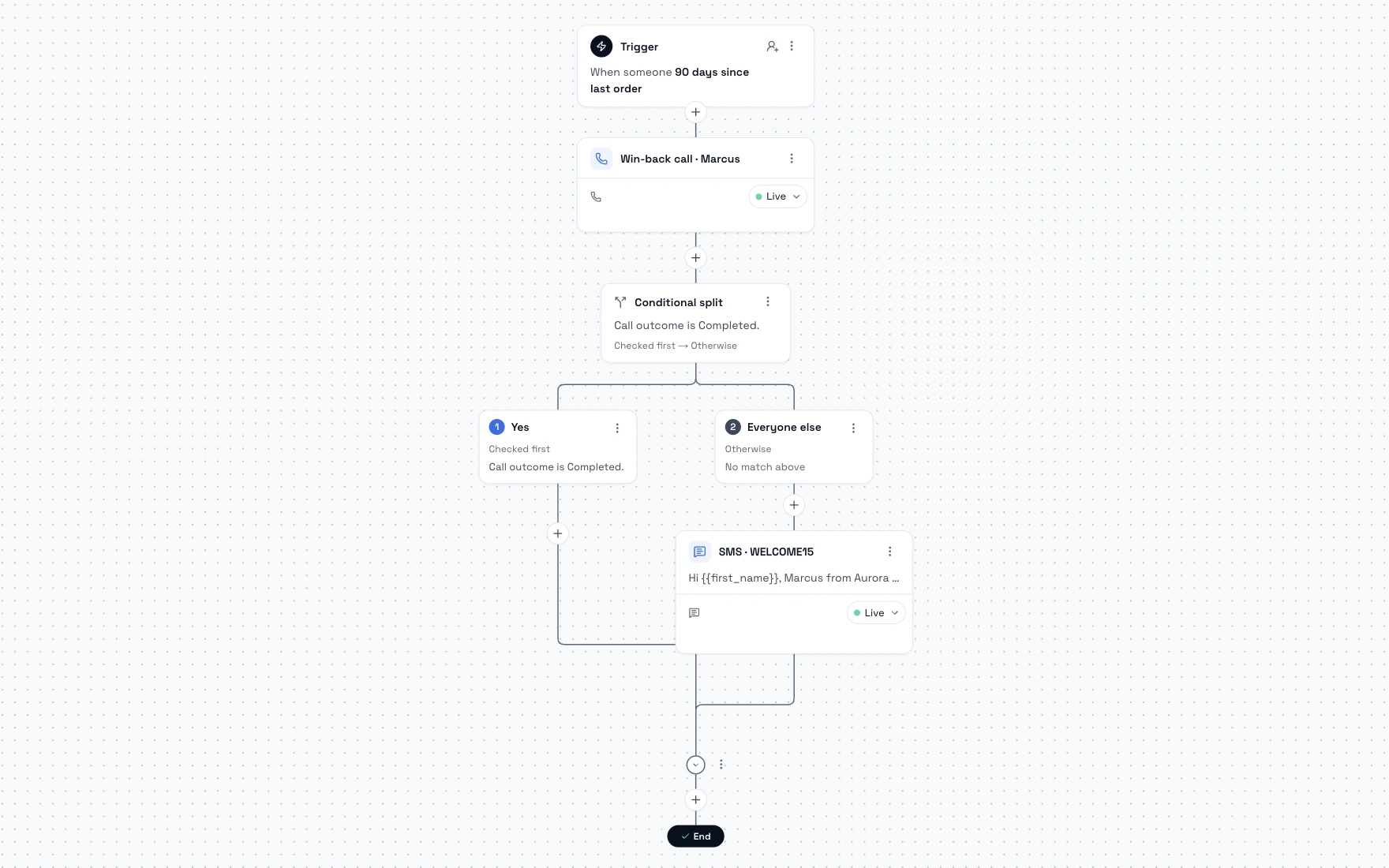
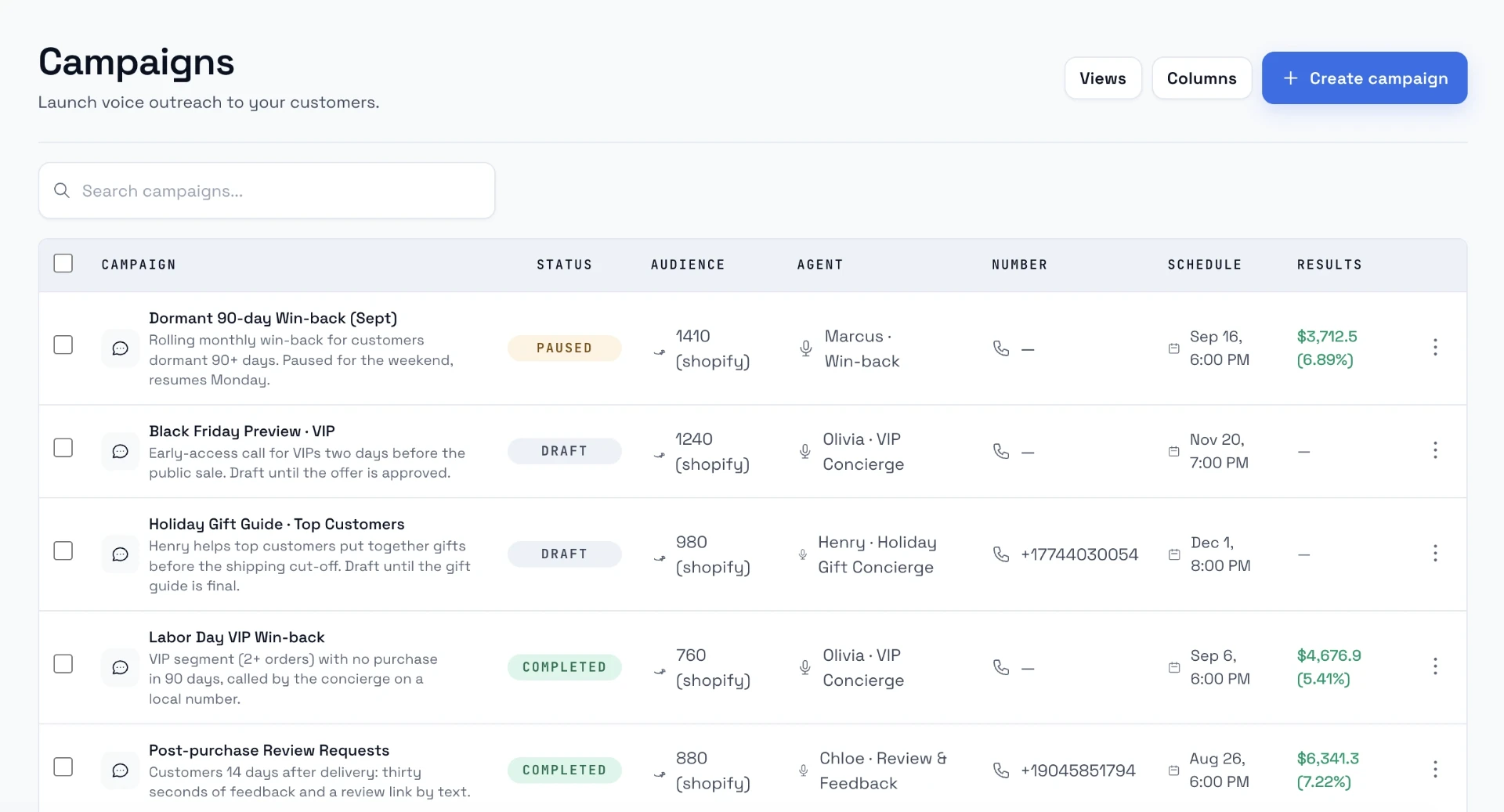
Flows handle speed: the call ten minutes after abandonment. Campaigns handle sweeps. In Loop Voice you can point an agent at a Klaviyo segment, set the campaign time zone, daily calling window and pace, see a credit estimate before launch, and let do-not-contact numbers drop out automatically; the campaign pauses if credits run out.
Klaviyo's segment builder combines "what someone has done (or not done)" conditions with a frequency, a timeframe and event property filters. Three segments worth calling:
- Clicked but did not buy. Started Checkout at least once in the last 2 days, and Clicked Email at least once in the last 2 days, and Placed Order zero times in the last 2 days. These shoppers came back once and still stalled.
- High-value abandoners. Started Checkout at least once in the last 3 days, filtered to a checkout value at or above your threshold, and Placed Order zero times in the last 3 days.
- Returning customers who stalled. Placed Order at least once over all time, and Started Checkout at least once in the last 2 days, and Placed Order zero times in the last 2 days.
Klaviyo calculates these timeframes in UTC, so check the boundaries against your own time zone before you rely on a "last 2 days" cut-off. Frequency caps are set per agent, so run the campaign on the same agent as your recovery flow with a weekly cap, and a shopper the flow already called should not be called again by the sweep.
Measuring without counting the same order twice
Both tools will claim the order. By default Klaviyo uses last-touch attribution with lookback windows of 5 days for email clicks, 5 days for email opens, 5 days for text clicks, 1 day for text opens and 12 hours for text deliveries (Klaviyo's attribution model). Loop Voice ties revenue to the Shopify order number, with an attribution window you set per workspace. A shopper who opens the 4-hour email and then buys during the next-day call lands in both dashboards.
So do not add the two numbers together. Instead:
- Count orders, not channel revenue. For each week's abandoned checkouts, count how many became orders within your window, whatever the dashboards say.
- Match the windows. Set the Loop Voice window to the same length as your Klaviyo email window so the overlap is easy to see. Klaviyo's attribution settings also let you exclude Apple Mail Privacy Protection opens, which keeps machine opens from claiming orders.
- Run a holdout. Leave a random share of abandoned checkouts uncalled and compare their order rate with the called group; our holdout test guide walks through the setup.
For a baseline, Klaviyo's 2026 benchmarks put the average abandoned cart email at $6.77 in revenue per recipient and the average text at $4.48, with click rates of 6.0% and 10.3%. The call has to add orders on top of what your flow already earns, which is exactly what the holdout measures. For how email, text and calls divide the work in general, see our guide to running email, SMS and calls together.
Setup checklist
- Shopify: turn off Shopify's own abandoned checkout email if Klaviyo sends yours (Apps > Messaging > Automations > Abandoned checkout emails by Shopify > Edit settings). Klaviyo's guide also says to turn off default platform messages to avoid duplicates.
- Klaviyo flow: trigger on Started Checkout, add the filter "Placed Order zero times since starting this flow", and keep the first email at 4 hours (an hour at the very least).
- Klaviyo SMS: remove the SMS step from the Started Checkout flow (Option A) or keep exactly one inside 48 hours (Option B).
- Klaviyo offer: no coupon in the first email; put any discount in the last one, at the same value the agent can offer.
- Loop Voice flow: keep the default ten-minute wait, confirm the stop conditions (order, do-not-contact list, negative call), set the calling window and the frequency cap, and give the agent its own discount code. The call script template covers what the agent should say.
- Quiet hours: offset the Loop Voice calling window from the Klaviyo SMS sending window so the morning queue does not land all at once.
- Test end to end with your own phone: abandon, take the call, buy, and check that both systems stopped.
- Measure with a holdout before you add a second call or a campaign.
Frequently asked questions
Will adding calls make my Klaviyo flow look worse?
Its reported numbers can drop. Shoppers who buy on the call are skipped by the Placed Order filter before the 4-hour email, so the email reaches a less eager group and its revenue per recipient and attributed revenue fall. That is a reporting shift, not lost revenue. Judge the program on total orders from abandoned checkouts, measured with a holdout.
What if my products need a longer think?
Delay the call, not the logic. Klaviyo notes that big-ticket items such as mattresses may suit a longer delay before the first email, and the same applies to calls. Move the Loop Voice wait from ten minutes to a few hours or the next morning, keep the call before the last email, and leave every message behind the Placed Order filter.
Sources
- How to create an abandoned cart flow (Klaviyo Help Center, 2026)
- Understanding abandoned cart SMS compliance for the US (Klaviyo Help Center, 2026)
- Understand Smart Sending in Klaviyo (Klaviyo Help Center, 2026)
- Understanding SMS and MMS quiet hours in flows (Klaviyo Help Center, 2026)
- Understanding Klaviyo message attribution (Klaviyo Help Center, 2026)
- How to configure your opt-out keyword settings (Klaviyo Help Center, 2026)
- Segment conditions reference (Klaviyo Help Center, 2026)
- How to collect SMS consent at checkout on Shopify (Klaviyo Help Center, 2026)
- The abandoned cart benchmarks report: 2026 data (Klaviyo, 2026)
- Recovering abandoned checkouts (Shopify Help Center, 2026)
- 47 CFR 64.1200, Delivery restrictions (Cornell Law School LII, 2026)
- Declaratory Ruling FCC 24-17 (AI-generated voices under the TCPA) (Federal Communications Commission, 2024)
- Loop Voice features: flows, campaigns, compliance (Loop Voice, 2026)
- Abandoned cart recovery use case (Loop Voice, 2026)
Hear it before you decide
Listen to real recovery calls, or see Loop Voice call a test checkout on your own store.