Loop Voice
    Outbound · Beta

    Point an AI voice agent at a segment and schedule the calls

    A campaign calls a Shopify or Klaviyo segment once, inside the window you set: restock alerts, launches, early access and winback. Campaigns are in beta.

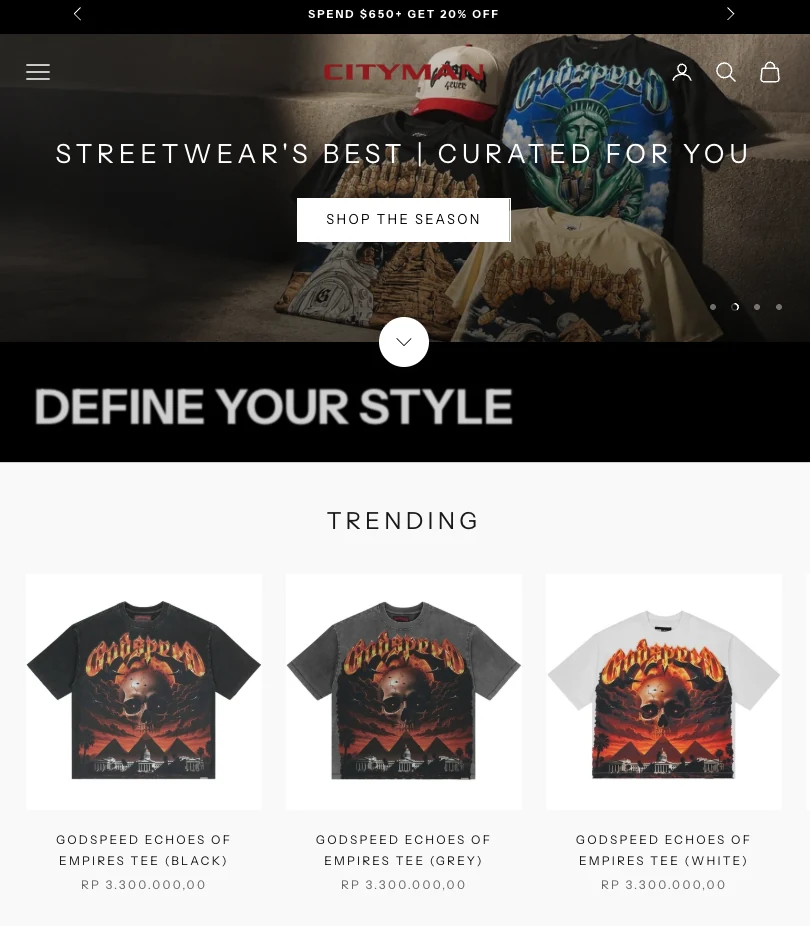
    CityMan USA uses Loop Voice calls for restock reminders.

    The short answer

    An outbound campaign is a one-off batch of calls to a segment you choose, where a flow runs every time a store event happens. In Loop Voice you pick a Shopify or Klaviyo segment, set the time zone, daily calling window and pace, and see a credit estimate before launch; every call is attributed back to the campaign. Campaigns are in beta, and our benchmark doesn't report them separately yet.

    The call

    What a call sounds like

    Loop Voice agent

    Illustrative conversation

    Agent

    “Hi Jordan, it's Alex, an AI assistant calling from [Store]. If you'd rather not get these calls, just say stop. The jacket on your waitlist is back in your size, and we're telling the waitlist first. Want me to text you the link?”

    Customer

    “Yes, please. Is that the black one?”

    An illustration, not a recording. Real calls are in the call library.

    The problem

    A launch email lands next to every other promotion and leaves the customer to do the work. A call reaches the customers most likely to care, answers the question between interest and an order, and texts the link while they're still on the phone.

    Fit

    When it works, and when to skip it

    Works well for

    • Restocks and drops that sell out: tell the customers who wanted the product before the email goes out.
    • Launches for a defined group: VIPs, past buyers of the previous version, a waitlist.
    • Winback batches to a lapsed segment (customer winback).
    • Any audience you can build as a Shopify or Klaviyo segment of customers who agreed to calls (calling rules).

    Skip it for

    • Your whole list: calls cost more than email, so keep them for the segment where a conversation changes the outcome.
    • Deadlines measured in minutes, such as a sale ending tonight: a paced campaign may place its last call hours after its first.
    • Customers without consent to calls, or anyone on your do-not-contact list (calling rules).
    Setup

    Set it up in Loop Voice

    1. Choose the audience

      Pick a Shopify segment, abandoned checkouts, inactive customers or a Klaviyo segment. Loop Voice can also build a Shopify segment from a plain-English description.

    2. Write the reason to call

      Give the agent the news, the product details and one action, such as texting the product link, and add the facts to the knowledge base so it can answer questions.

    3. Set the window and the pace

      Choose the campaign time zone, the daily calling window and the pace in calls per minute. Campaign windows apply in each customer's local time.

    4. Check the estimate, then launch

      Loop Voice shows a credit estimate before launch and leaves do-not-contact numbers out. If credits run out, the campaign pauses and resumes when you top up.

    5. Read the results by campaign

      Every call is attributed to the campaign that made it, and orders to calls by Shopify order number.

    What to check on every campaign

    Audience
    Open the segment's member list before launch and check who's in it. From a Klaviyo segment, Loop Voice skips members with no phone number or one it can't read as a valid international (E.164) number, skips numbers on your do-not-contact list and calls duplicates once, so the call count can come in under the segment size. Omnisend segments work as audiences too.
    Daily calling window
    Because the window runs in each customer's local time, a 10 am to 6 pm window opens in New York three hours before Los Angeles, so a list spread across the continental US keeps the campaign dialing for 11 hours of your day; plan your team's ticket coverage for that span, and check best time to call customers before you pick the hours.
    Pace
    Pace is set in calls per minute, so work out how long the list takes before you announce anything. Example: at 4 calls per minute, an 8-hour window holds 1,920 calls for a list in one time zone, so a 2,000-customer segment spills into a second day. Raise the pace for a drop that sells out, and keep it low for news that keeps.
    Credits and auto-recharge
    Because a campaign pauses when credits run out, a restock can reach the second half of the list after the size has sold out. Turn on auto-recharge before a big launch, and keep the low-balance alert on.
    Frequency cap
    If you run a drop every week, cap the campaign agent by month. Example: a cap of 2 calls a month means a customer who qualifies for every weekly drop hears about two of them, not four.
    Text links
    Links in your texts can carry your brand on yourbrand.go.loopvoice.ai, and clicks are tracked in the SMS log and in Conversations. For a restock, text the product page opened on the size that came back, not the collection; back-in-stock calls shows how.

    Campaigns and flows do different jobs

    A flow runs on its own every time a store event happens: a checkout is abandoned, an order is fulfilled, a second order comes in. A campaign runs once, to a list you chose, on the schedule you set. Use flows for recovery and post-purchase calls, and campaigns for news.

    Both honor the same do-not-contact list. Frequency caps are set per agent, so if a flow and a campaign use different agents, check that a customer in both won't get more calls than you'd accept.

    One reason, one action

    Give each campaign one job: tell the customer the news and offer one thing, usually a texted link. Put your store's name in the first sentence, turn on the guardrails that have the agent say it's an AI when asked and respect refusals, and let a no end the offer.

    Write the opening around the customer, not the catalog. Campaign calls start with what Loop Voice knows about the customer, including any cart and their local time, so the agent can open with the product they wanted instead of a general pitch.

    Restock calls: the clearest case

    CityMan USA, a streetwear store, uses Loop Voice to "remind customer when we restock products," in its founder's words. Drops sell out, so the call carries real news: the piece is back, sizes are limited, and the link arrives by text while the customer is still on the phone.

    On its calls, CityMan USA found that telling customers their size was running low converted best, and its calls also help customers pick the right size (CityMan USA story).

    Size the list before you launch

    Campaign calls use credits only when someone answers, about 1.5 credits per answered conversation. Example: if 15.9% of the segment picks up at least once, as shoppers did across September's abandoned checkout and post-purchase calls (often after several attempts), a 2,000-customer segment would produce about 318 answered conversations, or about 477 credits. The credit estimate before launch shows your own number.

    Consent applies to campaigns as much as to flows. Build the segment from customers who agreed to calls and re-check it right before launch; our guide to calling rules covers the wording.

    Choose the caller ID with care. In September, calls from a brand's own dedicated number were answered 7.3% of the time, against 5.3% for local-presence Super Number calls (benchmark), and our caller ID guide compares local and toll-free numbers.


    What the agent handles

    Built for the questions between intent and action

    Product questions

    Size, color, availability and delivery, answered from your catalog and site.

    The link by text

    Sent during or after the call, so the customer can buy on the spot.

    A polite no

    A customer who isn't interested is thanked and left alone; one who asks not to be called goes on the do-not-contact list.

    Attribution

    Every call is tied to its campaign, and orders to calls by Shopify order number.

    Customer results

    Published results from stores on Loop Voice

    CityMan USA mark

    CityMan USA

    $45,000+ attributed revenue across all its calls · 8,000+ calls · 5% led to a sale

    “Loop has been very helpful to convert abandoned cart and remind customer when we restock products, helps them find the right size, and even suggests pieces that go with what they were looking at to increase the AOV.”

    Kapeel B.

    Founder, CityMan USA

    Read the story
    What to measure

    What to track on each campaign

    Campaigns aren't reported separately in Loop Voice's September 2026 benchmark. Track these on each one:

    Answer rate
    Customers who picked up at least once. Across all shoppers called in September, it was 15.9%.
    Orders per answered call
    Attributed orders divided by answered conversations.
    Credits per order
    Credits used divided by attributed orders, set against your margin per order.
    Opt-outs
    Customers who asked not to be called again. A high rate means the audience or the reason to call needs work.

    Source: Loop Voice Ecommerce Benchmark

    Works with

    ShopifyKlaviyoTwilio
    FAQ

    Common questions

    Can a campaign use my existing Klaviyo segments?

    Yes. Choose a Klaviyo segment as the audience and Loop Voice pulls the customers in, leaving do-not-contact numbers out.

    How fast does a campaign call everyone?

    As fast as the pace you set, in calls per minute, inside the daily calling window and in each customer's local time. A large list can take more than a day.

    What happens if credits run out during a campaign?

    The campaign pauses and resumes when you top up. You also see a credit estimate before launch.

    Is Campaigns generally available?

    Campaigns is in beta. Most stores start with the abandoned checkout flow and add campaigns once it's running.

    Do campaign calls need consent?

    Yes. Treat any campaign that promotes a product as a marketing call, and call only customers who gave prior express written consent to calls made with an AI voice. Our guide to calling rules covers the wording.

    Can I test a campaign before it calls customers?

    Yes. Run the agent in the simulator against AI-played customers, then have it call your own phone from the test console; test calls stay out of your analytics.

    Guides and comparisons

    Read more before you set it up

    Related use cases

    Keep the conversation moving

    Ready to launch outbound campaigns?

    Setup takes under 10 minutes. No code, no headcount.