




Win-Back and VIP Calls: Who to Call, What to Offer, What to Say
Lapsed means past your own reorder interval, not a borrowed 90 days. How to compute it, define VIPs, match offers, build the segments and prove the calls worked.

Key takeaways
- Lapsed means past your own reorder interval, computed per category from your order export.
- Score VIPs on spend, orders, recency, margin and returns, not revenue alone.
- Lapsed buyers get a reason to come back; VIPs get access or service before discounts.
- Hold out a random slice of each segment, or attributed revenue will flatter the calls.
Two definitions to settle first
A customer is lapsed when the time since their last order runs past your store's normal reorder interval, so compute that interval from your own orders instead of borrowing a 90-day rule. A VIP is a customer in your top tier on spend, order count and recency once returns and low-margin orders are taken out; VIPs get early access or a service call, while lapsed buyers get a reason to come back.
The two lists overlap, and the overlap matters most: a VIP who has gone quiet is the most valuable call on either list. Customers who ordered in the last few days are a different job, covered in our post-purchase calls guide.
Step 1: Find your reorder interval
You need one number per product category: how long repeat buyers usually take to come back. Two places to get the data:
- Shopify: go to Orders, click Export and choose orders by date (two years is plenty; large exports arrive by email). The CSV has the customer's Email, the Created at date and each Lineitem name, which is all you need (Shopify Help Center).
- Klaviyo: if your account qualifies for predictive analytics, its winback guide suggests a segment of profiles who have Placed Order at least 2 times in the last 2 years, exported to CSV, using the Average Time Between Orders column.
In a spreadsheet, take every customer with at least two orders, calculate the days between their first and second order, and group them by the category of the first order. Use the median, not the average: one customer who came back after two years drags an average up for everyone.
Example: seven repeat coffee buyers took 21, 28, 30, 34, 41, 49 and 75 days to place their second order. =MEDIAN gives 34 days, and =PERCENTILE.INC(range, 0.75) gives 45 days, roughly the point by which three in four repeat buyers have come back. Run the same sums on grinders and brewers and you might get a median of 140 days. A single 90-day rule would call the coffee buyers about six weeks late and the equipment buyers months early.
Klaviyo can also predict an expected date of next order for each profile, once an account has at least 500 customers who've ordered, 180 days of order history with orders in the last 30 days, and some customers with 3 or more orders (Klaviyo predictive analytics). Klaviyo notes the prediction ignores what the customer bought, so for products with a known replenishment cycle, the category interval is the better trigger.
Step 2: Turn the interval into lapse bands
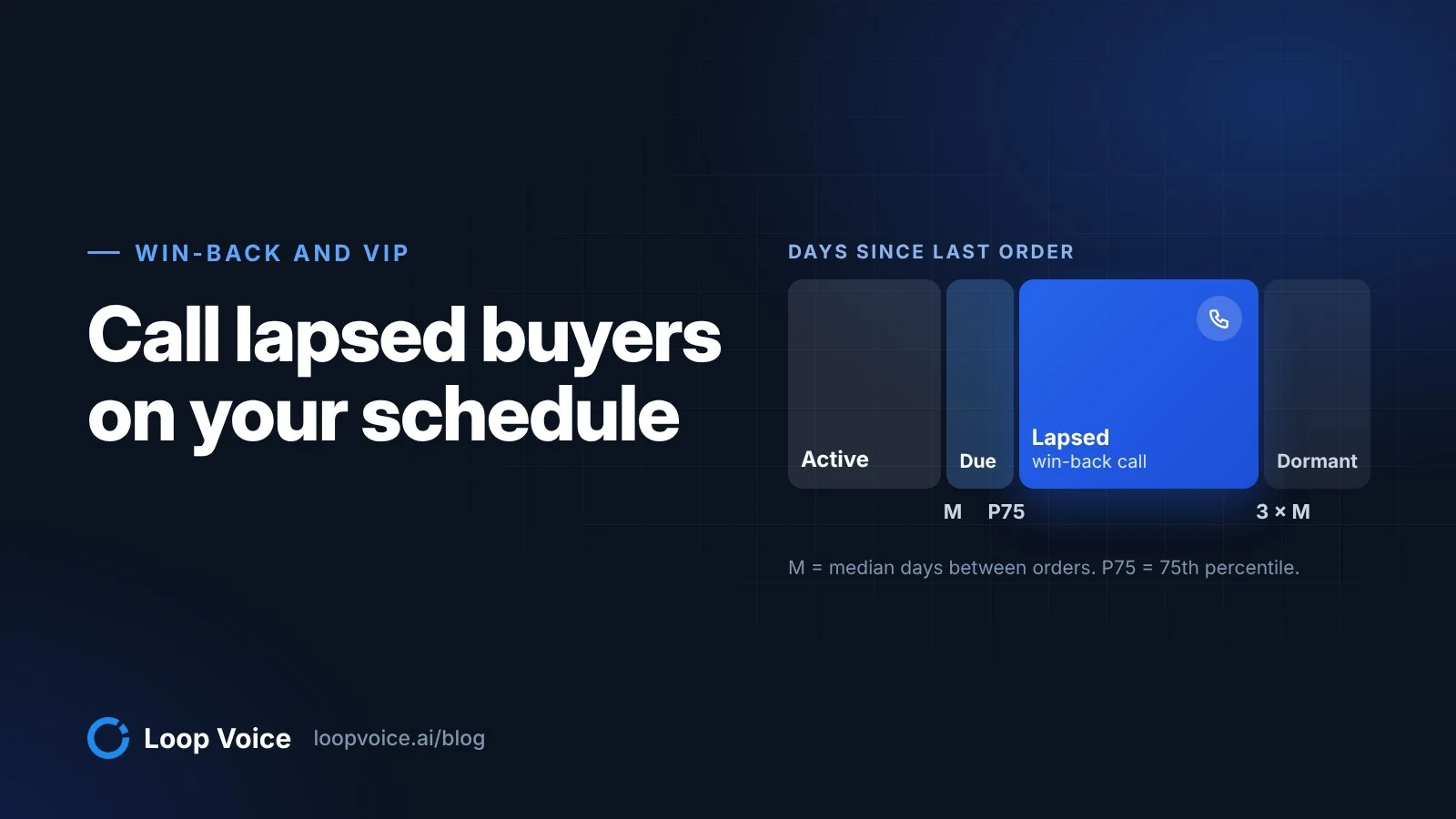
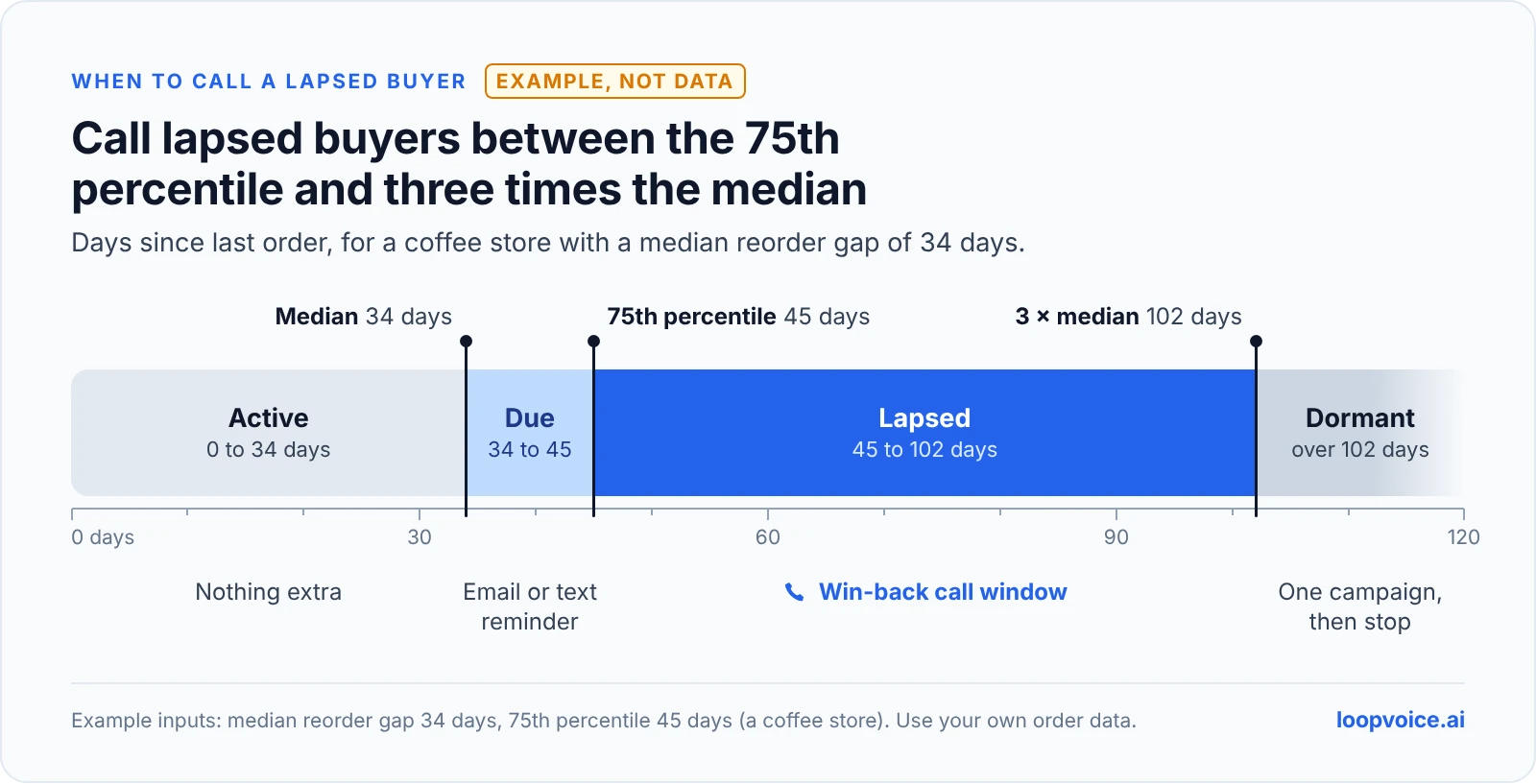
Lapsed isn't a single day. Use the median (M) and the 75th percentile (P75) from step 1 to set four bands, and treat them as a starting rule to adjust once results come in.
| Band | Days since last order | What to do | Coffee example |
|---|---|---|---|
| Active | Under M | Nothing extra | Under 34 days |
| Due | M to P75 | A replenishment email or text | 34 to 45 days |
| Lapsed | P75 to 3 × M | The win-back call window | 45 to 102 days |
| Dormant | Over 3 × M | One low-cost campaign, then stop | Over 102 days |
Shopify's own win-back advice works the same way: a customer who reorders coffee every four weeks and is "edging on six weeks" since the last order belongs in the win-back series. Email and text handle the Due band cheaply; our guide to email, SMS and calls covers how the channels split the work.
Step 3: Decide who counts as a VIP
Revenue alone picks the wrong people. A customer who spent $2,000 and returned half of it, or who only buys on clearance, isn't where your calls should go. Score five things; the thresholds in the last column are illustrative, so set yours from your own distribution.
| Factor | Why it matters | Where to find it | Example threshold |
|---|---|---|---|
| Spend, net of refunds | Lifetime value is the point | Shopify's amount_spent filter, minus the Refunded Amount column in the order export | Top 20% of customers |
| Orders | Two orders starts a habit; one is a purchase | number_of_orders | 3 or more |
| Recency | A VIP who left a year ago is a win-back case | last_order_date | Within P75 for their category |
| Margin | Heavy clearance buyers can be big spenders and thin profit | Discount Amount column plus your product costs | Below your average discount share |
| Returns | Returns cancel revenue and add shipping both ways | Refunded Amount as a share of spend | Below your store's average return rate |
Shopify does part of this for you. Its RFM analysis scores every customer from 1 to 5 on recency, frequency and spend, where 5 means the top 20% of your store, and sorts them into 11 groups. Four matter here: Champions (very recent purchases, many orders, the most spend), Loyal, At risk (no recent purchases but a strong history of orders and spend) and Previously loyal (no recent purchases, a very strong history). RFM knows nothing about your margins or return rates, so layer those on top.
Step 4: Match the offer to the segment
| Segment | Reason for the call | What to offer | What to avoid |
|---|---|---|---|
| Lapsed one-time buyer | "How did it work out?" | A reason to return: the refill, the next size, the new version | Opening with a discount |
| Lapsed repeat buyer | They're past their usual reorder date | A reorder link, or a subscription if they want one | Calling before P75 |
| At-risk VIP (At risk or Previously loyal) | Find out what changed | Something email can't do: a heads-up on a restock or early access | A generic win-back script |
| Active VIP (Champions or Loyal) | Early access or a restock alert | Access, not a discount | Calling more often than your cap allows |
Hold the discount back. Shopify's win-back advice is to reserve the deal for later in a series, so you don't give margin away to customers who only needed a nudge, and it notes that an offer sized for someone who has spent thousands would be unreasonable for a one-time buyer (Shopify). If a VIP perk is real, limit its code to the VIP segment: Shopify discounts can be restricted to specific customer segments under Eligibility.
For the VIP call itself, CityMan USA is a good model: its agent reminds customers when the products they wanted are back in stock, and the store found honest low-stock reminders were its highest-converting message (CityMan USA story).
Step 5: What to say
Two short scripts. Replace the brackets, keep the store name in the first sentence, and have the agent say it's an AI whenever it's asked.
Lapsed buyer
- "Hi [first name], it's [agent name], an AI assistant calling from [Store]. You ordered [product] from us back in [month]. Have you got a minute?"
- "How has the [product] been working out?" If there's a problem, solve it or hand it to your team before anything else.
- "A lot of people reorder around now. Want me to text you a link to the same one, or is there something you'd change this time?"
- If they've stopped buying: "Can I ask what changed? It helps us." Then let them talk.
- "Thanks, [first name]. I'll text that over now."
VIP
- "Hi [first name], it's [agent name], an AI assistant calling from [Store]. You're one of our regular customers, so I wanted to tell you before we announce it: [product or restock] goes live on [date]."
- "Want me to text you the early link?"
- If they raise a problem with a past order, that becomes the call. The offer can wait.
The answers to "what changed?" are worth more than the orders. Loop Voice's QA notes list the objections, pain points and next steps from each call; tag them by reason and read them monthly. The call script template covers stop requests and handoffs.
Step 6: Check consent before anyone dials
A past order isn't permission for a marketing call. Telemarketing calls made with an artificial voice need prior express written consent, and customers can revoke consent by any reasonable means, which must be honored within 10 business days (47 CFR 64.1200). The FCC has confirmed that AI-generated voices count as artificial.
Lapsed lists are old lists, so re-check consent and opt-outs right before each campaign, not when the segment was first built. An SMS opt-in covers texts; whether it also covers calls depends on what your consent language said. Loop Voice campaigns exclude do-not-contact numbers automatically, but the record of consent has to come from you. Our guide to calling rules covers the wording.
Step 7: Build the segments
Build the lists where your customer data already lives, then point the calls at them.
In Shopify
Go to Customers and type a query into the segment editor, or start from one of the templates (Shopify Help Center). Shopify's segment query reference lists every filter; dates are written as offsets, so -45d means 45 days ago. Using the coffee bands and example thresholds above:
| Segment | Query |
|---|---|
| Lapsed coffee buyers | products_purchased MATCHES (tag = 'coffee') AND last_order_date < -45d AND last_order_date >= -102d |
| Lapsed repeat buyers | number_of_orders >= 2 AND last_order_date < -45d AND last_order_date >= -102d |
| Active VIPs | (rfm_group = 'CHAMPIONS' OR rfm_group = 'LOYAL') AND number_of_orders >= 3 |
| At-risk VIPs | (rfm_group = 'AT_RISK' OR rfm_group = 'PREVIOUSLY_LOYAL') |
| Leaving out a holdout | Add AND customer_tags NOT CONTAINS 'winback-holdout' to any of the above |
Keep OR clauses in parentheses when you add the holdout clause: Shopify applies AND before OR. Segments have no random filter, so choose the holdout outside Shopify (export the segment and flag a random 20% with =RAND() in a spreadsheet), then tag those customers with a bulk action. On a long list, the Klaviyo route below is less work.
In Klaviyo
Klaviyo's winback flow triggers on Placed Order, adds the profile filter "Placed Order zero times since starting this flow," and sets the first delay a little longer than your average buying cycle. To use it for calls, add a conditional split with a Random sample condition to carve out the holdout, put a Property update on each path (for example winback_group = call or holdout), and build a segment from that property. The same pattern of running calls next to a Klaviyo flow is in our Klaviyo and phone calls guide.
Pointing the calls at it
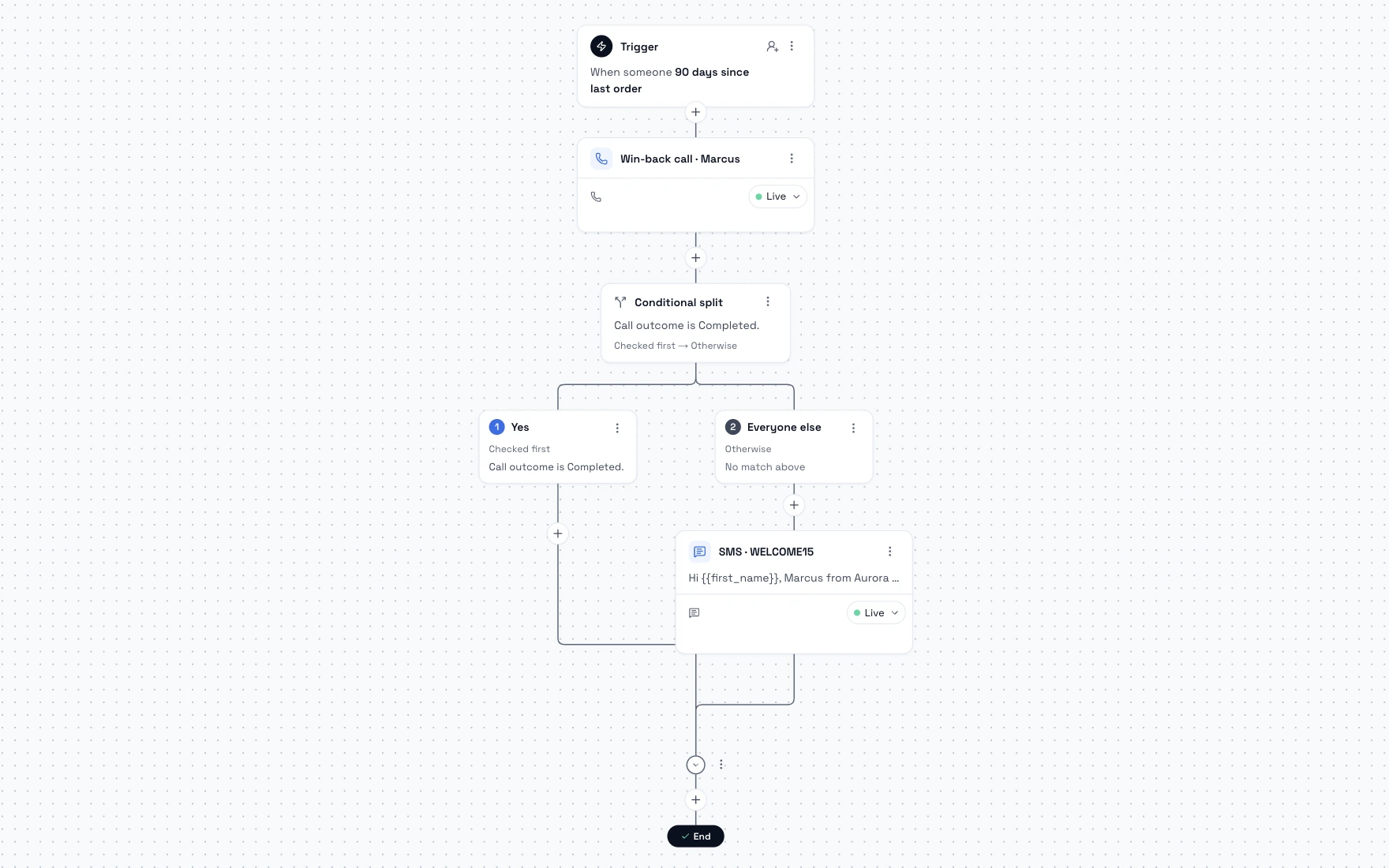
In Loop Voice, a campaign points an agent at a Shopify or Klaviyo segment, with its own time zone, daily calling window and pace. You get a credit estimate before launch, do-not-contact numbers are left out automatically, and the campaign pauses if credits run out. Flows can also start from a second order (the VIP trigger) or a custom event, and stop when the customer orders, says stop or has a negative call. More on win-back calls in Loop Voice.
Step 8: Hold out a control group, then read the results
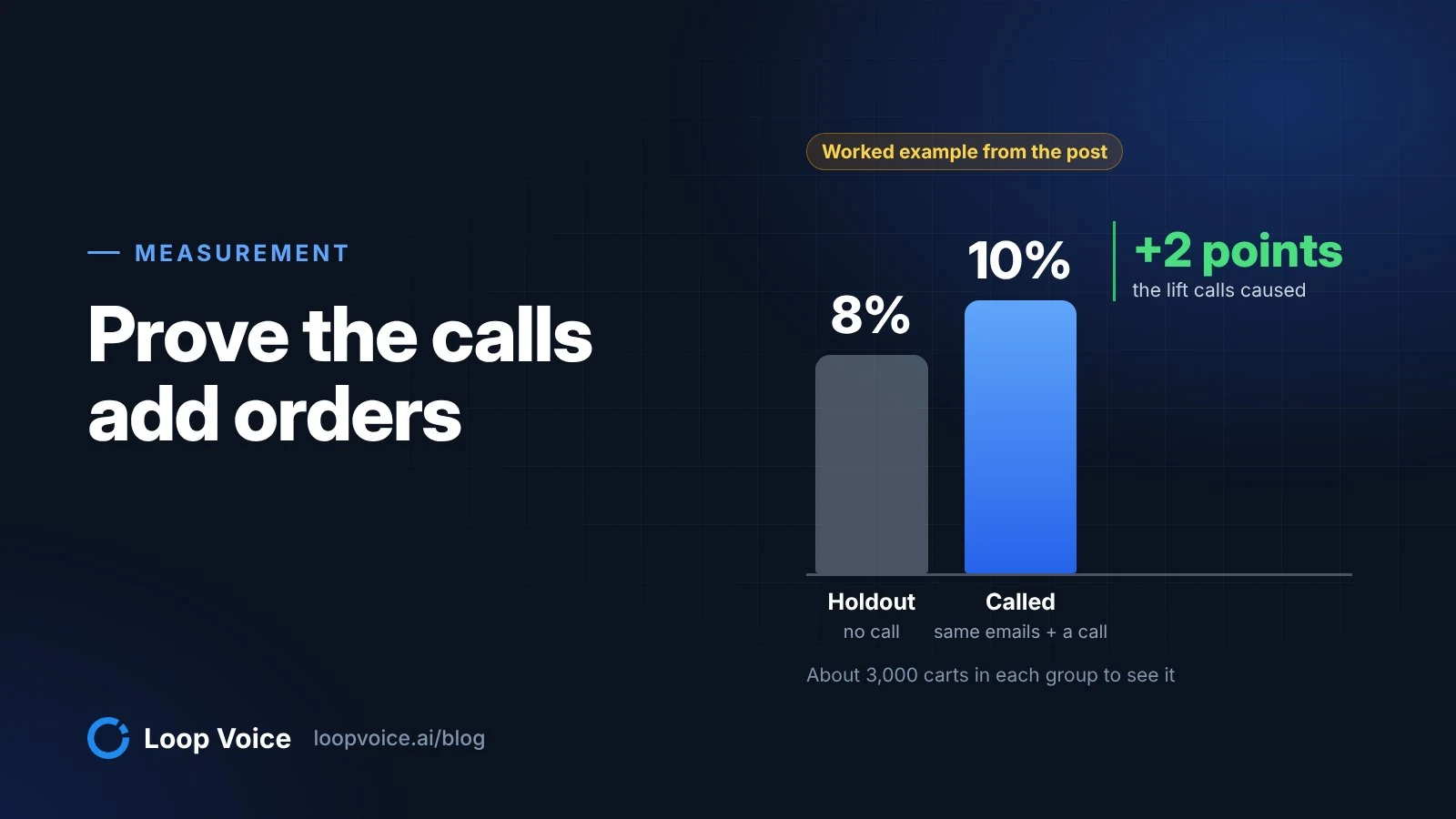
Lapsed and VIP customers both reorder without calls, VIPs most of all, so attributed revenue overstates what the calls did. Hold out a random 20% of each segment (they still get your emails) and compare the two groups over one reorder interval.
Example: you have 3,000 lapsed customers and hold out 600 at random. Within 60 days, 8.0% of the 2,400 called customers reorder (192 orders) against 5.0% of the holdout (30 orders). The calls added about 72 orders: 3 points of 2,400. At $36 of margin per order, that's $2,592. Subtract the calls: 720 answered conversations (30% of 2,400 dials) use about 1,080 credits, which fits the Scale plan at $975 a month for 1,500 credits (see pricing). Then subtract the 10% code on the 96 orders that used it, at $8 on an $80 order ($768: all 96, because you can't tell which buyers needed it). Net: $849. Positive, but not the 192 orders an attribution report would show.
At these group sizes, a gap under about 2 points can be noise, so run your numbers through a sample size calculator before you call a winner, and run a second interval if it's close. Our holdout test guide has the full method.
Then read past revenue:
- Opt-outs and complaints per 100 answered calls
- Who answered: Loop Voice's insights split calls into human, voicemail, no answer, unreachable and call screener
- The reasons customers gave for leaving, grouped and counted
- Whether called customers order again in the next interval, or only once with the code
Frequently asked questions
Should lapsed customers get a bigger discount than loyal ones?
No. If waiting three months earns a better deal than ordering every month, your best customers will learn to wait. Give lapsed buyers a reason to return that isn't price, such as a refill, a new version or a restock, and keep any code within what your regular customers already get. Use a discount only when price is the objection the customer actually raises.
How many times should we call the same lapsed customer?
Once per lapse, maybe twice if the first call reached voicemail, then let email and text carry it. Set a frequency cap that covers every flow and campaign, not just win-back: Loop Voice caps calls per customer by week, month, quarter, six months or year, set per agent. A customer who says no should not hear the same pitch through another channel.
What if a VIP asks for a perk that doesn't exist?
The agent explains the actual policy and doesn't invent exclusive access, reserved stock or a bigger code to keep the conversation warm. If the request is reasonable, it records it for your team to decide, and the call ends on accurate terms. Requests like these are also useful data on what your VIP program should offer next.
Sources
- Exporting orders (Shopify Help Center, 2026)
- How to create a winback flow (Klaviyo Help Center, 2026)
- Understanding Klaviyo's predictive analytics (Klaviyo Help Center, 2026)
- Running win-back campaigns (Shopify, 2026)
- Customers reports: RFM customer analysis (Shopify Help Center, 2026)
- Amount off discounts (customer segment eligibility) (Shopify Help Center, 2026)
- 47 CFR 64.1200, Delivery restrictions (Cornell Law School, Legal Information Institute, 2026)
- Declaratory Ruling FCC 24-17 on AI-generated voices (Federal Communications Commission, 2024)
- Creating customer segments (Shopify Help Center, 2026)
- Segment query language reference (Shopify.dev, 2026)
- How to A/B test flow branches (Klaviyo Help Center, 2026)
- How to add an update profile property action to a flow (Klaviyo Help Center, 2026)
- Sample Size Calculator (Evan Miller, 2026)
- CityMan USA customer story (Loop Voice, 2026)
Hear it before you decide
Listen to real recovery calls, or see Loop Voice call a test checkout on your own store.