MCP Servers for Ecommerce: Shopify, Klaviyo, Stripe and Your Call Data
Klaviyo, Stripe and Loop Voice run MCP servers you can add to Claude or ChatGPT, while Shopify sends store owners to its own connector. What each one reads or changes, how it signs in and what to check first.

Key takeaways
- To ask Claude or ChatGPT about your own Shopify store, use Shopify's connector or plugin; its MCP servers serve developers, shopping agents and signed-in customers.
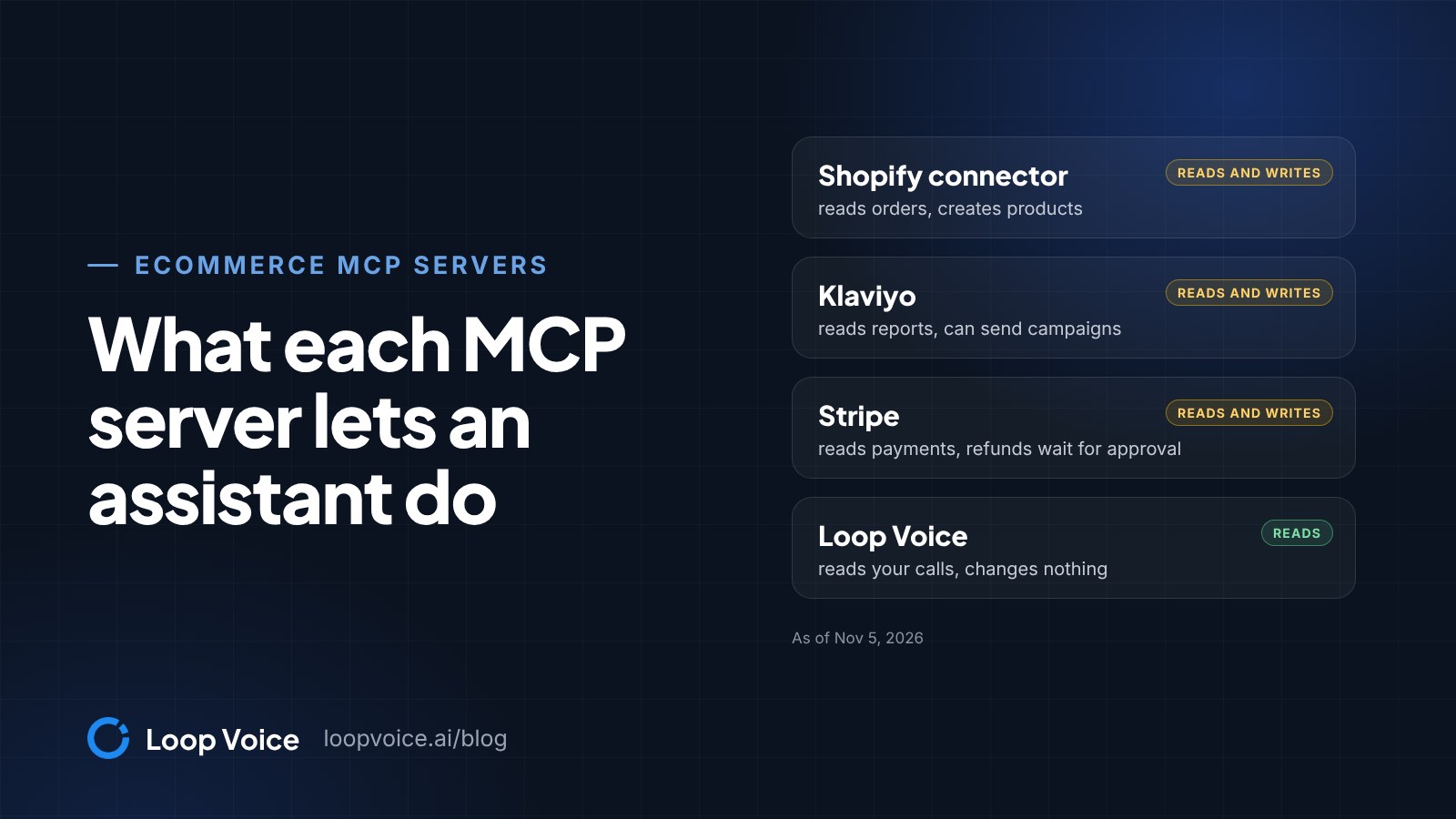
- Klaviyo's server can send campaigns and Stripe's can write, with refunds held for approval. Loop Voice's 13 tools only read, with contact details masked by default.
- Before you connect any server, check who runs it, how it signs in, what it can change and where you switch it off.
Which ecommerce tools run official MCP servers
Shopify, Klaviyo, Stripe and Loop Voice all run official MCP servers, but only Klaviyo's, Stripe's and Loop Voice's connect Claude or ChatGPT to your own account: Klaviyo's and Stripe's can read and change it, and Loop Voice's only reads. Shopify's MCP servers serve developers, shopping agents and signed-in customers; to ask an assistant about your own store, Shopify offers a connector for Claude and a plugin for ChatGPT instead.
MCP, the Model Context Protocol, is an open standard for connecting AI applications such as Claude or ChatGPT to outside systems. A server offers a set of named tools, such as "list campaigns" or "get one call", and the assistant picks which ones to call when you ask a question.
Loop Voice publishes this post and runs one of these servers. The other vendors' details come from their own documentation as of Nov 5, 2026.
The servers side by side
| Server or connector | Built for | What the assistant can read or do | Sign-in |
|---|---|---|---|
| Shopify connector for Claude, plugin for ChatGPT | Store owners and staff | Reads orders, customers and analytics; creates products and percentage-off codes; sets stock | Approved in your Shopify admin |
| Shopify Dev MCP | Developers | Developer docs and API schemas in a coding tool | None; runs on your computer |
| Shopify UCP servers: Catalog, Cart, Checkout, Ask, Order | AI agents shopping for a buyer | Search products, build a cart, start checkout, answer policy questions, track orders | Agent profile; tokens or signed requests for some |
| Shopify Customer Accounts MCP | Apps acting for a signed-in customer | That customer's orders and account | OAuth 2.0 with PKCE |
| Klaviyo MCP | Owners, Admins and Managers | Reports, profiles, segments, flows, templates; can create and send campaigns | OAuth remote; API key local |
| Stripe MCP | Your Stripe account | Reads and writes through the Stripe API; refunds wait for approval | OAuth or agent API key |
| Loop Voice MCP | Your Loop Voice workspace | Results, calls, campaigns, automations, agents, knowledge base; phone numbers and emails masked; changes nothing | OAuth 2.1 with PKCE |
Where a row says create or send, assume a loose prompt can do exactly that.
Shopify runs three kinds of MCP server, plus connectors for owners
If you want Claude or ChatGPT to answer questions about your own store, that job belongs to Shopify's connector and plugin, not to the MCP servers on shopify.dev, which serve developers, shopping agents and apps for signed-in customers.
Store owners get a Claude connector and a ChatGPT plugin
Shopify publishes a connector for Claude and a plugin for ChatGPT, plus versions for Gemini, Grok, Perplexity, Muse and Microsoft Copilot. You install it from the assistant's own connector or plugin directory, then approve its data access in your Shopify admin. Shopify's help pages don't describe it as an MCP server, so treat it as Shopify's own route rather than a server you add by URL.
Per Shopify's pages for both, the Claude connector and the ChatGPT plugin read orders, customers and analytics without changing them, create products and percentage-off discount codes, and set stock counts, and they ask you to confirm before certain changes. Neither can issue refunds, cancel or capture orders, process returns, or touch your plan, payments, taxes or domains. They only read until you approve write access, and never get more than the staff account they act through.
Developers get the Dev MCP server
The Dev MCP server is the MCP route into Shopify's AI Toolkit for coding tools such as Claude Code, Codex CLI, Cursor and VS Code. It gives the assistant Shopify's developer docs and API schemas and checks GraphQL, Liquid and extension code against them. Shopify says the server "runs locally and doesn't require authentication", so it never sees your orders. Developers who need store data use Shopify's CLI connector instead, which reads and changes it through the Shopify API within the access you grant.
In Claude Code the server takes one command: claude mcp add --transport stdio shopify-dev-mcp -- npx -y @shopify/dev-mcp@latest. Shopify recommends its Claude Code plugin over this, because the plugin updates itself.
Shopping agents use the UCP servers
Storefront MCP, the /api/mcp endpoint on Shopify stores, used to let AI agents search a store's catalog and manage carts. Shopify's migration guide now says those tools were removed and the same jobs moved to the Universal Commerce Protocol (UCP) endpoint at /api/ucp/mcp: Storefront Catalog MCP searches products, Cart MCP manages carts, Checkout MCP takes over the checkout link the cart used to return, Ask MCP answers policy and FAQ questions, and Order MCP tracks orders. Every request carries the agent's profile, and Checkout MCP requests must also be authenticated or signed.
These servers aren't for asking about your own store. Shopify points developers of third-party shopping assistants to them, and those assistants answer buyers from what your store publishes, so a vague shipping or returns page becomes a vague answer in someone else's chat.
Customer Accounts MCP serves signed-in customers
The Customer Accounts MCP server answers for one logged-in customer: order status, order details and account preferences. Apps reach it through OAuth 2.0 with PKCE, and Shopify requires a custom domain and approved access to protected customer data such as name, email, phone and address. It's for apps your customers use, not for you.
Klaviyo's remote server can send campaigns
Klaviyo runs a remote server at https://mcp.klaviyo.com/mcp that signs in with OAuth, and a local one that runs on your computer with a private API key. Per Klaviyo's setup guide, only Owners, Admins and Managers can use the remote server.
Read the tool list first. Next to get_flow_report and get_campaign_report sit create_campaign, send_campaign, update_profile and request_profile_deletion, so a loose prompt such as "set up a win-back email for lapsed buyers" can end with a real campaign in your account.
Three settings on the server URL narrow it: read-only=true turns off every tool that writes, disable-tools-with-user-generated-content=true turns off tools that read content customers wrote, such as reviews, and toolsets limits the server to scopes you list, such as profiles:read. Klaviyo says they don't work in the Klaviyo connector listed in Claude or the Klaviyo app in ChatGPT, only when you add the URL yourself as a custom connector or custom MCP server. For reporting only, add https://mcp.klaviyo.com/mcp?read-only=true that way.
Loop Voice's own Klaviyo integration is separate: it reads the segment you pick for a calling campaign and writes nothing back to Klaviyo.
Stripe's server holds refunds for your approval
If you take payments through your own Stripe account, Stripe's MCP server at https://mcp.stripe.com reads and writes through general Stripe API tools that cover customers, charges, refunds, subscriptions, invoices, coupons, payment links and disputes. Sign in with OAuth, or give an autonomous client an agent API key with only the permissions it needs; from December 2026 the server stops accepting full-access secret keys and restricted keys without Stripe's Agent tag.
Stripe's controls make a good yardstick for any vendor. Some actions, such as creating a refund, wait until you approve them in the Stripe Dashboard, and an administrator can switch MCP access off for the team or revoke anyone's OAuth sessions. Stripe also asks you to turn on tool approval and to take care running its server next to others, because of prompt injection.
Loop Voice's server reads your calls and changes nothing
Loop Voice's server covers what the others don't: your calls. It's a remote server at https://mcp.loopvoice.ai/mcp that signs in with OAuth 2.1 and PKCE, with no API keys, and works with Claude, Claude Code, ChatGPT, Gemini CLI, Gemini Enterprise, Cursor and VS Code. Setup for each is on our MCP setup page.
All 13 tools are read-only: get_performance, get_customer_insights, search_calls, get_call, get_customer_timeline, get_campaigns, get_automations, get_agents, get_recommendations, get_account_status, search_knowledge_base, search and fetch. The names tell you the scope, from results and single calls to one shopper's history, campaigns, agents and the knowledge base. The assistant can't place calls, send texts, launch campaigns or edit agents.
Phone numbers and emails come back masked unless a workspace admin allows them. Every request is checked against the role of the person who signed in and written to an audit log, and connected apps are managed in Loop Voice under Settings, Connected AI apps. Our security page covers how call data is stored.
Inside Loop Voice, Loop IQ answers the same kind of question and can draft a change for you to approve; the MCP server is for asking from your own assistant, next to Shopify and Klaviyo. For questions worth asking, see 20 prompts for your customer calls.
How to add a remote server in Claude and ChatGPT
Both assistants take the server's URL and send you to the vendor to sign in. Menu names below are as of Nov 5, 2026.
Claude, per Anthropic's guide to custom connectors:
- Open Customize, then Connectors, click + Add and choose Add custom connector.
- Enter a name and the server URL, then click Continue.
- Review the sign-in settings it detects, click Continue and then Add, and sign in on the vendor's page.
- In a chat, click +, open Connectors and switch the server on.
The Free plan allows one custom connector. On Team and Enterprise plans an owner adds the server under Organization settings, Connectors, and members click Connect. Klaviyo, Stripe and Shopify can also be added from Claude's directory.
ChatGPT, per OpenAI's MCP documentation:
- Open Plugins, select the plus button and choose Add custom MCP server.
- Enter the server URL and the sign-in details; Klaviyo, Stripe and Loop Voice all use OAuth.
- Read the risk warning, select I understand and want to continue, then Create as a plugin.
- Install the plugin and try it in a chat.
ChatGPT asks for manual confirmation before any write action. OpenAI's guide doesn't say which plans include Add custom MCP server, so if it's missing, check your plan or ask your workspace admin.
Seven checks before you connect any server
Run these before the first sign-in, not after the first surprise.
- Who runs it. Use the vendor's own server or connector. Anthropic tells Claude users to connect only to servers from organizations they trust, and OpenAI says custom MCP servers aren't developed or verified by OpenAI. A community server for your store is someone else's code holding your access.
- Remote or local. A remote server with OAuth can be cut off without rotating a key. A local server runs with the same privileges as the app that starts it, which is why the MCP security guidance tells clients that offer one-click setup to show the exact command first.
- What it can change. Find the write tools in the vendor's list. Turn on tool approval, and keep Claude's Allow always for tools you'd let run unsupervised.
- What customer data comes back. Once an AI tool has your store data, Shopify says it "is no longer processed by Shopify" and falls under the AI company's terms and privacy policy (Shopify Help Center). Prefer servers that mask contact details by default, and check your assistant's training settings.
- Content written by strangers. Reviews, inbound texts and call transcripts come from people outside your company, and any of them can carry instructions aimed at the assistant. Keep servers that can send, refund or edit out of chats where you read customer content.
- Who on the team can connect. Klaviyo limits its remote server to Owners, Admins and Managers, a Stripe administrator can switch MCP access off for everyone, and Loop Voice checks every request against the role of the person who signed in.
- Where the off switch is. Know it before you need it: OAuth sessions in Stripe's dashboard, Settings, Connected AI apps in Loop Voice, and the connector list in Claude or ChatGPT. Shopify also holds you responsible for an incorrect change a connected tool makes, so watch its changes in the first weeks.
One question, several servers
The payoff of MCP is asking across tools in one chat. Example: "For shoppers who abandoned checkout last week, compare those who answered a Loop Voice call with those who didn't. How many ordered in Shopify, and how many clicked the Klaviyo reminder?" Each server answers its part and the assistant joins them, so ask it to list the matches it made.
Don't add up the attributed revenue each tool reports: every tool credits orders by its own rules and windows, so one order can sit in two reports. Our guide to AI voice agent KPIs explains attributed and incremental results, and which one decides whether a channel pays.
Frequently asked questions
Is there a Shopify MCP server for store owners?
Shopify's route for owners is its connector for Claude and plugin for ChatGPT, installed from the assistant and approved in the Shopify admin. The MCP servers on shopify.dev serve developers (Dev MCP), AI agents shopping for a buyer (the UCP servers) and apps for a signed-in customer (Customer Accounts MCP).
Which ecommerce MCP servers can change data in my accounts?
Klaviyo's can write across most of the account, from sending campaigns to editing flows, segments and profiles, unless you connect it with read-only=true on a URL you add yourself. Stripe's writes through the Stripe API, and creating a refund waits for your approval in the Stripe Dashboard. Shopify's connector and plugin create products and percentage-off discount codes once you approve write access. Loop Voice's can't place calls, send texts, launch campaigns or edit agents.
Can I use several MCP servers in the same Claude or ChatGPT chat?
Yes, and that's how one question can cover orders, email and calls. The risk is prompt injection: a product review pulled in by one server can carry instructions the assistant then carries out with a server that can write. Turn on tool approval and keep write-capable servers out of those chats.
Do I need a developer to connect an ecommerce MCP server?
Not for remote servers: adding Klaviyo, Stripe or Loop Voice in Claude or ChatGPT takes the server URL and a sign-in. Local servers start from a config file on your computer and suit someone comfortable in a terminal.
Sources
- What is the Model Context Protocol (MCP)? (Model Context Protocol, 2026)
- Shopify connector for Claude (Shopify Help Center, 2026)
- Shopify plugin for ChatGPT (Shopify Help Center, 2026)
- Building and managing your store with third-party AI tools (Shopify Help Center, 2026)
- Shopify AI Toolkit (Shopify.dev, 2026)
- Shopify CLI connector (Shopify Help Center, 2026)
- Migrate from Storefront MCP (Shopify.dev, 2026)
- Customer Accounts MCP server (Shopify.dev, 2026)
- Connect to the MCP server (Klaviyo Developers, 2026)
- Klaviyo MCP server: available tools (Klaviyo Developers, 2026)
- Model Context Protocol (MCP) (Stripe Docs, 2026)
- Get started with custom connectors using remote MCP (Claude Help Center, 2026)
- Building MCP servers for plugins and API integrations (OpenAI, 2026)
- Security Best Practices (Model Context Protocol, 2026)
- Considerations for using third-party AI tools with your Shopify store (Shopify Help Center, 2026)
- Loop Voice MCP server for Claude, ChatGPT and Gemini (Loop Voice, 2026)
Hear it before you decide
Listen to real recovery calls, or see Loop Voice call a test checkout on your own store.