How to Audit a Competitor's Shopify Retention Stack
Detect the theme and apps from the storefront code, then join the list, abandon a checkout and buy once to log every email, text and call. One grid shows which gaps are worth filling.

Key takeaways
- A theme and app detector shows the tools in a store's public code; signing up, abandoning a checkout and buying once show how the store uses them.
- Log every touch with its timing, channel and offer, and note whether it stops after the order.
- Copy timing and sequence, not discount depth.
- A stage no competitor covers is where you can stand out, if the margin math works.
What a competitor retention audit shows
To audit a competitor's retention stack, read its storefront code for the theme and apps, then shop the store yourself and log every email, text and call that follows. The code shows which tools the store runs; the shopping shows how it uses them.
A retention stack is everything a store runs to bring shoppers back: sign-up forms, email and SMS flows, reviews, loyalty, subscriptions, support and sometimes phone calls. Each pass has blind spots, so plan for both:
| Layer | How to find it | What you may miss |
|---|---|---|
| Theme and version | A theme detector reads the storefront code | A fully custom theme has nothing to match |
| Storefront apps | An app detector, the page source and a click through key pages | Tools that only run in the Shopify admin or inside checkout |
| Welcome flow | Sign up for email and texts | Versions sent to other segments, and A/B tests |
| Abandoned checkout | Start a checkout, enter contact details, leave | How the store treats carts at other values |
| Post-purchase and win-back | Place one small order and keep the inbox open | Offers reserved for repeat buyers and VIPs |
| Phone | Enter a number at checkout and call the support line | Whether calls go to every cart or only some |
The first pass takes about 15 minutes per store. The second runs for weeks, because review requests and win-back messages arrive long after the order, so start it on day one.
Step 1: Pick three to five stores
Audit the stores your customers also buy from: same category and a similar price point. Add one category leader for ideas and one store your size for a fair comparison.
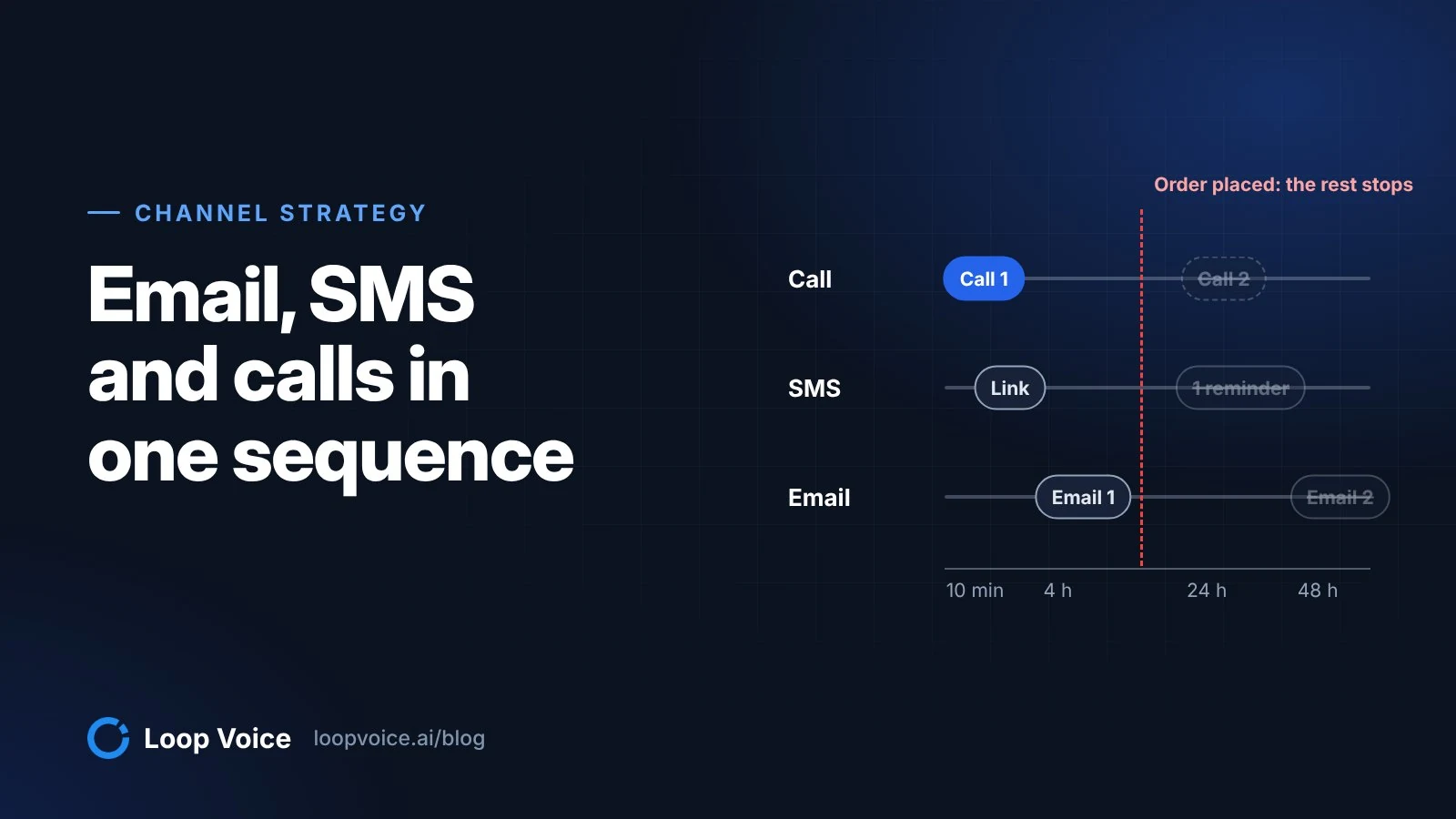
Keep the order value close to yours, because retention tactics follow the economics. A phone call can pay for itself on a $120 order and not on a $35 one, as the worked examples in our guide to running email, SMS and calls together show, so a competitor's choices only transfer if its margins look like yours.
Step 2: Detect the theme and apps
Paste each store's homepage into a Shopify theme detector. Shopify Theme Detector matches the theme's code fingerprint against known themes, so it still names a theme the store has renamed, and it reports the version, the apps it can see and a speed reading based on Google's Core Web Vitals field data.
For the full app list, run the same URL through its Shopify app detector. It checks the storefront's public HTML, JavaScript and network requests against known app signatures and groups the results by category. Sort what it finds by the job each app does:
- Capture: popups, quizzes and forms that collect emails and phone numbers.
- Messaging: email and SMS platforms such as Klaviyo, Attentive, Postscript or Omnisend.
- Reviews: apps such as Judge.me, Okendo or Yotpo, which usually send the review request too.
- Loyalty and referrals: points, tiers and refer-a-friend programs such as Smile or LoyaltyLion.
- Subscriptions: subscribe-and-save options from apps such as Recharge or Skio.
- Support: chat widgets and helpdesks such as Gorgias.
Two checks catch what detectors miss. Open the page source (Ctrl+U in Chrome, or Option+Command+U on a Mac) and search for the vendors you expect, such as klaviyo or recharge. Then click through a product page, the cart and the account page, because subscription options, review widgets and loyalty launchers often appear only there.
Record the theme as well. When a feature on a competitor's store catches your eye, the theme tells you whether it came with the theme or from an app, which is the difference between changing a setting and adding a monthly bill.
Step 3: Join the list
Sign up through the store's popup with an inbox you use only for this audit and your own mobile number. Note the offer, how many steps the form has and whether the first text asks you to confirm, which means the store uses double opt-in.
Then log every email and text for 14 days: the day and time, the channel, the subject or first line, and the offer. Two details matter most: how soon the first offer arrives, and whether the messages stop or change once you buy.
Step 4: Abandon a checkout
This is the stage most stacks spend the most on, because most carts end here: Baymard Institute's documented average cart abandonment rate is 70.22% across 50 studies (Baymard).
Add a product at about your own average order value, start checkout, enter your email and phone number and leave before paying. Shopify counts a checkout as abandoned once it stays incomplete for more than ten minutes after the shopper enters an email address (Shopify Help Center), so start your clock when you leave.
Read the checkout page on the way. A texts checkbox only appears there if the store added one in its checkout settings, and Shopify's help page notes that the default wording covers news and offers, which stores sending cart reminders need to change (Shopify Help Center). Both tell you how seriously the store takes SMS recovery and consent; calls carry stricter rules, covered in our guide to calling shoppers who abandon checkout.
For the next 72 hours, log each touch with the time since you left, the channel, the offer and where the link goes. Then read the timing. Klaviyo's pre-built abandoned cart flow waits 4 hours before its first message (Klaviyo Help Center), so a first email at about four hours suggests an untouched default, while a first touch within minutes suggests someone built the flow on purpose.
If you can, repeat the test with a cart two or three times larger. Stores that text or call only high-value carts reveal their thresholds this way, which shows you where they think a conversation pays.
Step 5: Buy once and call support
Buy the cheapest product that ships, then keep the inbox open for at least 60 days. Log the order confirmation, shipping updates, the day the review request arrives, any cross-sell or refill reminder, the loyalty invitation and the first win-back message after you go quiet.
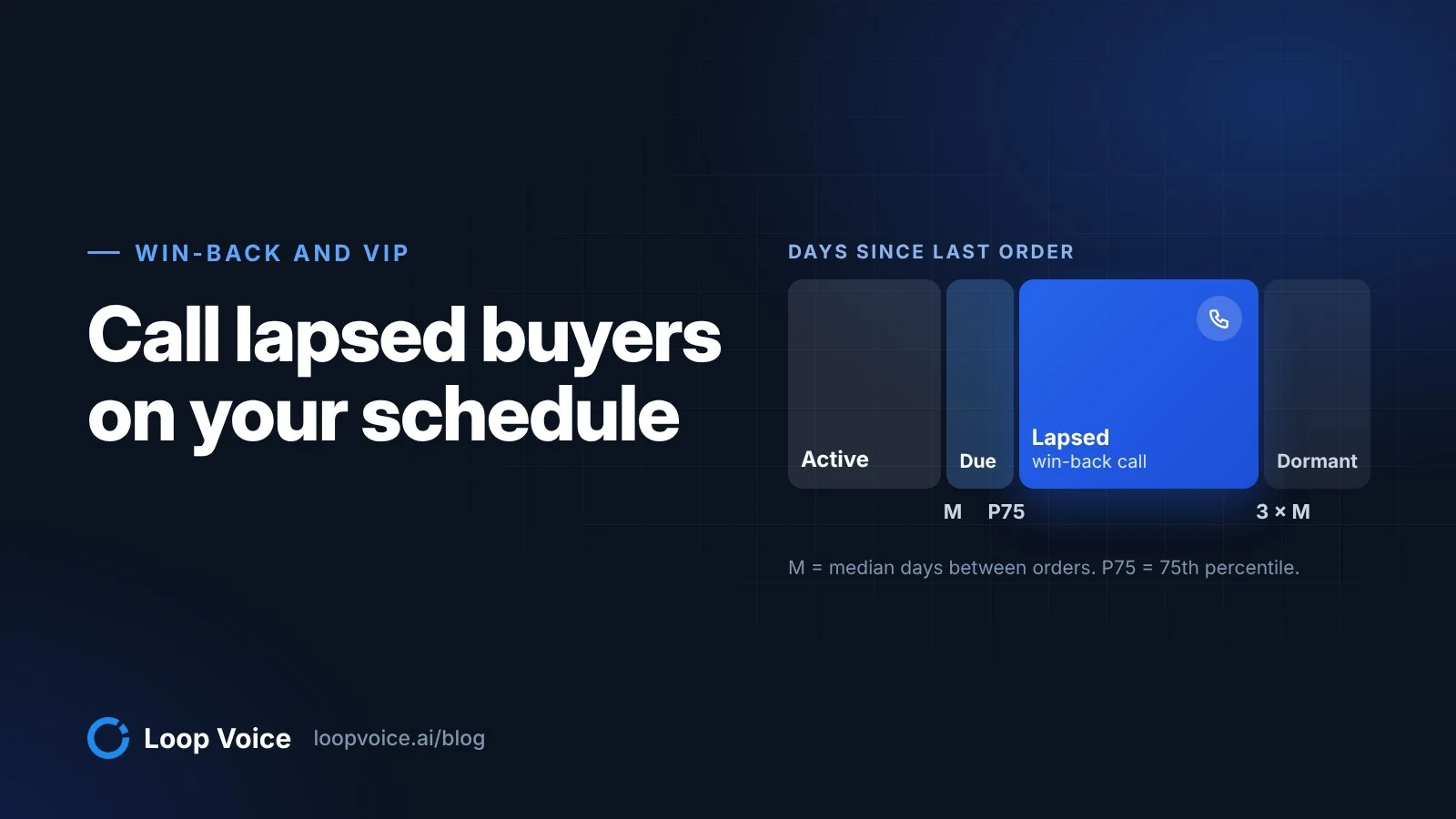
Compare the win-back timing with how often customers in your category reorder. A message that arrives long before the product runs out is wasted, and one that arrives months later has missed the moment; our win-back call blueprint shows how to compute that interval for your own store.
Then call the support number on the contact page with a simple question, such as how long shipping takes. Note who answers (a person, a menu, voicemail or an AI agent), how long it took and the hours listed. A store with no phone line, or one that sends every caller to voicemail, has left a stage open.
Step 6: Put every touch in one grid
Put the evidence in one table with a column per store, including your own, and give each cell the channel, timing and offer.
| Stage | What to log | Store A | Store B | Your store |
|---|---|---|---|---|
| Capture | Popup offer, form steps, double opt-in | |||
| Welcome | Emails and texts in 14 days, first offer | |||
| Abandoned checkout | First touch, channels, offer, stop after order | |||
| Post-purchase | Review request day, cross-sell, loyalty invite | |||
| Win-back | First message after the last order, offer | |||
| Support | Who answers the phone, wait, hours |
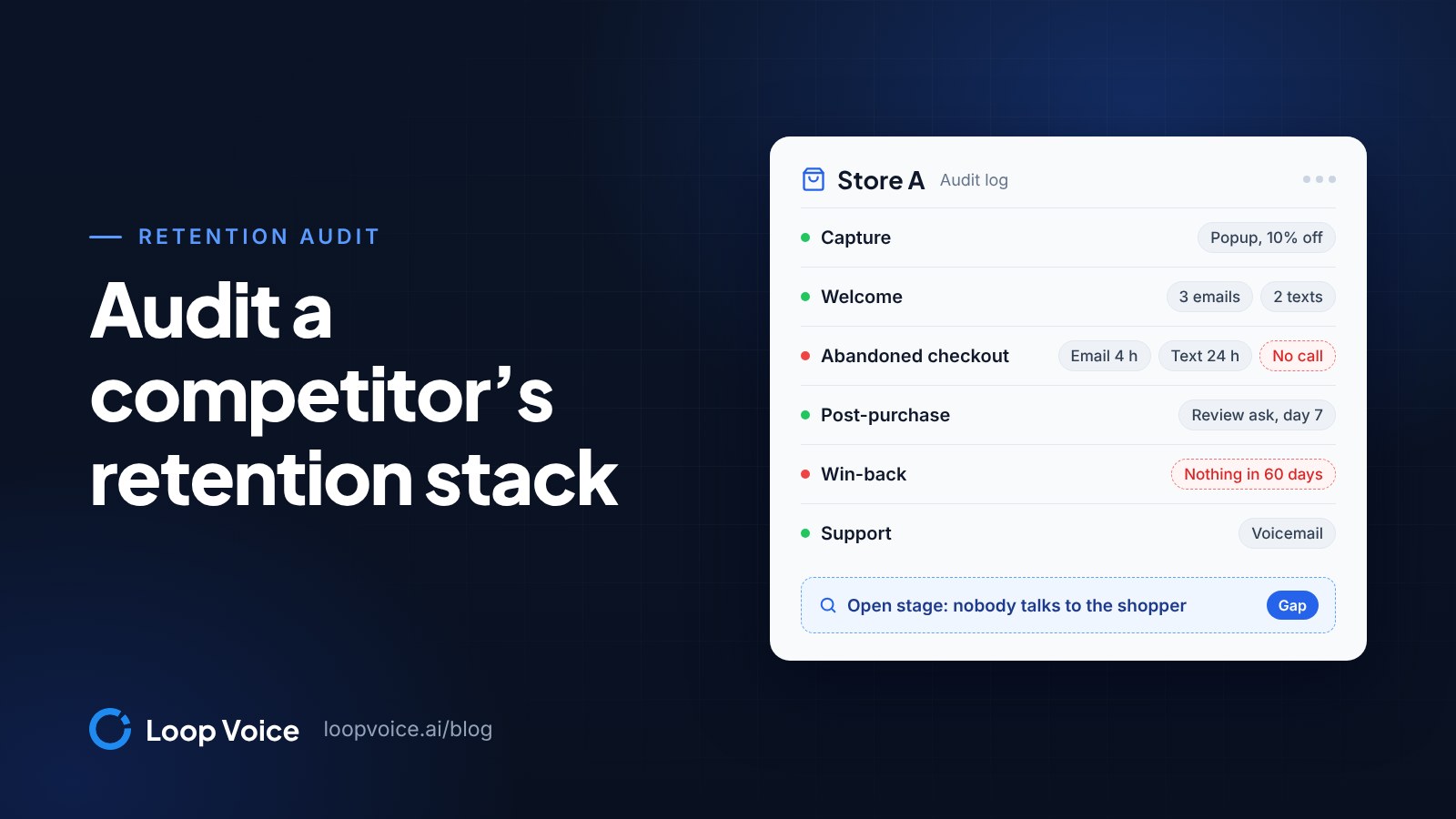
Example: Store A's abandoned checkout cell reads email at 4 hours with no offer, then a text at 24 hours with 10% off, and no call. Store B's reads email at 1 hour and a text at 6 hours, with no offer and no call. Neither talks to the shopper, so a sizing question or a declined card waits until the shopper writes in, if they ever do.
Step 7: Decide what to copy
Work through the grid with five rules:
- Close the gaps every competitor has already closed. If all of them ask for a review within two weeks and you never ask, start there.
- Copy timing and sequence, not discount depth. A competitor's offer reflects its margins, not yours.
- Treat a stage nobody covers as your chance to stand out. Shoppers who compare stores find everyone the same there.
- Do the margin math before adding a channel. Contribution per order divided by the cost per contact tells you how many contacts one extra order can pay for.
- Test before you trust. Run new steps against a holdout so you know they add orders; our holdout test guide shows the setup.
If your grid looks like the example, the open stage is the conversation: nobody calls the shopper who left a checkout or the customer who has gone quiet. Loop Voice, which publishes this guide, sells one way to fill it. Its agents call shoppers minutes after they abandon checkout (abandoned cart calls) and run post-purchase and win-back calls, texting the right link during or after the call.
Plans start at $119 a month (Loop Voice pricing), the app installs from the Shopify App Store, and the call library has real recordings to judge the calls by.
Rerun it every quarter
Stacks change. Rerun the detector every quarter and a few weeks before Black Friday, and keep each store's test inbox so the next audit starts with history. When a competitor adds an app or moves its first touch, look again: those are the changes worth learning from.
Frequently asked questions
Can a theme detector see every app a Shopify store uses?
No. Detectors read a store's public code, so they find apps that load scripts, widgets or network requests on the storefront. Tools that only run in the Shopify admin, inside checkout or by email and SMS may leave no trace, so treat the detected list as a floor and fill in the rest from what you receive.
Is it fair to mystery shop a competitor's checkout?
Yes, as long as you behave like any shopper: use your own email address and phone number, pay for what you order and unsubscribe or reply STOP when the audit ends. Everything you log is what the store chose to send to the public.
How long does a competitor retention audit take?
About 15 minutes per store to detect the theme and apps and set up the test inbox, then 72 hours for the abandoned checkout log, 14 days for the welcome flow and at least 60 days for post-purchase and win-back messages.
Sources
- Shopify Theme Detector: What Shopify Theme is This? (Shopify Theme Detector, 2026)
- Shopify App Detector: What Shopify Apps is a Site Using? (Shopify Theme Detector, 2026)
- 50 Cart Abandonment Rate Statistics 2026 (Baymard Institute, 2025)
- Recovering abandoned checkouts (Shopify Help Center, 2026)
- Collecting customer contact information (Shopify Help Center, 2026)
- How to create an abandoned cart flow (Klaviyo Help Center, 2026)
Hear it before you decide
Listen to real recovery calls, or see Loop Voice call a test checkout on your own store.