Gorgias AI Phone Agent: AI on the Calls, Tickets in Gorgias
Gorgias Voice puts calls in front of your team, and its AI Agent works in writing. How to add an AI agent that answers calls and files Gorgias tickets, with October 2026 prices.

Key takeaways
- As of October 2026, no product Gorgias builds answers calls with AI: your team answers Voice, AI Agent replies only in writing, and AI phone agents come from App Store partners.
- Gorgias Voice costs from $30 a month for 25 calls to $6,300 for 41,667 ($400 for 1,000) on monthly billing; AI Agent costs $0.85 to $1.00 per automated interaction, plus the helpdesk ticket it uses.
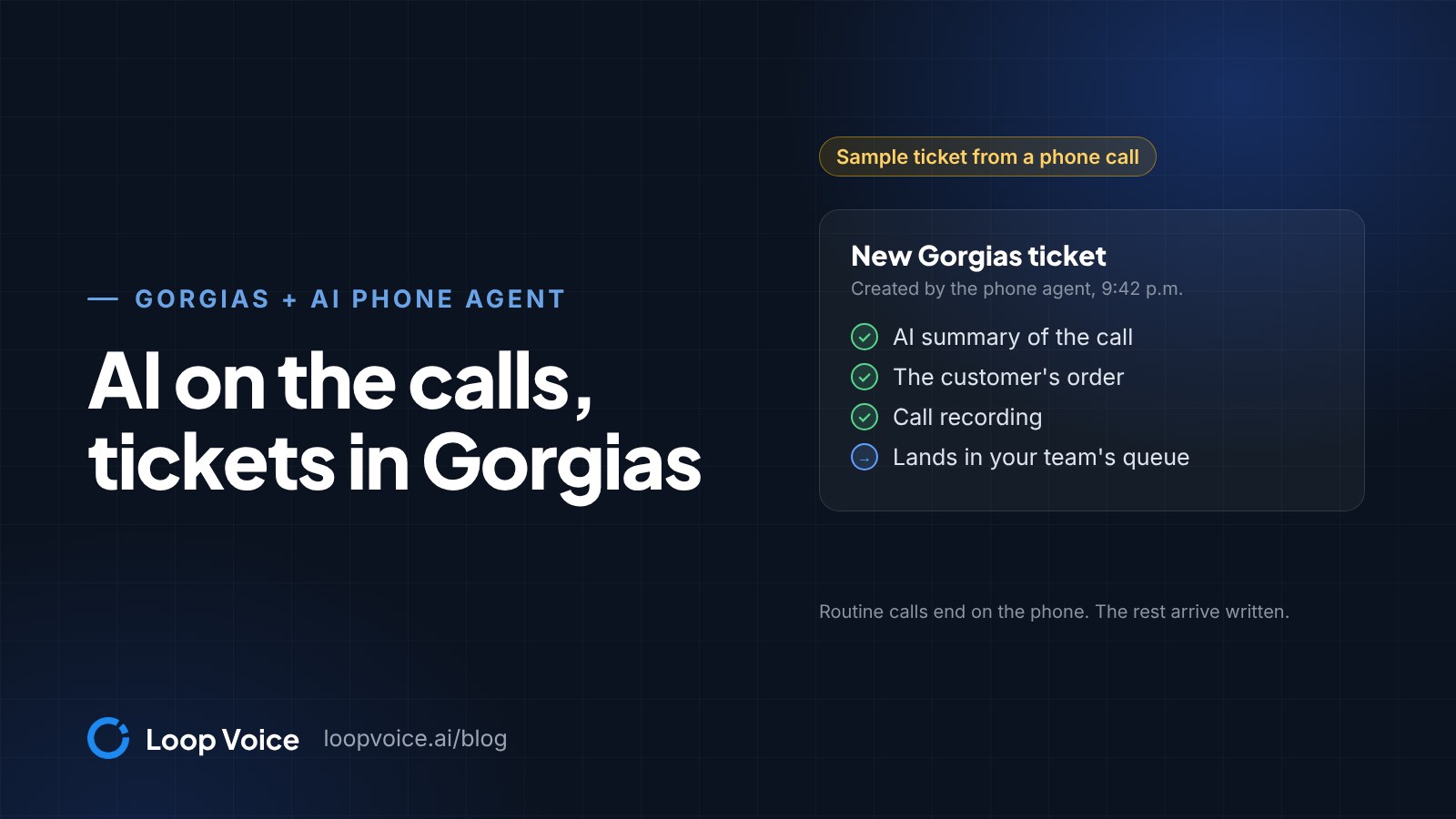
- Loop Voice's agent answers 24/7, transfers callers to your team in support hours, and pushes a Gorgias ticket with the AI summary, order and recording for the rest.
- Give phone handoffs their own Gorgias rule that tags, prioritizes and assigns them, whichever way they arrive.
Does Gorgias have an AI phone agent?
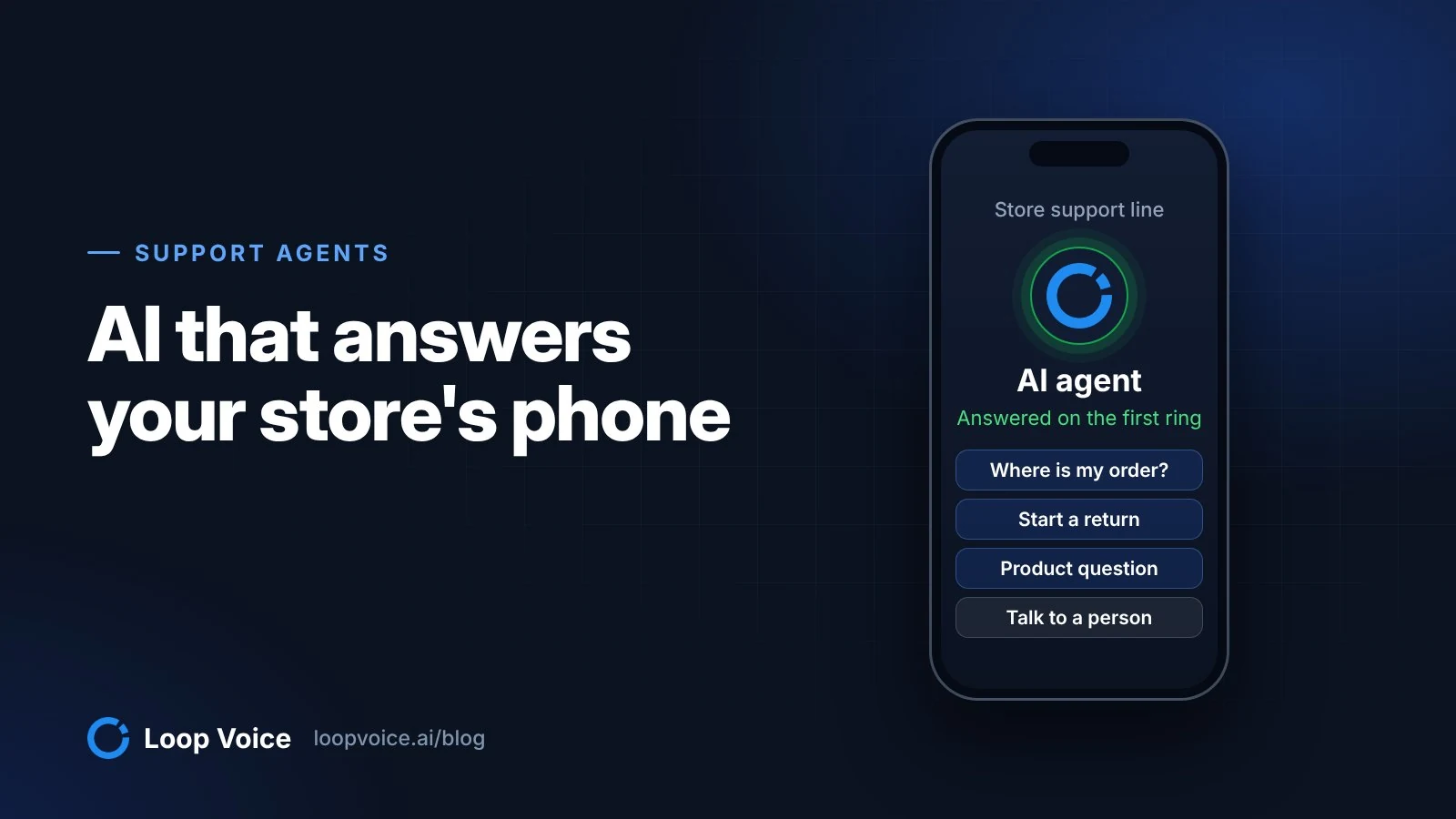
Not from Gorgias itself, as of October 2026. Gorgias Voice puts phone calls in front of your team inside the helpdesk, and Gorgias's AI Agent answers email, chat, SMS and social messages, not calls. Gorgias's App Store does list third-party AI phone agents under Phone, such as Flip CX, Ringly and Consio, and each logs its calls as Gorgias tickets. To have AI answer the phone, put a store voice agent on the line and let it file a Gorgias ticket for each call it can't resolve.
Loop Voice publishes this page and sells one of the voice agents that work with Gorgias; Loop Voice vs Gorgias compares the two in full. Gorgias details below come from its own pricing, product, App Store and Help Center pages, checked on October 28, 2026.
What Gorgias does on the phone, as of October 2026
Gorgias Voice is an add-on to a Helpdesk plan that lets your team make and receive calls inside Gorgias (Guide to Gorgias Voice). Calls, missed calls and voicemails each open a ticket, and Gorgias bills Voice tickets in tiers, separately from helpdesk tickets. List prices from Gorgias's pricing page:
| Gorgias product | On a phone call | Price, October 2026 |
|---|---|---|
| Helpdesk | Holds Voice tickets with your other channels | $10 a month (50 tickets) to $900 (5,000), monthly billing |
| Voice add-on | Your team answers, with orders on screen | $30 a month for up to 25 calls, $400 for up to 1,000, tiers up to $6,300 for 41,667 (monthly); $25, $333 and $5,250 billed annually |
| AI Agent | Doesn't answer calls; replies on email, chat, SMS and social | $0.85 to $1.00 per automated interaction, plus the helpdesk ticket it uses |
| SMS add-on | Continues a call by text | From $17 a month, billed annually |
Gorgias does the human side of phone support well. The Gorgias Voice product page lists IVR menus, routing, transfers, recordings, and AI summaries and transcripts of calls and voicemails, and agents can create orders mid-call with the customer's timeline on screen.
The nearest it comes to AI handling a caller is the Send to SMS step in a Gorgias call flow, which ends the call and texts the caller. With the SMS add-on and AI Agent on SMS turned on for that number, the AI Agent can reply when the caller texts back, which suits callers happy to switch to texting. In writing it can also run actions such as canceling an order, refunding to the card or updating an address; the plan table lists actions from Basic up.
None of these pages describes Gorgias's own AI answering calls: the Fall 2026 release brought AI Agent to social DMs, and the public 2026 roadmap adds more messaging channels, not the phone. AI outbound calls aren't described either.
Which calls a voice agent takes off your team
Loop Voice's inbound agent answers 24/7 and handles order status, returns and exchanges, sizing, shipping and subscription changes (customer support use case). It answers from its knowledge base: your crawled site pages, policies and FAQ, your synced catalog and files you upload. Built-in rules stop or escalate on negative sentiment, a do-not-contact request, complex refunds, and legal or medical questions, and guardrails include stop on "human" and clear identity as an AI when asked.
| Call | Voice agent | Gorgias ticket when |
|---|---|---|
| Where is my order | Looks up the order and gives its status | The order can't be found or is lost |
| Return or exchange | Answers it from your return policy | It's outside policy or damaged |
| Sizing, shipping, product | Answers from your pages and catalog | The knowledge base has no answer |
| Subscription change | Answers it within your terms | It falls outside your terms |
| Refund, cancellation, address change | Doesn't do these | Always |
| Angry caller, or "Can I talk to a person?" | Transfers to your team in support hours | Out of hours, or if nobody answers (with the stop on "human" guardrail on) |
Safety questions show why the knowledge base matters: the agent can only quote guidance it has. This call came in to a health device brand:
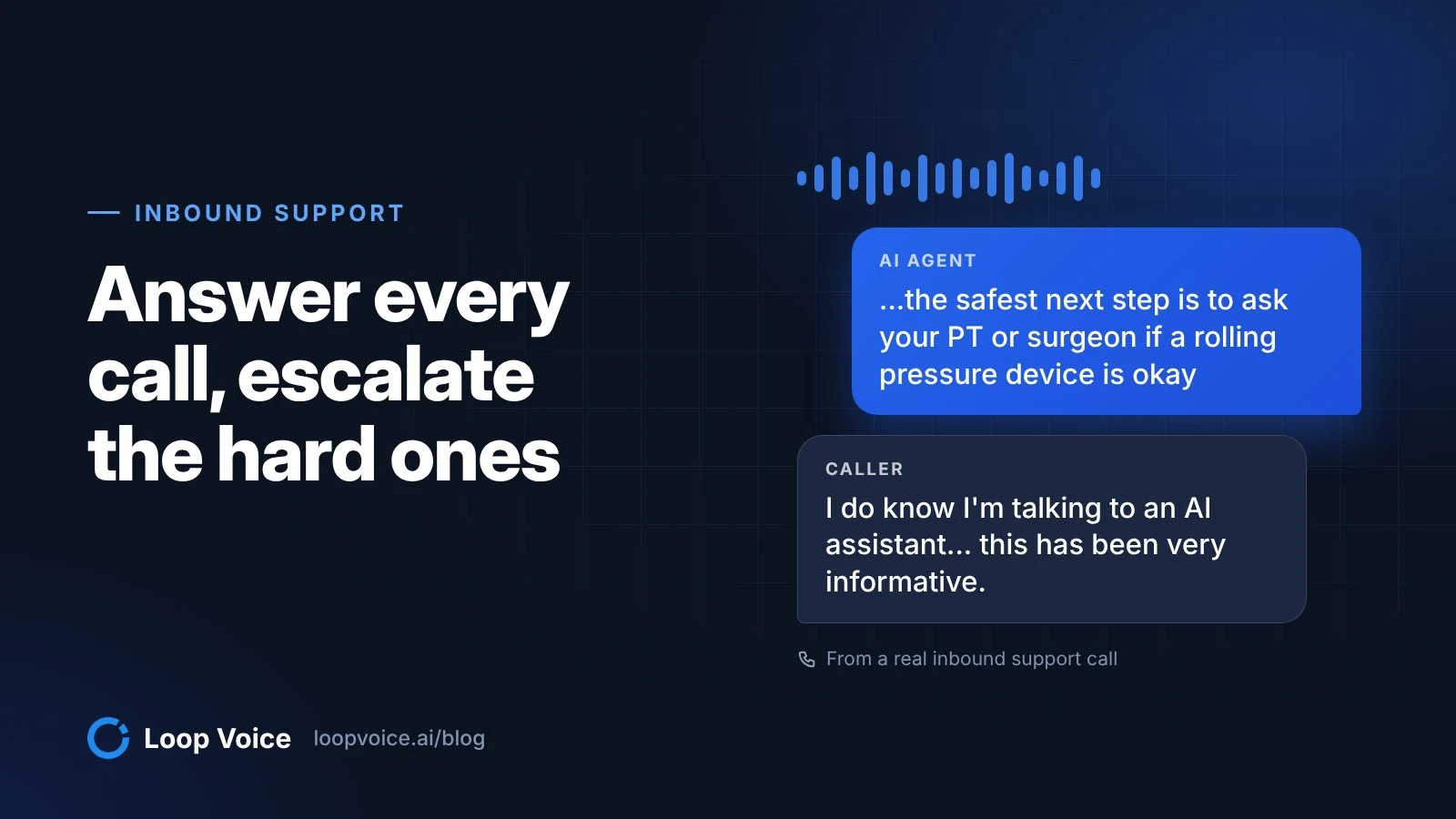
I hear you. If you haven't been cleared yet, I don't want to steer you into using strong pressure around a postsurgical knee on your own. At nine months out, the safest next step is to ask your PT or surgeon if a rolling pressure device is okay for your calf and behind the knee. And if so, what intensity to start at and what areas to avoid? Our safety guidance specifically calls out recent surgery as a don't use category without medical sign off. And I can't override that on a call. If they do clear you, core is usually the better starting point for rehab style use since it tops out lower at eighteen pounds. And you can always keep it light. Max is mainly for people who already know they want very strong pressure. Do you want me to tell you exactly where on [the store's website] the safety pages so you can show it to your PT?
Uh, that's okay. I already found it. I'm here on the web now perusing through, and that's, uh, really what caught my attention. But, Alex, I do thank you for your time today. You've been gracious and kind, and, uh, I do know I'm talking to an AI assistant. But just for those people in the background and for the quality assurance people who are listening, uh, this has been very informative. And, uh, I'll do that. I'll take your recommendation. I will speak to my PTs. I'll speak to my doctor, the surgeon, and find out what it is they recommend, and I'm gonna tell them about [the store]. And then I'm gonna show them the website and see what they tell. But as far as for, you know, the information Huntout was on today, uh, it was a home run. You landed. You did a great job. Thank you.
You're very welcome
The agent quoted the store's safety guidance, said it could not override it, suggested checking with a physical therapist or surgeon, and texted a 10% code. The caller said they knew they were talking to an AI assistant and still called the conversation "very informative." More are in the call library.
The same voice also makes outbound calls that Gorgias doesn't describe doing with AI: abandoned checkout recovery, post-purchase upsells and win-back, with consent rules covered in the TCPA guide for stores. A customer it called this week who rings back gets the same agent, mid-conversation.
From ring to Gorgias ticket
A call the agent can't finish moves like this:
- The customer dials your store number, which rings the agent or forwards to it.
- The agent looks up the order and answers from your knowledge base.
- It reaches a handoff: a refund, a damaged item, a request for a person.
- During your support hours it can transfer the caller to your team's number, briefing the teammate first; if nobody answers, or out of hours, Loop Voice creates the ticket in Loop Voice and pushes it directly into Gorgias.
- Your Gorgias rule tags and assigns it. It also works the other way: a Gorgias event, such as a new support ticket, can start a Loop Voice flow.
The ticket carries the AI summary, the order, the recording and the transcript, so your team doesn't have to ask the customer to start over. Loop Voice keeps recordings for 7 days by default; extend retention to 90 days if your team reviews calls later than that. Loop Voice emails each escalation to your Gorgias support address, where it opens as a Gorgias ticket, the same way it connects to Redo, and Loop Voice's guided onboarding sets this up with you; the customer support use case covers the rest of the setup.
Give phone handoffs their own Gorgias rule
Auto-assignment only hands tickets to agents who are signed in and Available, through rules that assign teams (Gorgias automatic assignment). Gorgias treats messages sent through its API or by a third-party integration as agent messages (Gorgias rule glossary), so if handoffs arrive that way, the usual assignment rule, which fires when "message from agent" is false, skips them; if they arrive as email, that rule picks them up too. Give phone handoffs their own rule:
- Make one test call that ends in a handoff and note what the Gorgias ticket always carries: the sender email, the integration or a subject phrase.
- Create a phone follow-up team under Settings, Account, Teams.
- In Workflows, Tools, Rules, click Create rule, then Create custom rule (Gorgias rules).
- Set WHEN to Ticket created, IF to the condition from step 1, and THEN to Add tags (for example ai-phone-handoff), Assign team and Set priority. Then drag it below your general assignment rule on the Rules page, since rules with the same trigger run top to bottom.
- Under Workflows, Tools, Ticket assignment, check Auto-assign tickets (this applies to every team's tickets, not only phone handoffs).
Overnight handoffs then sit with the team until someone signs in as Available, and higher-priority tickets are assigned first, so they lead the morning queue.
Keep Gorgias Voice, replace it, or run both
Decide by who answers your phone today:
| Your situation | Setup |
|---|---|
| Under about 25 calls a month, most needing judgment | Gorgias Voice alone; the $30 tier covers it |
| Callers happy to text, AI Agent already resolving chats | A phone menu option to SMS, with AI Agent on SMS |
| Your team covers the phone in business hours | Gorgias Voice by day, the voice agent evenings and weekends |
| Nobody owns the phone today | The voice agent on every call; your team works the Gorgias tickets |
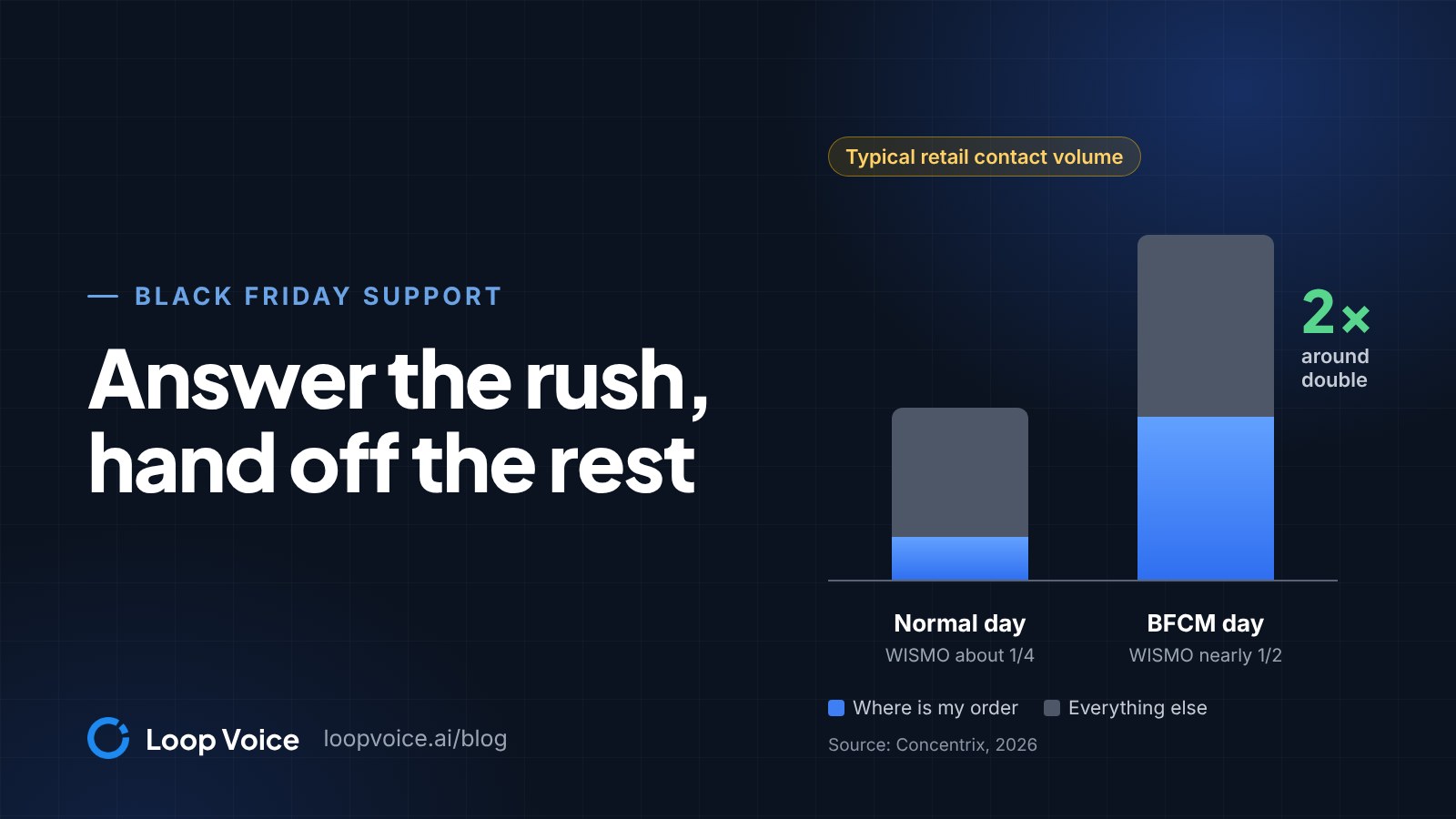
For the day and night split, open your number's call flow in Gorgias (Settings, Channels, Voice, your integration, Call Flow tab). Start with a Time rule set to Business hours, route the inside-hours branch to your queue, and end the outside-hours branch with a Forward to step pointing at the agent's number. For peak weeks such as Black Friday, under Handle busy times on the Route to step, choose Skip queue when it's too busy and add a Forward to step on the Skip queue branch.
Gorgias's pricing page says a Voice ticket starts "the moment a call connects", while its Gorgias billing article lists only answered calls, voicemails and connected outbound calls as billable, so ask Gorgias whether calls your call flow forwards out count toward your Voice tier. To compare AI phone agents beyond Gorgias, see the best AI phone agents for Shopify customer service.
Test before customers call
Run Loop Voice's simulator first: six built-in personas, including an angry customer and one suspicious of AI, play up to ten conversations at once, scored on goal completion, tone, accuracy, compliance and naturalness, with nothing dialed and no credits used. The retrieval test then shows the passages the agent finds for a question typed as a caller would say it.
| Scenario | Pass if the agent |
|---|---|
| "Where's my order?" for a real order | Gives the status without guessing a delivery date |
| An order number that doesn't exist | Asks once more, then files the Gorgias ticket |
| "Cancel my order" | Files the Gorgias ticket with the order, promising nothing |
| "Are you a real person?" | Says plainly that it is an AI |
| "Let me talk to someone" | Files the Gorgias ticket at once |
Next, the test console calls your own number with an optional scenario and keeps test calls out of analytics. Then call your store number, end one call in a handoff and check the Gorgias ticket: summary, order, recording, tag, team and priority. If you forward after hours, call your store number a minute after closing to check the Time rule, and check that the handoff ticket shows the caller's own number. After launch, read the answer gaps each week; the setup walkthrough covers the rest of the build.
What it costs, on the same unit
Each product bills a different unit. Gorgias's AI Agent bills each automated interaction, a request resolved without your team, and that conversation also uses a helpdesk ticket; if an agent replies within 72 hours, only the ticket is billed (Gorgias billing). It is sold as a monthly allotment, for example 190 interactions for $190 a month on Pro. Loop Voice charges per answered conversation, about 1.5 credits each, resolved or handed off.
| Product | Unit | Price, monthly billing |
|---|---|---|
| Gorgias AI Agent | Automated interaction, in writing, plus a helpdesk ticket | $1.00 ($0.90 annual), plus the ticket |
| Gorgias Voice | Voice ticket (answered call, voicemail or connected outbound call) | $1.20 (25-call tier) to $0.40 (1,000-call tier), down to $0.14 at 25,001 to 35,000 |
| Loop Voice | Answered conversation | About $0.95 to $1.49 |
Example: a store on Gorgias Pro takes 300 support calls a month, 80 of them evenings and weekends, and the agent resolves 7 in 10. At monthly list prices, helpdesk plan excluded:
| Setup | Phone cost a month | Team answers live | AI answers | Left for later |
|---|---|---|---|---|
| Gorgias Voice only | About $250 (251 to 500 calls) | 220 | 0 | 80 voicemails |
| Voice by day, agent after hours | $294 to $369 ($175 or $250 Voice, $119 Loop Voice Starter) | 220 | 80 | About 24 tickets |
| Agent on every call | $399 (Loop Voice Growth) | 0 | 300 | About 90 tickets |
With the agent on every call, it costs $1.33 per answered call, or $1.90 per resolved call, against about $1.18 to $1.36 for a written resolution by Gorgias's AI Agent on Pro ($1.00 plus a helpdesk ticket at $0.18 within the plan or $0.36 over it); what it buys is 300 live calls turned into about 90 tickets with the summary, order and recording attached. The middle row's range depends on whether forwarded calls count as Voice tickets: $250 for 300 if they do, $175 for 220 if not. The last row assumes your store number rings Loop Voice directly. See Loop Voice pricing for plans and AI voice agent vs call center costs for staff time.
Frequently asked questions
Do phone-agent handoffs count toward my Gorgias ticket allowance?
Plan on it. Gorgias bills a helpdesk ticket when the conversation includes a message from a human agent, a rule or its AI Agent, and counts it once however many messages follow, so each handoff your team answers uses one ticket from your plan. A rule that auto-replies to new tickets makes a handoff billable even if nobody on your team replies.
Can the phone agent answer in Spanish for a Gorgias team?
Yes. Loop Voice speaks English and Spanish, plus 30 more languages through ElevenLabs, Vapi and xAI voices, including Arabic. Turn a language on only if someone on your team can read the handoff tickets and reply in it.
Sources
- Gorgias pricing (Gorgias, 2026)
- Gorgias App Store: Phone (Gorgias, 2026)
- Guide to Gorgias Voice (Gorgias Help Center, 2026)
- Voice support for your ecommerce (Gorgias, 2026)
- Manage Gorgias call flows and IVR menus (Gorgias Help Center, 2026)
- Enable AI Agent on SMS (Gorgias Help Center, 2026)
- Gorgias Fall 2026 Release: AI Agent on Social and more (Gorgias, 2026)
- Gorgias public roadmap (Gorgias, 2026)
- Manage automatic ticket assignment in Gorgias (Gorgias Help Center, 2026)
- Gorgias rule builder variables and conditions (Gorgias Help Center, 2026)
- Create rules to take automatic actions on tickets (Gorgias Help Center, 2026)
- How you're billed for using Gorgias (Gorgias Help Center, 2026)
Hear it before you decide
Listen to real recovery calls, or see Loop Voice call a test checkout on your own store.