Zendesk AI Phone Agent: Zendesk Voice AI or a Store Voice Agent
Zendesk now has its own voice AI agent, and store voice agents can file calls into Zendesk as tickets. October 2026 prices, setup steps and a decision rule.

Key takeaways
- Zendesk's voice AI agents became generally available in September 2026 and need Zendesk voice; on the pricing page, telephony starts at Suite Team, $55 per agent a month billed yearly.
- Zendesk's pricing page lists $1.50 to $2.00 per automated resolution after 5 or 10 included per agent a month, plus per-minute call, recording and AI connection charges; its newer resolution allowance works in dollars instead.
- Zendesk's agent reads Shopify orders through connector actions or an API call you set up; Loop Voice looks up the order and gives its status, and also makes outbound calls.
- Loop Voice connects to Zendesk in five steps and bills per answered conversation, about $0.95 to $1.49 on monthly billing, resolved or handed off.
Two ways to add an AI phone agent to Zendesk
A Zendesk store can add an AI phone agent in two main ways: Zendesk's own voice AI agent on a Zendesk voice line, or a store voice agent that answers on its own number and passes the calls it cannot resolve to your team, live in support hours or as a Zendesk ticket. The deciding question is whether the agent must read your Shopify orders and also make outbound calls: if so, pick a store agent; if your phones already run on Zendesk voice and most calls are policy questions, Zendesk's agent is simpler.
Loop Voice publishes this page and is one of the store agents; the Zendesk details come from Zendesk's pricing page and Help Center, as of October 2026.
| Zendesk voice AI agent | Loop Voice | |
|---|---|---|
| Answers on | Your Zendesk voice line | Its own number |
| Shopify orders | Connector actions or an API call you set up | Looks up the order and gives its status |
| Outbound calls | Zendesk's docs cover inbound calls | Checkout recovery, upsells, win-back |
| Can't resolve | Live transfer to your phone queue (voicemail if nobody is free); the ticket has the transcript, summary, detected intent and recording | Live transfer to your team's number in support hours, briefing them first; otherwise a Zendesk ticket with AI summary, order and recording |
| Billed per | Resolved call, plus minutes | Answered conversation |
What Zendesk offers for phone calls, as of October 2026
Zendesk Voice, formerly Talk, is Zendesk's phone channel; its native voice AI agents became generally available on September 1, 2026 (Zendesk announcement). The agent picks up every call to its line, and each call creates or updates a ticket. Resolved calls end with the transcript, an AI summary and the recording on the ticket; unresolved ones go to your phone queue with the transcript and summary, or to voicemail if nobody is free (About voice AI agents).
It answers from your help center and other knowledge sources, runs actions such as API calls, SMS messages and ticket updates, and handles 53 languages (Zendesk). It is not available with Talk Partner Edition, and Zendesk Contact Center support is planned for a future release.
Plans and prices
Voice AI agents need Zendesk voice: any Suite plan, or a Support plan with a Talk plan (Zendesk). AI agents come with every Suite and Support plan and are billed per automated resolution (Zendesk pricing):
| Item | Price as of October 2026 |
|---|---|
| Suite Team, includes telephony | $55 per agent a month billed yearly, $69 monthly |
| Suite Professional, adds IVR and after-hours routing | $115 billed yearly, $149 monthly |
| Resolutions included | 5 per agent a month on Team, 10 on Professional |
| Extra resolutions | $1.50 committed, $2.00 pay-as-you-go |
| AI agent connection | $0.005 a minute |
| Call recording | $0.003 a minute, on by default |
The last two rows are from Zendesk's Talk pricing article; minutes and numbers cost extra (a US local number is $1 a month).
A newer model, resolution tiers, started on May 18, 2026: only calls that an LLM verifies as resolved draw on your plan's allowance, and escalated calls do not (resolution tiers). Under it, plans include a dollar allowance instead: $2 per agent seat a month on Suite Team and $5 on Suite Professional (resolution allowances). Ask Zendesk which model your account is on.
Shopify orders take setup in Zendesk
Zendesk's agent can use Shopify order data, but you set up the connection. Since June 2026 its AI agents can run action flows, which Zendesk now recommends over API integrations (Zendesk), and on September 3, 2026 it added order search and lookup actions to its Shopify connector, rolling out to accounts with access to action flows (Zendesk). Check which of those actions your plan includes before you count on them. The older route is a custom API request, which Zendesk says it can't support for third-party APIs or Shopify (Zendesk).
What a store voice agent connected to Zendesk does differently
Loop Voice's inbound agent answers 24/7 and handles order status, returns and exchanges, sizing, shipping and subscription changes (customer support use case). It looks up the order and gives its status; installing the Loop Voice Shopify app connects the store, so there is no lookup to build.
Loop Voice also makes outbound calls for checkout recovery, upsells and win-back, and a customer it called this week who calls back gets the same agent, mid-conversation (features).
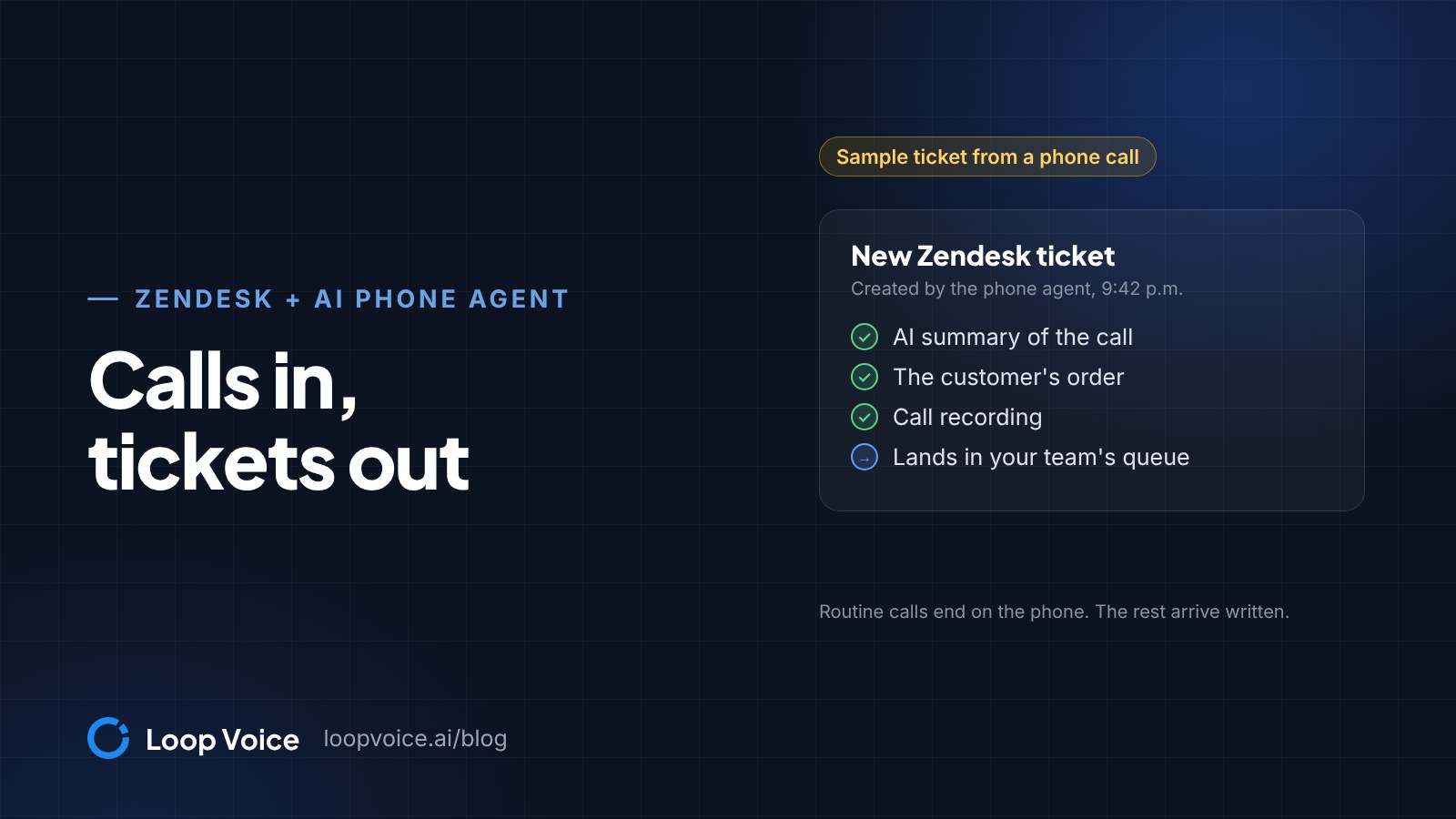
When it cannot resolve a call during your support hours, it can transfer the caller to your team's number, briefing the teammate first; if nobody answers, or outside those hours, it creates a ticket in Loop Voice and in Zendesk with the AI summary, the order and the recording. Rules stop or escalate on negative sentiment, a do-not-contact request, complex refunds, and legal or medical questions.
It answers on your Twilio number, a number bought in 90+ countries, or a SIP trunk from Twilio, Vonage or Telnyx; to cover only evenings and weekends, forward your store line to it in those hours.
Connect Loop Voice to Zendesk in five steps
The connection is an OAuth client: one form in Zendesk, one in Loop Voice.
- In Zendesk Admin Center, click Apps and integrations, then APIs, then OAuth clients, and click Add OAuth client (Zendesk OAuth guide). Loop Voice's settings page may still show an older path (APIs, Zendesk API, OAuth Clients tab).
- Name it, for example "Loop Voice", keep or edit the identifier Zendesk fills in from the name (this is your Client ID), and set Client kind to Confidential: Loop Voice uses the client secret, and Zendesk requires public clients to use PKCE.
- Under Redirect URLs, paste the redirect URL shown on Loop Voice's Zendesk settings page.
- Save, copy the secret at once (Zendesk shows it in full only once), then click Save again.
- In Loop Voice, open Settings, Integrations, Zendesk, enter your subdomain (the part before .zendesk.com), the Client ID and the secret, then click Connect Zendesk and authorize Loop Voice in Zendesk.
Each handoff ticket carries the AI summary, the transcript, the order and the recording, so nobody asks the customer to start over. Loop Voice keeps recordings for 7 days by default; extend that to 90 days if your team reviews calls more than a week later, or switch recording off per number.
Route the tickets with a trigger and a view
Make a test call that ends in a handoff and note what marks the ticket in Zendesk, such as a tag or the subject line. Match on it in a trigger, since Zendesk's views guide asks for a condition on a field such as status or group and lists tag and text checks among conditions to avoid (Zendesk views).
- Trigger: Admin Center, Objects and rules, Business rules, Triggers. When a ticket is created with the marker, set the group that follows up on phone handoffs and notify it (Zendesk triggers).
- View: Admin Center, Workspaces, Agent tools, Views, Create view, with "Group is" that team and "Status is less than Solved" (Status category on newer accounts).
Our support setup guide covers the rest of the helpdesk setup.
Which calls the agent handles and which become tickets
Set the scope before the first live call:
| Call | Loop Voice agent | Zendesk ticket |
|---|---|---|
| Where is my order | Looks up the order and gives its status | If the order can't be found |
| Return or exchange inside policy | Explains the policy and steps | If the item arrived damaged or wrong |
| Sizing, product or shipping question | Answers from your catalog and policies | If the knowledge base has no answer |
| Subscription change | Handles it | If it needs an exception |
| Refund outside policy, cancellation, address change, payment problem | Hands off | Always, with the order |
| Legal or medical question | Your published guidance only | Stop-or-escalate rule |
| Angry caller, or a request for a person | Transfers to your team in support hours | Out of hours, or if nobody answers |
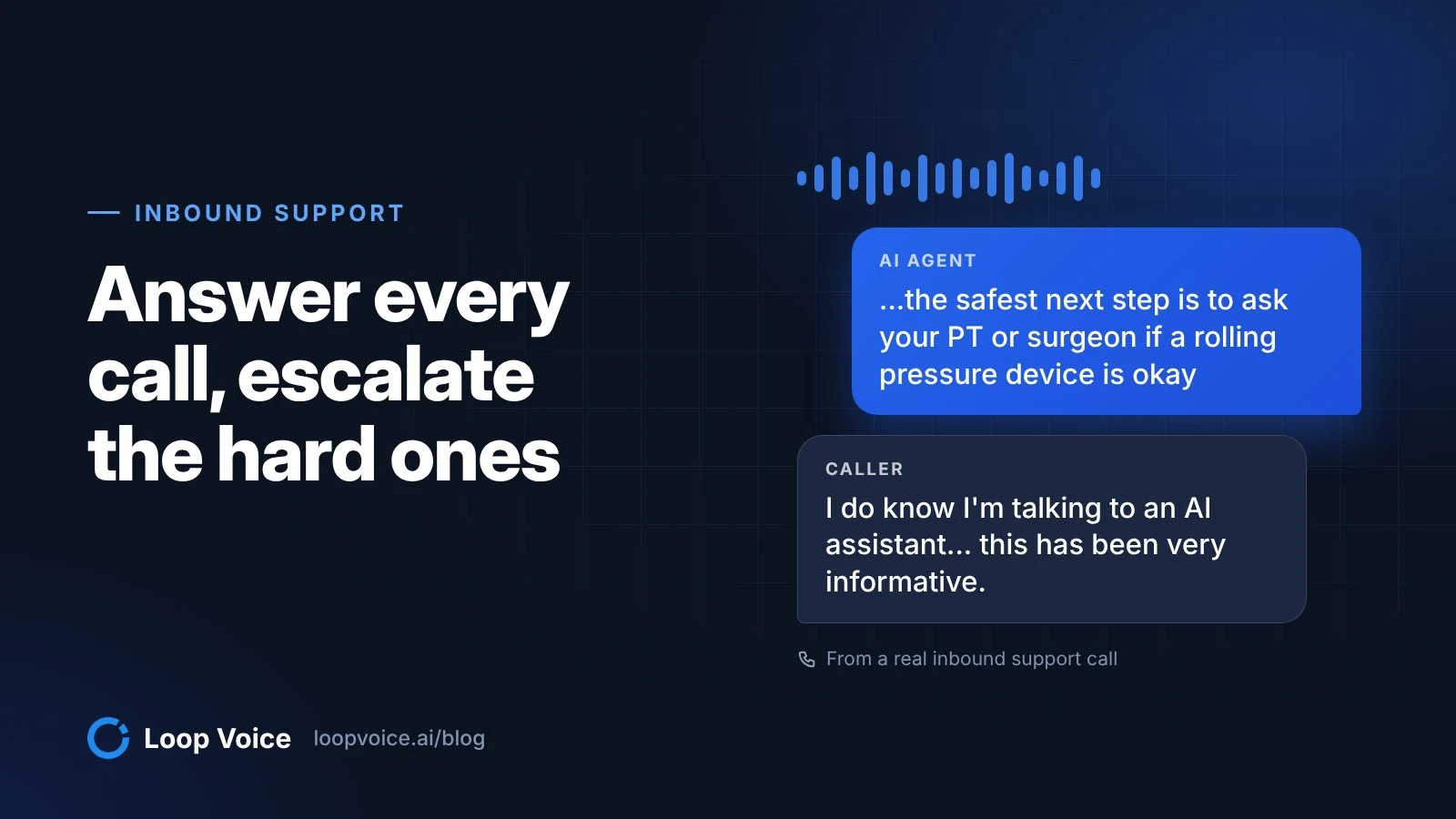
Medical questions are the row to rehearse. A caller nine months out from knee surgery asked a health device brand's agent whether its product was safe for them:
I hear you. If you haven't been cleared yet, I don't want to steer you into using strong pressure around a postsurgical knee on your own. At nine months out, the safest next step is to ask your PT or surgeon if a rolling pressure device is okay for your calf and behind the knee. And if so, what intensity to start at and what areas to avoid? Our safety guidance specifically calls out recent surgery as a don't use category without medical sign off. And I can't override that on a call. If they do clear you, core is usually the better starting point for rehab style use since it tops out lower at eighteen pounds. And you can always keep it light. Max is mainly for people who already know they want very strong pressure. Do you want me to tell you exactly where on [the store's website] the safety pages so you can show it to your PT?
Uh, that's okay. I already found it. I'm here on the web now perusing through, and that's, uh, really what caught my attention. But, Alex, I do thank you for your time today. You've been gracious and kind, and, uh, I do know I'm talking to an AI assistant. But just for those people in the background and for the quality assurance people who are listening, uh, this has been very informative. And, uh, I'll do that. I'll take your recommendation. I will speak to my PTs. I'll speak to my doctor, the surgeon, and find out what it is they recommend, and I'm gonna tell them about [the store]. And then I'm gonna show them the website and see what they tell. But as far as for, you know, the information Huntout was on today, uh, it was a home run. You landed. You did a great job. Thank you.
You're very welcome
The agent quoted the store's safety guidance, refused to override it, pointed them to their physical therapist or surgeon, and texted a 10% code. Load your safety pages into the knowledge base and decide whether such calls end in a careful answer or a ticket; the call library has more real calls, mostly outbound.
Test before customers call
Run the simulator first: six personas, including an angry customer and someone suspicious of AI, up to ten conversations per run, with nothing dialed and no credits used (features). Then:
- In the test console, enter your number and a scenario, such as a jacket in the wrong size; the agent calls you.
- Call the agent's number and ask "Am I talking to a robot?" With the guardrail for clear identity as an AI when asked turned on, it says it is an AI.
- End one call with a handoff: ask for a refund outside policy, or for a person.
- In Zendesk, check that ticket's summary, transcript, order and recording, the group the trigger set, and your view.
- After a week, read the answer gaps (live questions that found nothing, over 7, 30 or 90 days) and run the retrieval test on each.
Setting up your first agent covers the rest.
What it costs: per resolution or per answered conversation
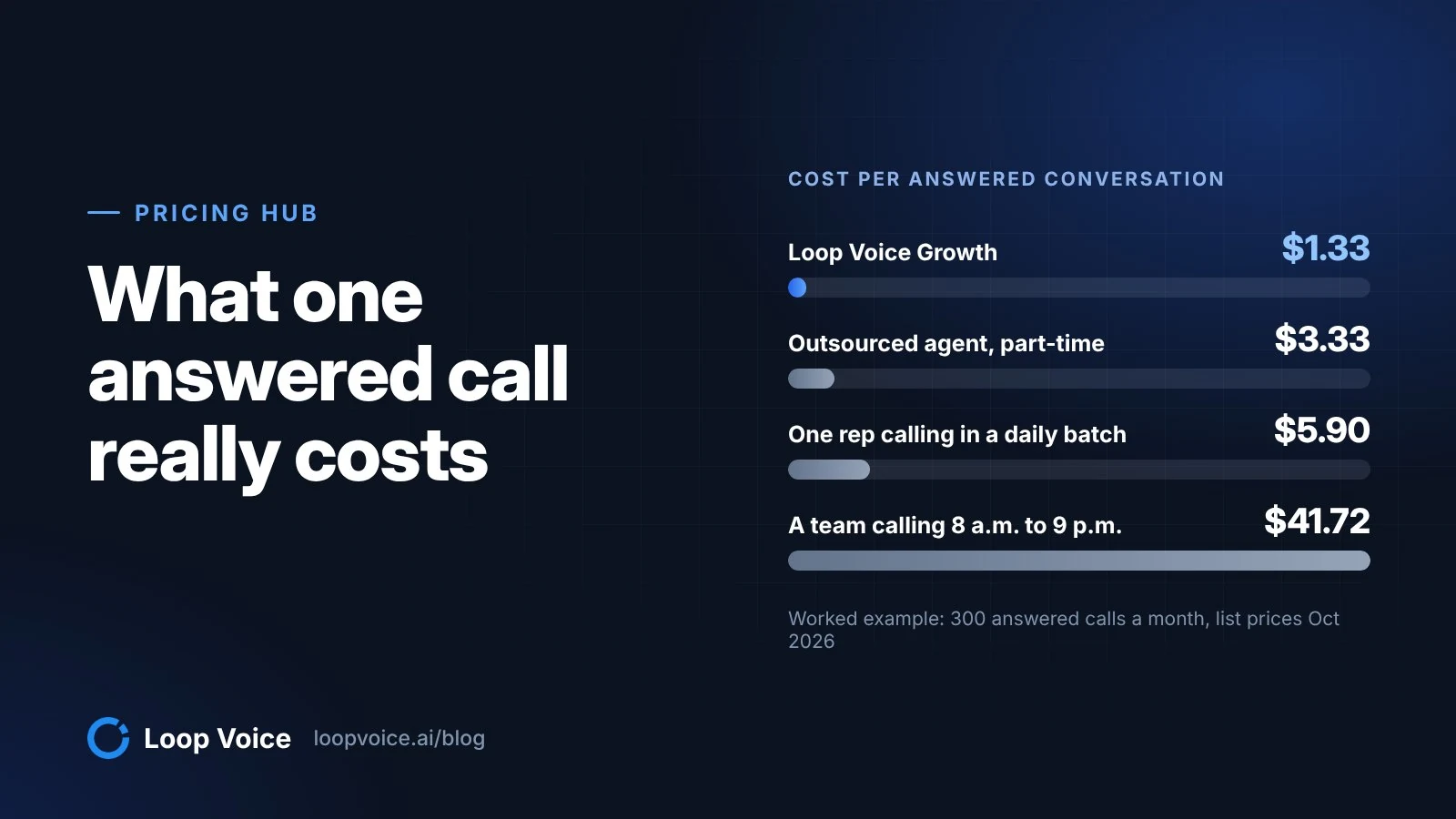
Zendesk charges per call its AI resolves, plus minutes; Loop Voice charges per answered conversation, resolved or handed off, at about 1.5 credits each (pricing).
Example, at the pricing page's rates: a store with three agents on Suite Team gets 330 calls a month, about four minutes each. The AI resolves 200 and hands off 130.
| Zendesk voice AI agent | Loop Voice | |
|---|---|---|
| Billed for | 185 resolutions after 15 included | 330 conversations, about 495 credits |
| Rate | $1.50 committed, $2.00 pay-as-you-go | Growth plan, 500 credits |
| Monthly AI cost | $277.50 to $370, plus $10.56 connection and recording | $399, or $319 a month billed yearly |
| Per answered call | $0.87 to $1.15 | $1.21, or $0.97 billed yearly |
The Zendesk column leaves out seats, inbound call minutes and number fees, and a busier month would push Loop Voice past Growth's 500 credits into extra credits. Against Growth billed monthly, Zendesk costs less here; against Growth billed yearly ($319), it costs less on committed prices ($288.06) and more on pay-as-you-go ($380.56). Its bill grows with each resolution: it passes Growth billed monthly at about 210 resolved calls (64%) on pay-as-you-go or 274 (83%) on committed prices, and Growth billed yearly at about 170 (52%) or 221 (67%).
Zendesk's pricing page offers telephony from Suite Team, $36 more per agent a month billed yearly than Support Team. Our AI vs call center comparison adds staffing costs.
When Zendesk's own agent is the better pick
Choose Zendesk's agent when most of these hold:
- Your phones run on Zendesk voice and your team takes escalated calls in Zendesk's own phone queue.
- Your help center answers most calls.
- Someone can set up and maintain a Shopify order lookup in Zendesk.
- You need more languages than Loop Voice's English, Spanish and 30 more; Zendesk lists 53.
- You want AI fees only on resolved calls (minutes, AI connection and recording apply to every call).
Choose a store agent like Loop Voice when it must look up orders from day one, should also call shoppers about checkouts, upsells and win-back, or your phones are not on Zendesk voice, including Talk Partner Edition. To compare store agents, see the best AI phone agents for Shopify customer service.
Frequently asked questions
Do I need Zendesk voice to connect Loop Voice to Zendesk?
No. Loop Voice answers on its own number and uses a Zendesk OAuth client only to create tickets. Zendesk offers OAuth clients on every Suite plan and on Support Team, Professional and Enterprise.
Do escalated calls use Zendesk automated resolutions?
No. Zendesk bills a resolution only when its AI agent resolves the request without a person, and under the resolution tiers introduced on May 18, 2026, escalations do not draw on the allowance. Minutes, the AI connection charge and recording still apply.
Sources
- Zendesk pricing plans (Zendesk, 2026)
- About voice AI agents (Zendesk Help Center, 2026)
- Announcing the general availability of voice AI agents (Zendesk Help Center, 2026)
- Zendesk Talk number availability and pricing (Zendesk Help Center, 2026)
- About automated resolution tiers (Zendesk Help Center, 2026)
- How can I link my AI agent with my customer orders? (Zendesk Help Center, 2026)
- Using OAuth authentication with your application (Zendesk Help Center, 2026)
- Creating views to build customized lists of tickets (Zendesk Help Center, 2026)
- About Zendesk triggers and how they work (Zendesk Help Center, 2026)
- Announcing the integration of the action builder with AI agents (Zendesk Help Center, 2026)
- Announcing new BambooHR and Shopify actions for action flows (Zendesk Help Center, 2026)
- Managing resolution allowances (Zendesk Help Center, 2026)
Hear it before you decide
Listen to real recovery calls, or see Loop Voice call a test checkout on your own store.