
How to Save Shopify Subscribers Before They Cancel
About a third of ecommerce subscription churn is failed cards, not a decision. Fix payments first, match each cancel reason to a pause, skip or swap, and call the subscribers worth it.

Key takeaways
- Failed payments are about a third of ecommerce subscription churn in Recurly's July 2026 benchmarks, so fix retries and card updates first.
- Match the offer to the reason: a skip or longer interval for too much product, a pause for time away, a swap for someone tired of the product, a discount only for price.
- Act on signals that come before a cancel, such as a second skip, a pause or a failing card, and call only subscribers worth a conversation.
- Count a save only if the subscriber is still active after the next successful charge, and check it against a holdout.
Where subscription churn comes from
Save subscribers by acting on what comes before a cancel (a failed card, a second skip, a pause) with the fix that matches the reason. Failed payments alone are about a third of the problem: Recurly's benchmarks, updated with July 2026 data, put ecommerce churn at 4.25%, and 1.38 points of that is involuntary, meaning a payment failed rather than the subscriber deciding to leave (Recurly churn benchmarks).
The voluntary rest is mostly fixable too. Recharge names having too much of the product as one of the most common reasons subscribers cancel (Recharge), and a skip or a longer interval answers that better than a discount.
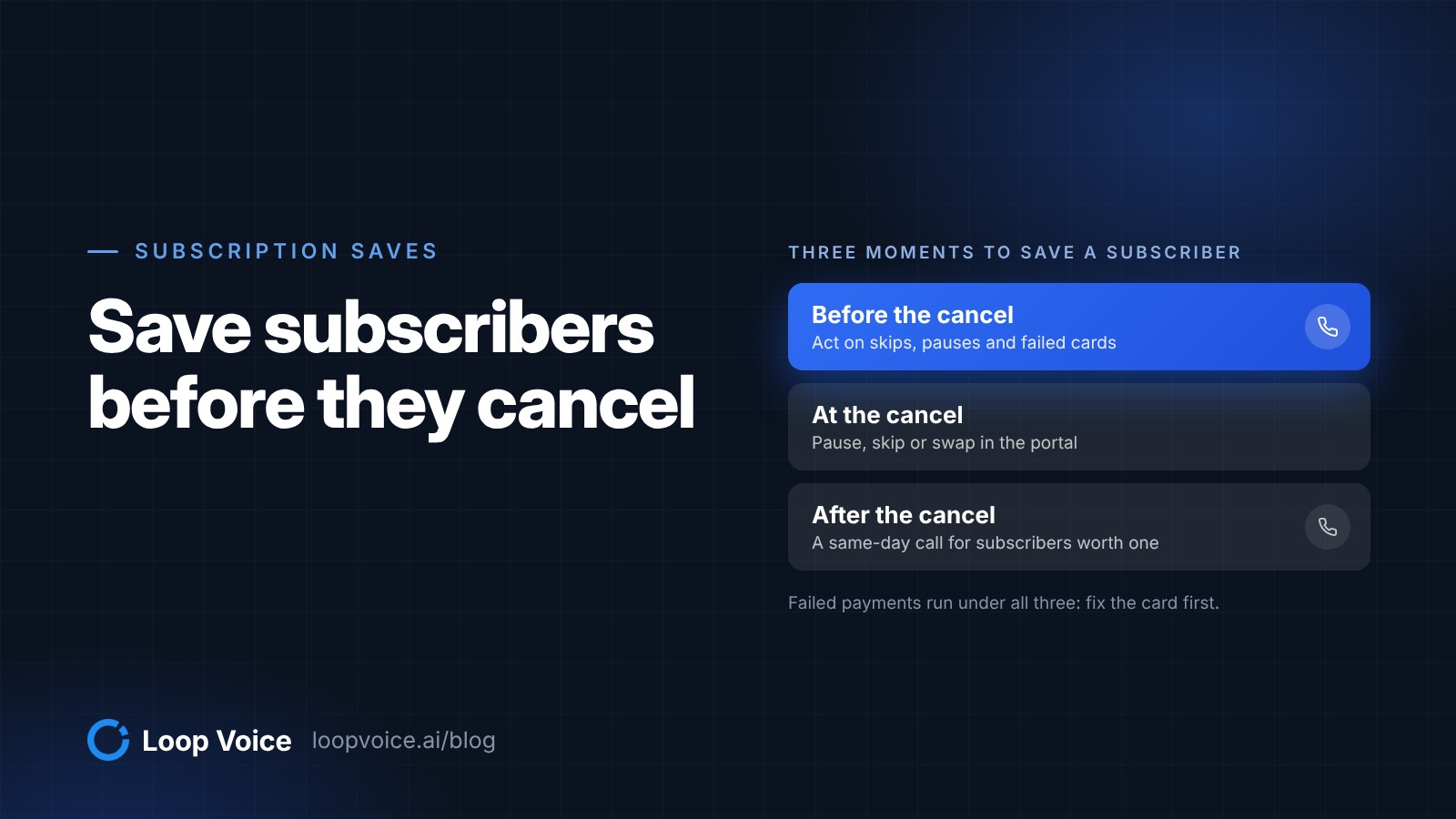
That leaves three moments to act, each with its own tool: before the cancel (signals and check-in calls), at the cancel (offers inside your subscription app) and after it (a same-day call for subscribers worth one). Failed payments run underneath all three.
Before the cancel: signals worth acting on
Most subscribers leave a trail before they cancel. Here is what each signal usually means and the cheapest response that works.
| Signal | What it usually means | First response | When a call fits |
|---|---|---|---|
| A payment fails | An expired or declined card, not a decision | Retries and an update-card email | When retries fail on a subscriber several orders in |
| A second skip in a row | Too much product at home | Offer a longer interval | A check-in before the next charge |
| A pause | Time away, or a quiet goodbye | A reminder before the pause ends | Before it ends, for long-standing subscribers |
| A switch to the longest interval | Overstock or budget | Watch for a second signal | Only alongside another signal |
| A support complaint | A late, damaged or disappointing order | Fix the problem | After the fix, never before |
| The second delivery arrives | The habit is still forming | Usage tips by email | A check-in call |
Your subscription app records most of these. Recharge, for example, sends Klaviyo metrics such as Subscription paused on ReCharge, Subscription next charge date changed on Recharge and Order upcoming on ReCharge, which fires three days before an order is processed by default (Recharge Help Center). In Klaviyo, a segment condition on what someone has done in the last 30 days turns any of these into a list you can act on (Klaviyo segment conditions).
Shopify's own Subscriptions app emails each customer 3 days before a recurring order is charged, so they have time to skip, pause, update payment or cancel (Shopify Help Center). The days before a charge are the window for anything you want a wavering subscriber to hear first.
Check-in calls
The cheapest save happens before the subscriber thinks about canceling. A short call after the second or third delivery asks whether the quantity, timing and flavor are right, and fixes them before they turn into reasons to leave. Loop Voice runs these as subscriber check-ins, one of the plays on its features page.
Perfect. Then you're all set. If anything ever looks off with the next shipment, quantity, timing, or flavor, just call us and we'll fix it fast. Anything you want your next coconut yak chew shipment to be better at, longer lasting, a different size, or are they perfect as is?
Perfect as is. I have shih tzus.
Keep the call about the subscriber's next delivery, not a pitch. If the answer is "perfect as is," thank them and let them go.
At the cancel: let the subscription app make the offer
A subscriber clicking cancel is in the middle of a task in your customer portal, so the save offer belongs there, not on a phone call. Match it to the reason they pick:
| Reason they give | Offer that fits | Avoid |
|---|---|---|
| Too much product | Skip the next order or move to a longer interval | A discount, which sends more of what they don't need |
| Away or busy | A pause with an end date | A pause nobody follows up on |
| Tired of the product | A swap to another flavor, scent or size | The same product at a lower price |
| Too expensive | A smaller size or longer interval, then a one-time discount | A permanent discount for everyone who clicks cancel |
| It didn't work | A route to your support team | Any offer before the problem is fixed |
| Moving or no longer needed | Let them go | A second offer |
Shopify's free Subscriptions app lets customers pause, skip and cancel on their own, and the Shopify page above notes that a cancel there ends billing and delivery immediately and can't be undone. Recharge's Cancellation Prevention flows can offer discounts, delays and swaps when a subscriber tries to cancel, with a different offer for each cancellation reason (Recharge Help Center).
Newer apps build the same step into the portal. Driftcharge, a Shopify subscription app in early access as of October 2026, lists cancellation prevention with personalized retention offers and pause options, and a self-serve portal where subscribers can modify, pause or skip. Whichever app you run, judge it on how well its cancel step matches the offer to the reason, not on how many offers it can show.
Pauses alone do measurable work. Recharge reported in 2023 that merchants using its pause feature saw an average subscription save rate of 9.6%, across more than 1,700 merchants in the four months after launch (Recharge).
Keep the exit in plain sight while you offer. Recharge turns on one-click cancellation for Colorado customers by default, citing a Colorado law that requires it, and California's automatic renewal law lets a business show a discounted offer to someone canceling online only alongside a prominent "click to cancel" link or button (California AB 2863). Federal rules are unsettled: a federal appeals court vacated the FTC's 2024 click-to-cancel rule in July 2025, and in March 2026 the FTC opened a new rulemaking that asks whether offering incentives to stay enrolled, instead of promptly honoring a cancellation, is unfair or deceptive (Federal Register).
Failed payments: get the card fixed first
A failed charge is the easiest subscriber to keep, because they never decided to leave. Set the retry rules before you build anything else.
- Shopify Subscriptions: you choose the number of retry attempts, the days between them, and what happens when all of them fail: skip, pause or cancel the subscription. The customer is notified in each case (Shopify Help Center).
- Recharge: retries are timed dynamically, based on the error type, customer behavior and results across merchants, inside a 120-day recovery window by default. When every retry fails, the subscriptions are canceled automatically, and hard declines don't enter the retry strategy at all (Recharge Help Center).
If your app allows it, make the final action a pause rather than a cancel: a paused subscriber can resume with a new card, while a canceled one has to sign up again.
Hard declines are where a call earns its place. Those subscribers get no automatic retries, so they only come back if someone asks for a new card. For subscribers several orders in, the agent explains that the charge didn't go through and texts a link to update the card in your customer portal. It never asks for card details on the call.
After the cancel: a same-day call for subscribers worth one
Once a subscriber has canceled, a call can still bring them back with the fix they didn't see in the portal, as long as it happens while the reason is fresh. Call the same day, and only where it pays:
- Call: subscribers with several orders or a high-value plan whose reason a call can fix, such as too much product, price or a problem with an order.
- Skip: anyone who asked not to be contacted, canceled over an open support issue, is moving away or canceled right after a first-order discount.
Keep the script short. Replace the brackets, name the store in the first sentence, and have the agent say it's an AI whenever it's asked.
- "Hi [first name], it's [agent name], an AI assistant calling from [Store]. I saw you canceled your [product] subscription today. Do you have a minute?"
- "Can I ask what made you cancel? It helps us." Then let them talk.
- Too much product: "A lot of people end up with extra at home. I can restart it every [longer interval] instead, from whenever suits you. Want me to text you the link?"
- Price: offer the smaller size or the longer interval first, and a code only if price is still the objection.
- A no: "No problem, thanks for telling me." Then end the call, with no second offer.
Two rules keep save calls fair. If a subscriber wants to cancel something that's still active, the agent tells them how or passes it to your team, and never stands between them and the cancel. And if your AI phone agent also answers support calls, the same California law requires telling a caller who asks to cancel that they can finish canceling at any time by saying "cancel," before making any offer.
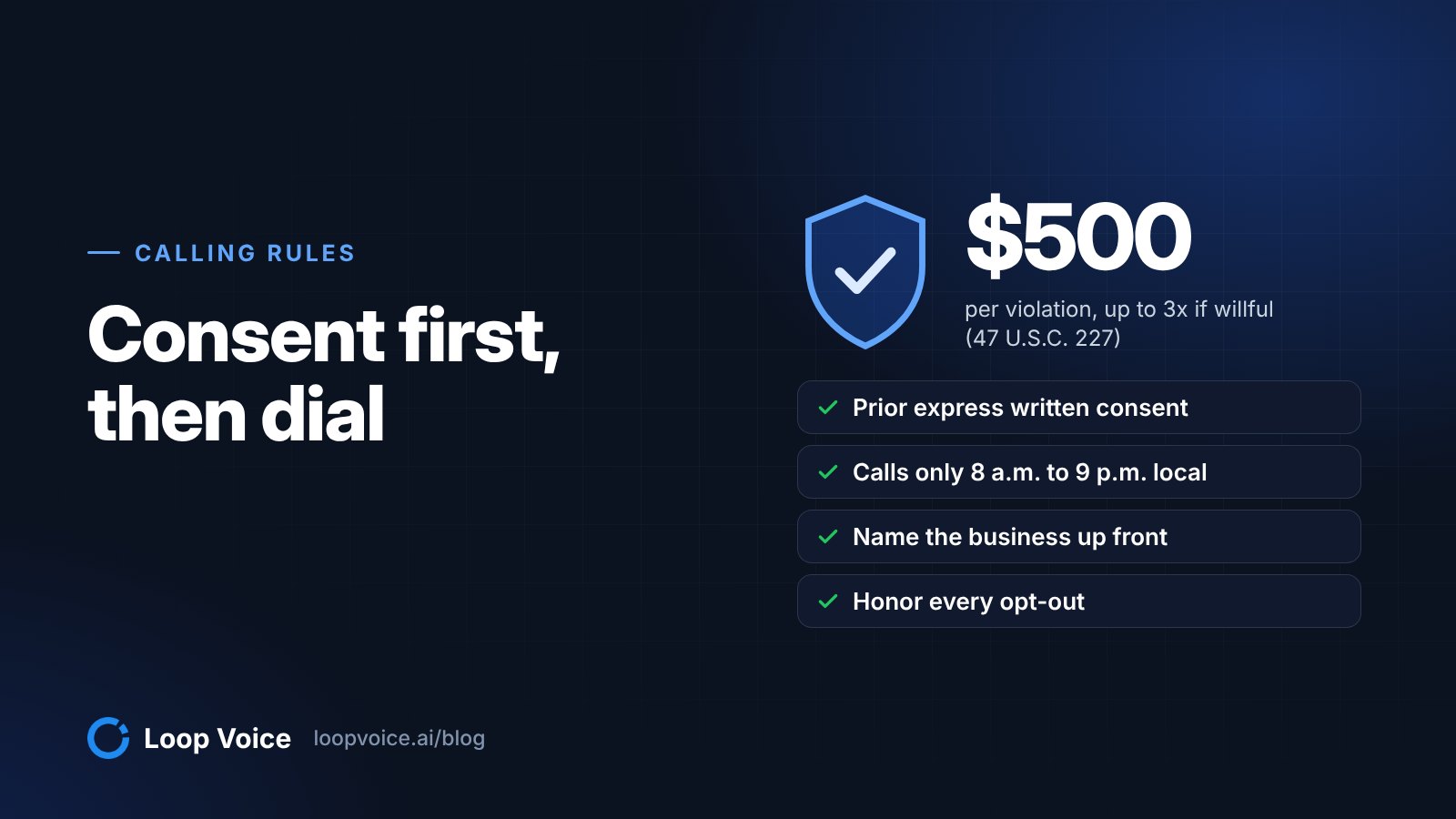
A save call is a marketing call. Calls made with an AI voice need prior express written consent, so check consent before the campaign runs; our guide to calling rules covers the wording. The discount rule and stop requests are in the call script template, and subscribers past the save window belong in a win-back campaign.
Set it up in Loop Voice
Build the at-risk list where your subscription data already lands, then point the calls at it.
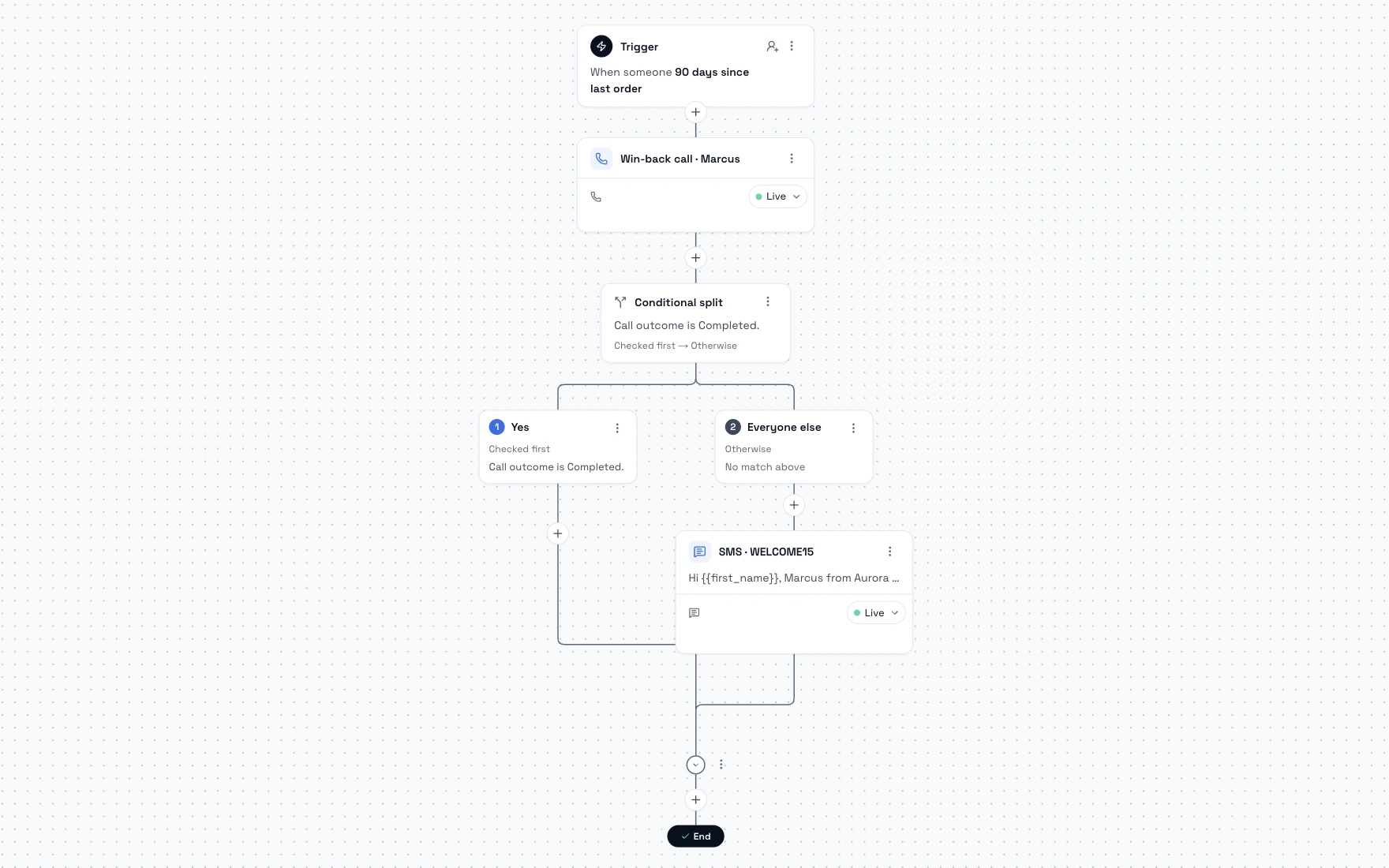
- In Klaviyo, build a segment from your subscription app's events: for example, profiles who did Subscription paused on ReCharge in the last 30 days and have placed at least 3 orders.
- In Loop Voice, point a campaign at that segment with its own time zone, daily calling window and pace. You get a credit estimate before launch, do-not-contact numbers are left out automatically, and the campaign pauses if credits run out.
- For same-day save calls, start a flow when a profile is added to a list or a custom event arrives. Flows stop when the subscriber says stop, is on the do-not-contact list or has a negative call.
- Cap calls per subscriber across every flow and campaign. Loop Voice sets the cap per agent, by week, month, quarter, six months or year.
Running calls next to Klaviyo follows the same pattern as our Klaviyo and phone calls guide, and credits per answered conversation are on the pricing page.
Measure saves against a holdout
Count a save only when the subscriber is still active after the next successful charge. Someone who agrees to a skip on the call and cancels the week after wasn't saved.
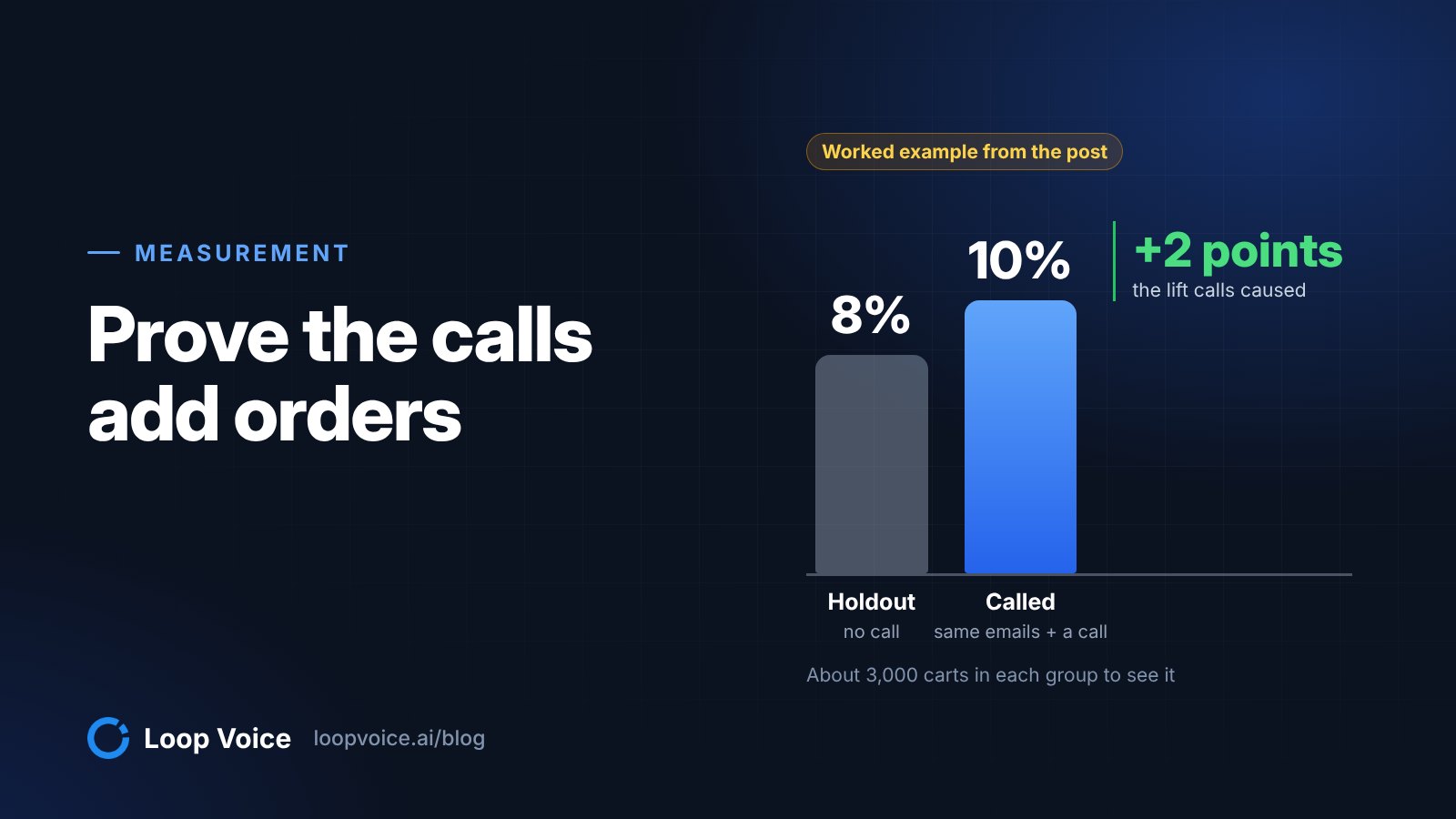
Some subscribers stay without a call, so hold out a random 20% of each segment (they still get your emails and portal offers) and compare the share still active after the next charge.
Example: 1,000 subscribers pause or skip twice in a month. You call 800 and hold out 200. After the next charge date, 70% of the called group is still active against 63% of the holdout: 7 points, or 56 subscribers kept by the calls.
At three more orders each and $18 of margin per order, those 56 subscribers are worth $3,024. If 35% of the 800 answer, the 280 answered conversations use about 420 credits, which fits the Growth plan at $399 a month for 500 credits. Net: about $2,625, before any codes you gave away.
With groups this size, a gap of a few points can be noise, so check the result with the method in our holdout test guide. Then read past the save rate: the reasons subscribers gave, grouped and counted, are your list of things to fix in the product, the portal or the default interval.
Frequently asked questions
Can an AI agent take a new card number over the phone?
It shouldn't. The agent explains that the charge didn't go through and texts a link to update the card in your customer portal, so card details never pass through the call. If the subscriber would rather sort it out with a person, the agent passes the request to your team.
Should every subscriber who cancels get a save call?
No. Call subscribers with several orders or a high-value plan whose reason a call can fix, such as too much product or price. Skip anyone who asked not to be contacted, canceled over an open support issue or canceled right after a first-order discount, and let portal offers and email cover the rest.
Should the offer on a save call beat the one in the portal?
No. If a call offers more than the cancel page, subscribers learn that canceling is how to get a better deal. Use the same ladder in both places, starting with a skip, a pause or a swap, and use a code only when price is the objection the subscriber actually raises.
Sources
- Churn rate benchmarks (Recurly, 2026)
- Reduce your cancellations with pause subscriptions (Recharge, 2023)
- Using Recharge metrics to trigger Klaviyo flows (Recharge Help Center, 2026)
- Segment conditions reference (Klaviyo Help Center, 2026)
- Shopify Subscriptions customer experience (Shopify Help Center, 2026)
- How to build a Cancellation Prevention flow (Recharge Help Center, 2026)
- Shopify subscription app for recurring revenue (Driftcharge, 2026)
- AB-2863 Automatic renewal and continuous service offers (California Legislative Information, 2024)
- Rule Concerning the Use of Prenotification Negative Option Plans (advance notice of proposed rulemaking) (Federal Register, 2026)
- Managing Shopify Subscriptions app settings (Shopify Help Center, 2026)
- How to create a Failed Payment Recovery strategy (Recharge Help Center, 2026)
Hear it before you decide
Listen to real recovery calls, or see Loop Voice call a test checkout on your own store.